Steps
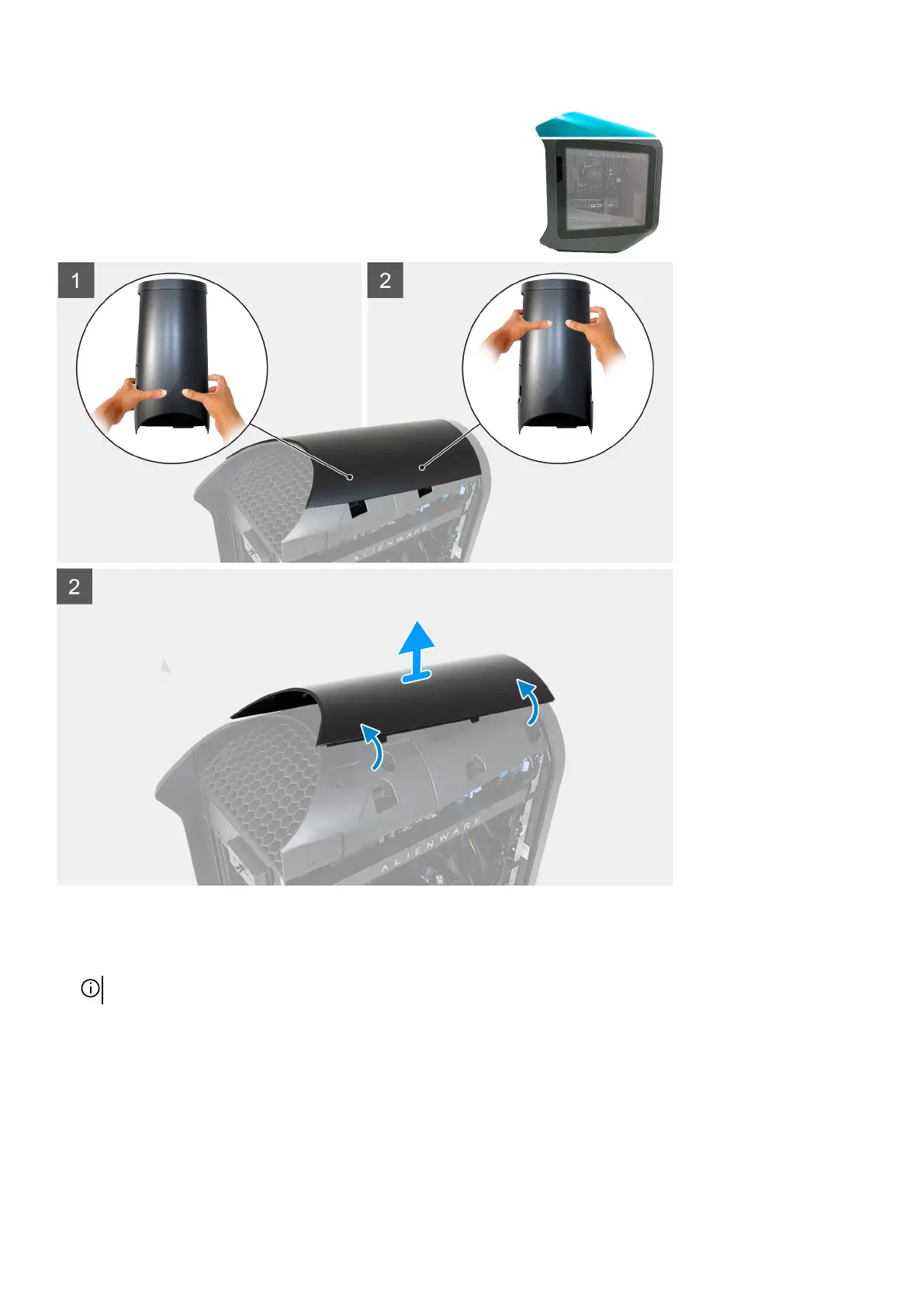
1. Press your thumbs down at the rear of the top cover, and use your fingers to pull the two rear latches out to loosen the top cover
at its rear.
NOTE: The top cover is secured tight to the chassis by four latches.
2. Press your thumbs down at the front of the top cover, and use your fingers to pull the two front latches out to loosen the top
cover at its front.
3. Press your thumbs down at the middle of the top cover to release the remaining two latches and lift the top cover.
18















 To Next Page