Front-chassis fan
Removing the front-chassis fan
Prerequisites
1. Follow the procedure in
Before working inside your computer.
2. Remove the left-side cover.
About this task
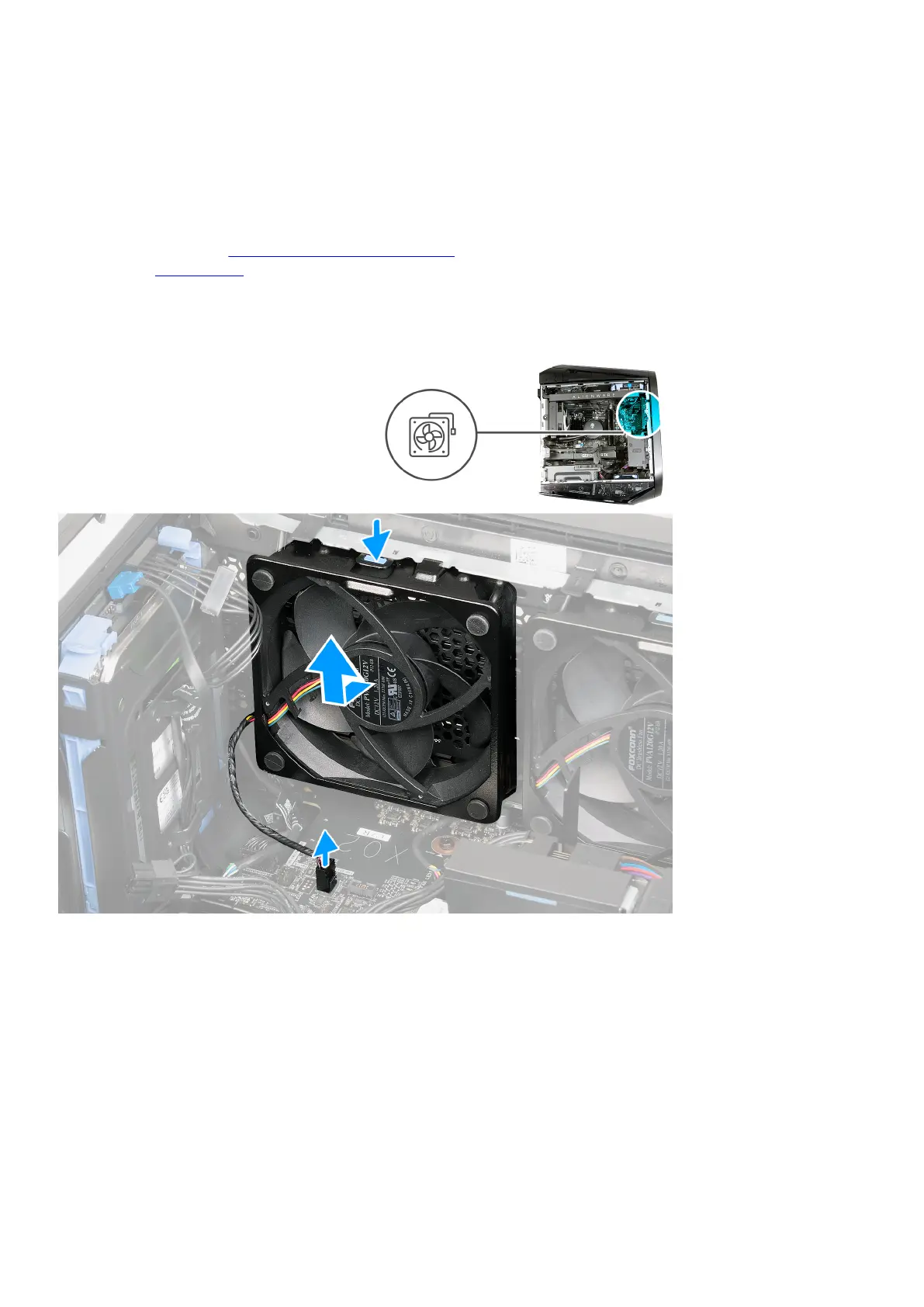
The following images indicate the location of the front-chassis fan and provide a visual representation of the removal procedure.
Steps
1. Lay the computer on its right side.
2. Disconnect the front-chassis fan cable from the system board.
3. Press the releasing clip; slide and lift the front-chassis off the chassis.
Installing the front-chassis fan
Prerequisites
If you are replacing a component, remove the existing component before performing the installation procedure.
66















 To Next Page