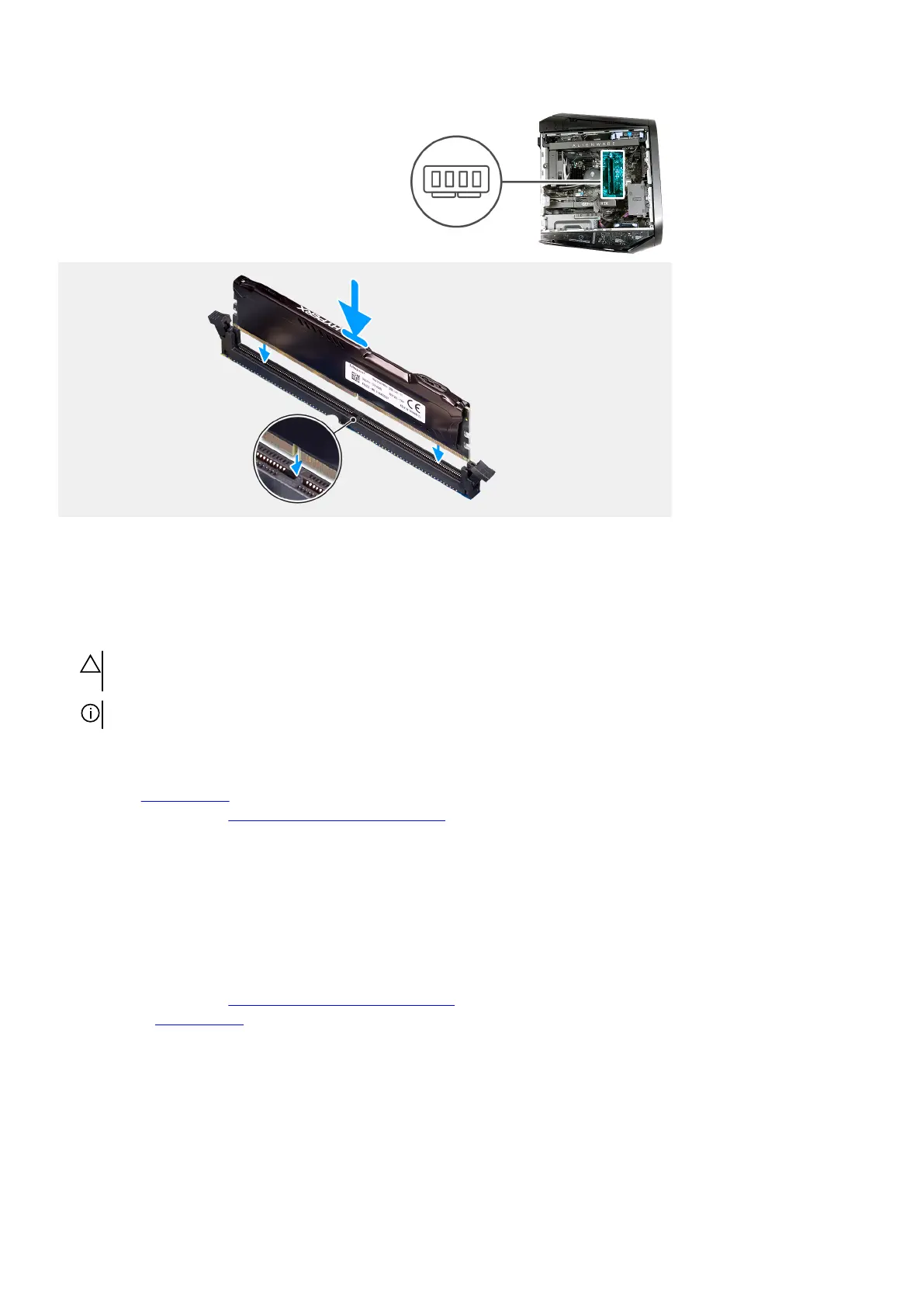
Steps
1. Ensure that the securing clips are extended away from the memory-module slot.
2. Align the notch on the memory module with the tab on the memory-module slot.
3. Insert the memory module into the memory-module slot and press the memory module down until it snaps into position and the
securing clips lock in place.
CAUTION: To prevent damage to the memory module, hold the memory module by the edges. Do not touch the
components on the memory module.
NOTE: Repeat step 1 to step 3 to replace any other memory modules installed in your computer.
Next steps
1. Install the
left-side cover.
2. Follow the procedure in After working inside your computer.
Graphics card
Removing the single-graphics card
Prerequisites
1. Follow the procedure in Before working inside your computer.
2. Remove the left-side cover.
About this task
The following images indicate the location of the single-graphics card and provide a visual representation of the removal procedure.
40















 To Next Page