About this task
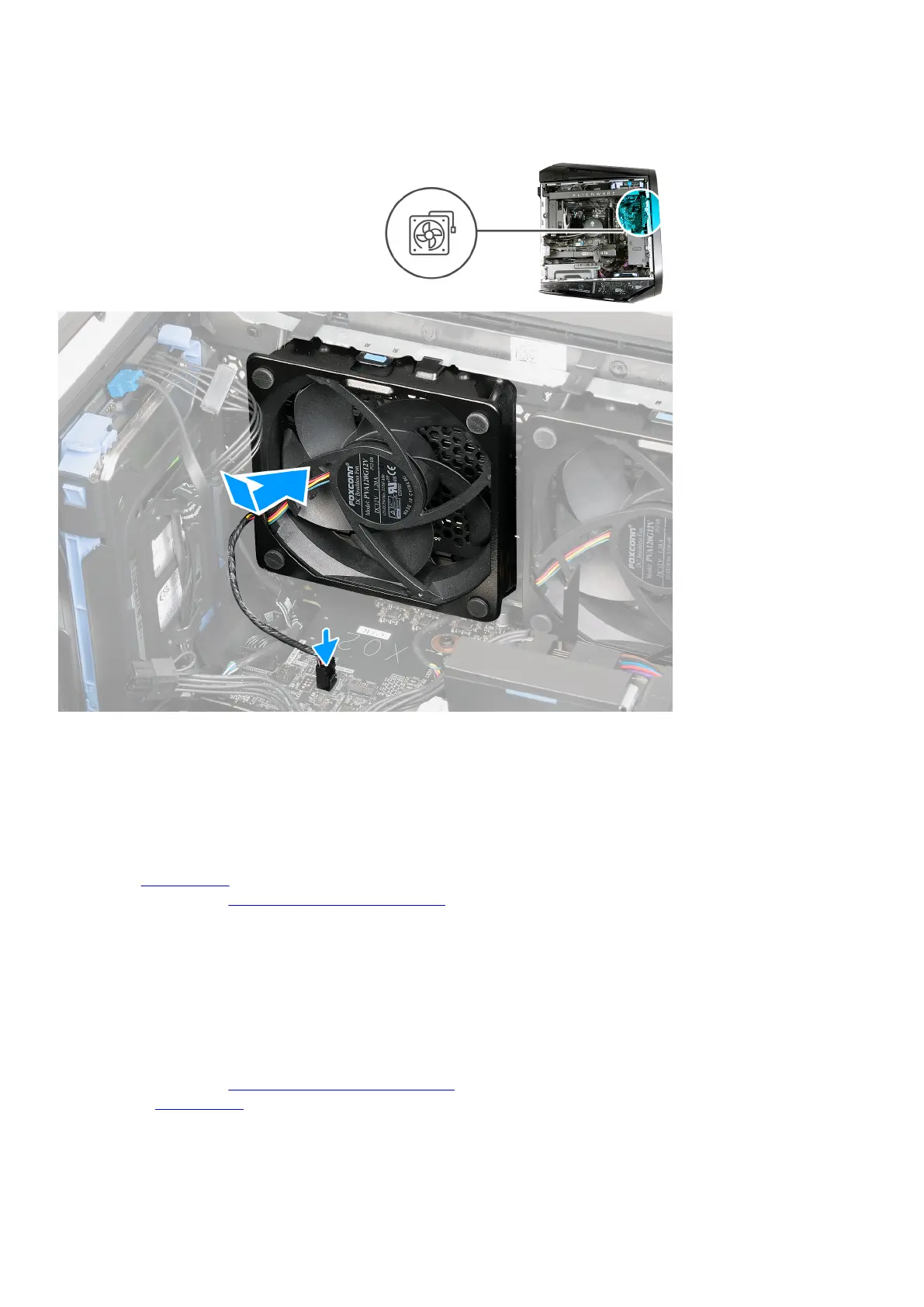
The following images indicate the location of the front-chassis fan and provide a visual representation of the installation procedure.
Steps
1. Lay the computer on its right side.
2. Align the front-chassis fan with the slot on the chassis; slide and push the fan until the releasing clip snaps into position.
3. Connect the front-chassis fan cable to the system board.
Next steps
1. Install the
left-side cover.
2. Follow the procedure in After working inside your computer.
PCIe fan
Removing the PCIe fan
Prerequisites
1. Follow the procedure in Before working inside your computer.
2. Remove the left-side cover.
About this task
The following images indicate the location of the PCIe fan and provide a visual representation of the removal procedure.
67















 To Next Page