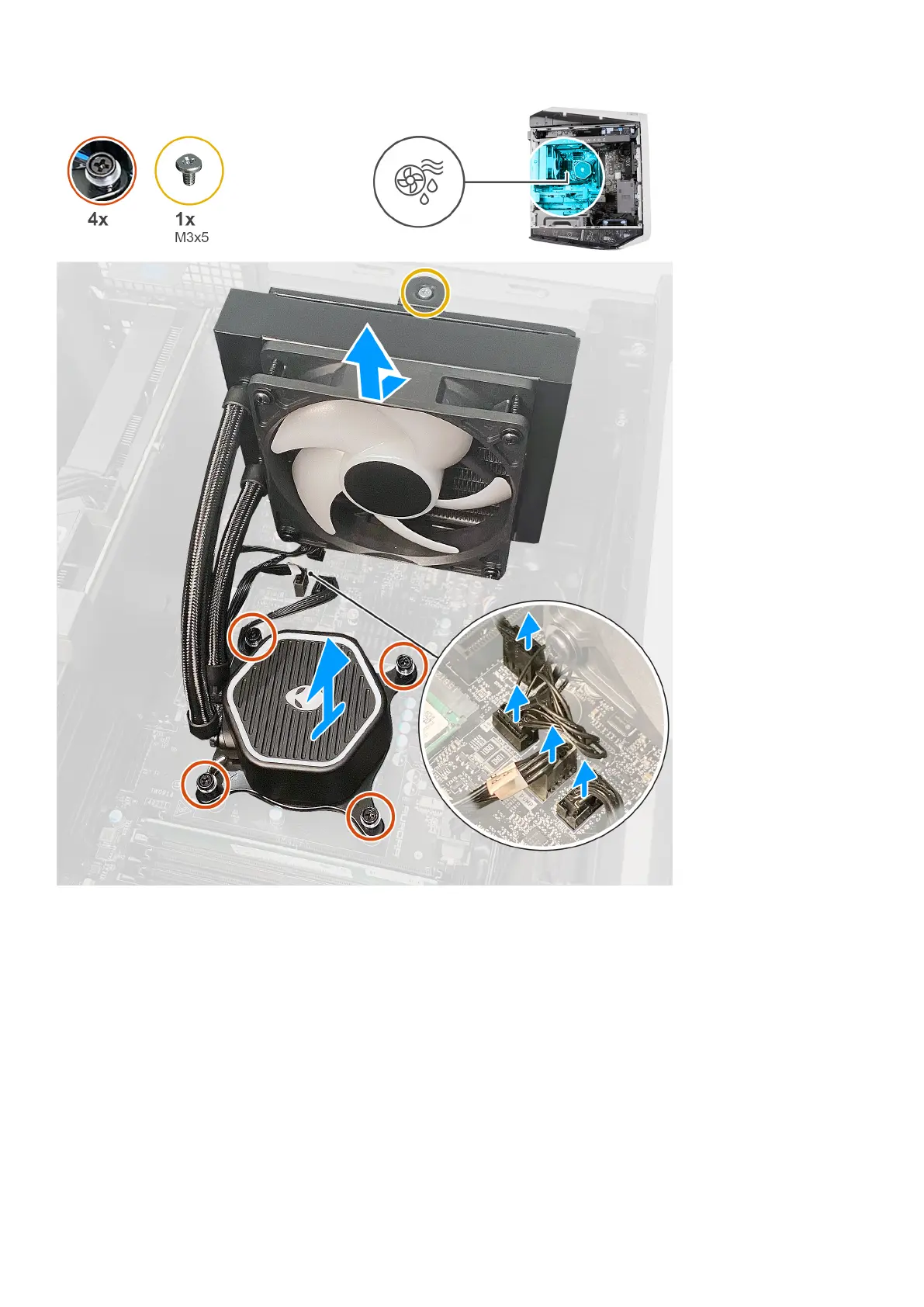
Steps
1. Lay the computer on the right side.
2. Remove the screw (M3x5) that secures the radiator and fan assembly to the chassis.
3. Disconnect the processor-cooling assembly cables from the system board.
4. Loosen the four captive screws that secure the processor cooler to the system board.
5. Lift the processor-cooling assembly along with the cables off the system board.
Installing the processor liquid-cooling assembly
Prerequisites
If you are replacing a component, remove the existing component before performing the installation procedure.
57















 To Next Page