Steps
1. Turn off the computer and disconnect the power cable from the computer.
2. Remove the left-side cover.
3. Lay the computer on its right side.
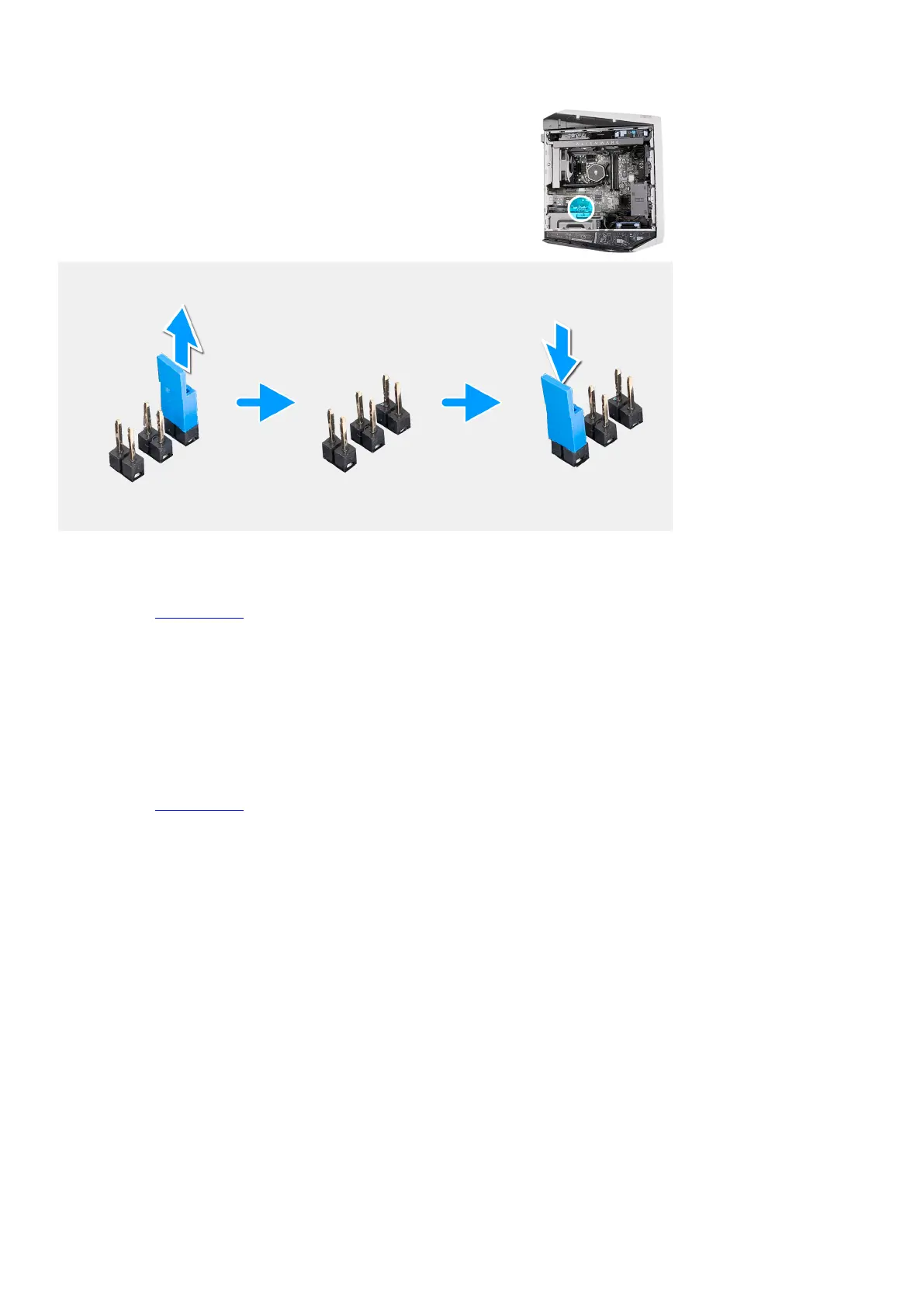
4. Locate the 2-pin CMOS jumper on the system board.
5. Ensure that the jumper is on the pair of password pins (JM34).
6. Move the jumper to the pair of CMOS pins (JM12).
7. Plug the power cable to the computer.
8. Wait for 10 seconds for the CMOS to clear.
9. Disconnect the power cable from the computer.
10.Move the jumper to the pair of password pins (JM34).
11. Replace the
left-side cover.
Clearing BIOS (System Setup) and System passwords
About this task
The following images indicate the location of the password reset jumper on the system board and provide a visual representation of
the clearing passwords procedure.
99















 To Next Page