2.5-inch hard drive
Removing the 2.5-inch hard drive
Prerequisites
1. Follow the procedure in
Before working inside your computer.
2. Remove the left-side cover.
About this task
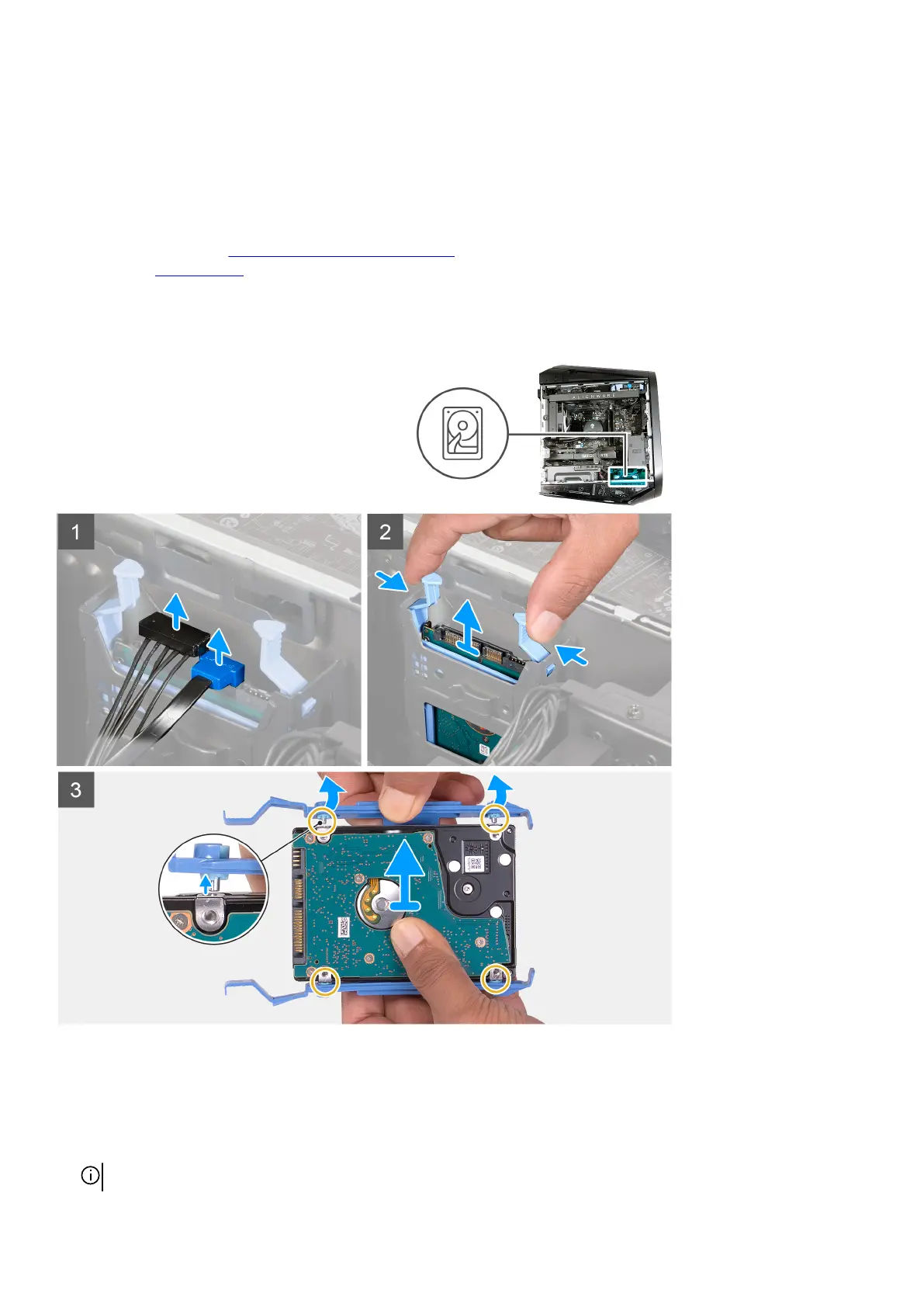
The following images indicate the location of the 2.5-inch hard drive and provide a visual representation of the removal procedure.
Steps
1. Disconnect the hard-drive data and hard-drive power cables from the hard drive.
2. Press the release tabs on the hard-drive carrier and slide the hard-drive assembly out of the hard-drive cage.
3. Pry the hard-drive carrier to release the tabs on the assembly from the slots on the hard drive.
4. Lift the hard drive out of the hard-drive assembly.
NOTE: Note the orientation of the hard drive so that you can replace it correctly.
26















 To Next Page