About this task
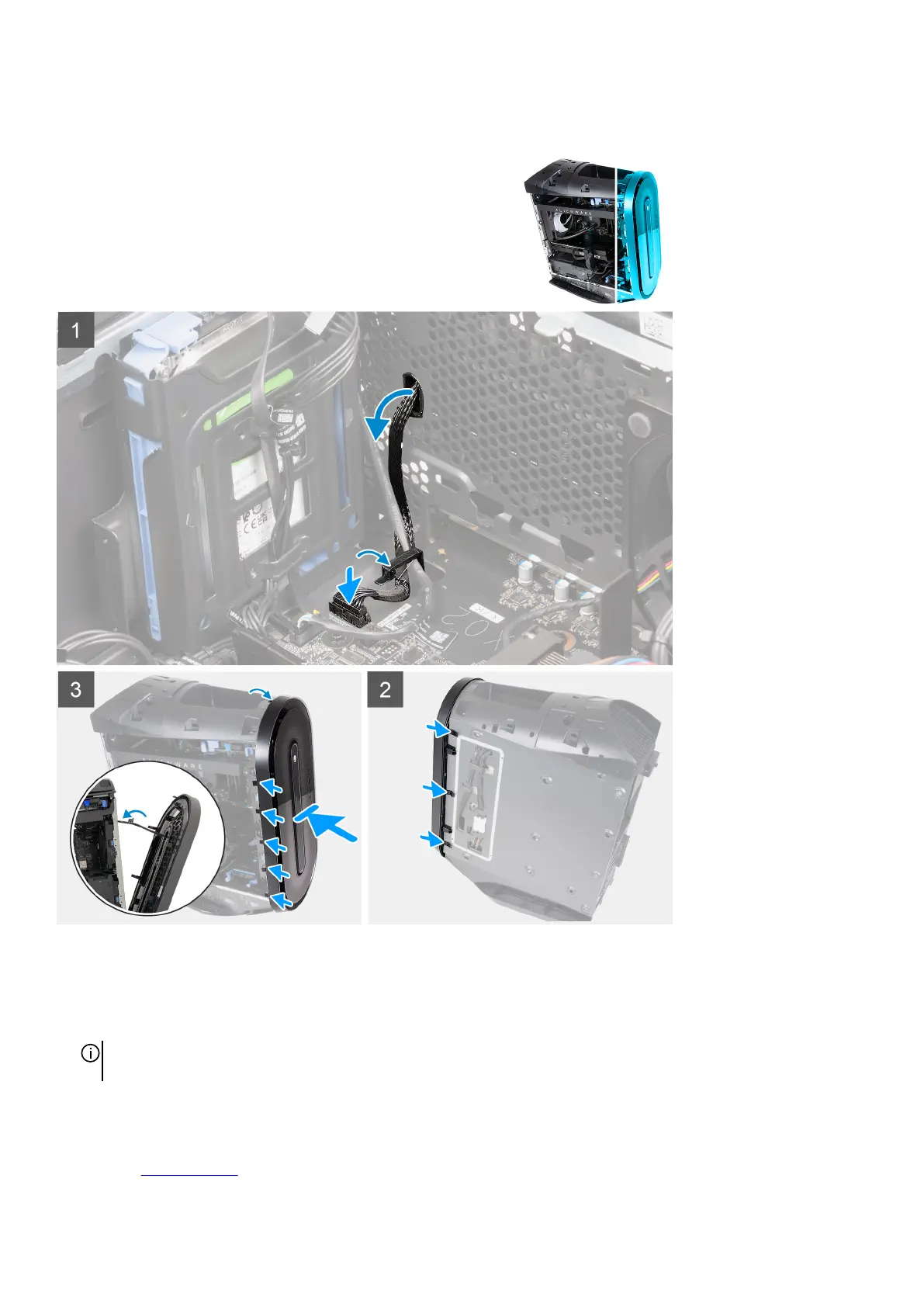
The following images indicate the location of the front bezel and provide a visual representation of the installation procedure.
Steps
1. Align the front bezel with the front panel.
2. Route the front I/O-panel cable through the slot on the front panel.
3. Push the front bezel towards the front panel and ensure the tabs clip onto the slots of the front panel.
NOTE: Start with tab on top, proceed to the tabs on the left of the front bezel, and then to the tabs on the right of the front
bezel.
4. Connect the front I/O-panel cable to the system board.
Next steps
1. Install the right-side cover.
23















 To Next Page