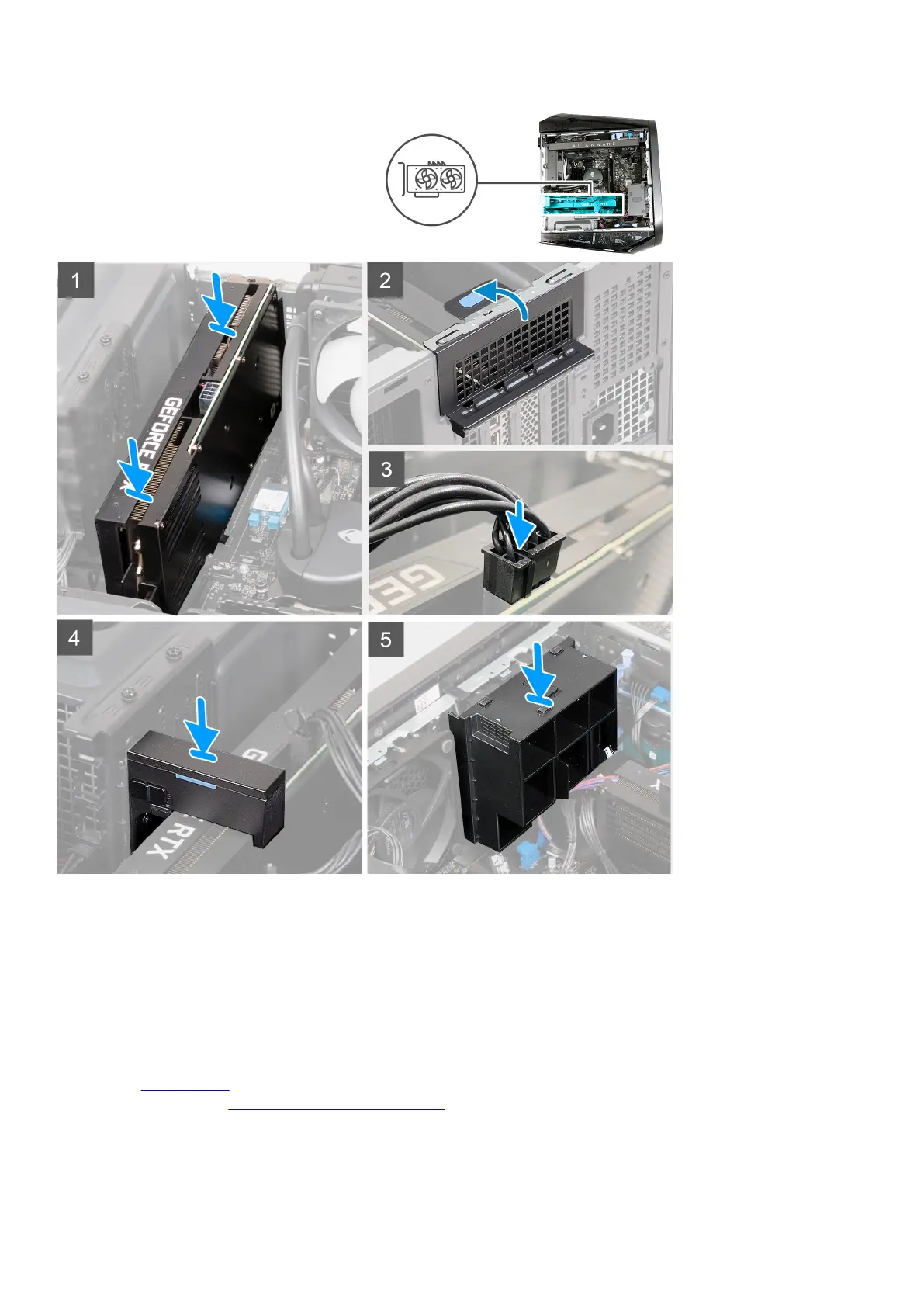
Steps
1. Place the card into the PCIe x16 slot and press down firmly until the single-graphics card snaps into place.
2. Connect the graphics-card power cables to the graphics card.
3. Replace the graphics-card bracket onto the graphics-card bracket holder and slide the latch into its lock position.
4. Replace the graphics-card end holder over the PCIe fan and slide the latch into its lock position.
5. Close the expansion-card door and snap the latch back into position.
Next steps
1. Install the left-side cover.
2. Follow the procedure in
After working inside your computer.
43















 To Next Page