Steps
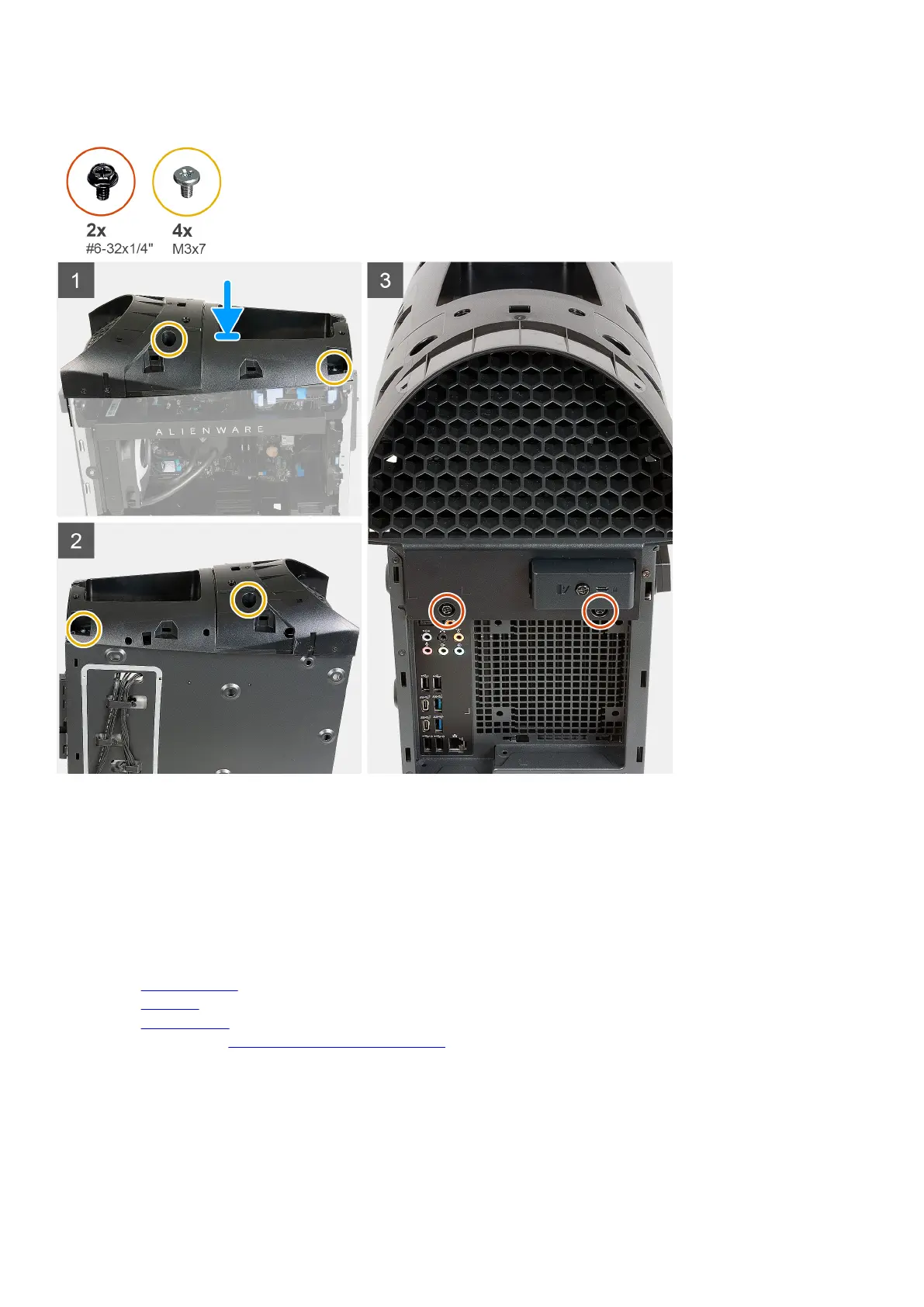
1. Place the computer in an upright position.
2. Align the top bezel screw holes with screw holes on the chassis.
3. Place the top bezel on the chassis.
4. Replace the four screws (M3x7) that secure the top bezel to the chassis.
5. Replace the two screws (#6-32x1/4") that secure the top bezel to the chassis.
Next steps
1. Install the
right-side cover.
2. Install the top cover.
3. Install the left-side cover.
4. Follow the procedure in After working inside your computer.
53















 To Next Page