4. Interfacing to the world 63
Example Code 4.11 | Exposure as P3 source
device.PIOPorts[3].Source = OutputSource.Exposure;
The exposure signal can be used to synchronize multiple NECTA devices, so that the acquisition in progress
signal of the master camera can be routed as a capture trigger for slave cameras. This method is simple
and effective, but it it still affected by an intrinsic delay due to I/O switching time, debouncing lters etc;
if your application requires precise synchronizazion of multiple cameras, or when external non-camera
devices (e.g. lighting systems) must be perfectly synchronized to the acquisition, consider using the
strobe signal instead and the related delay mechanism, as described in 4.5.4.2.
4.5.4.2 Strobe
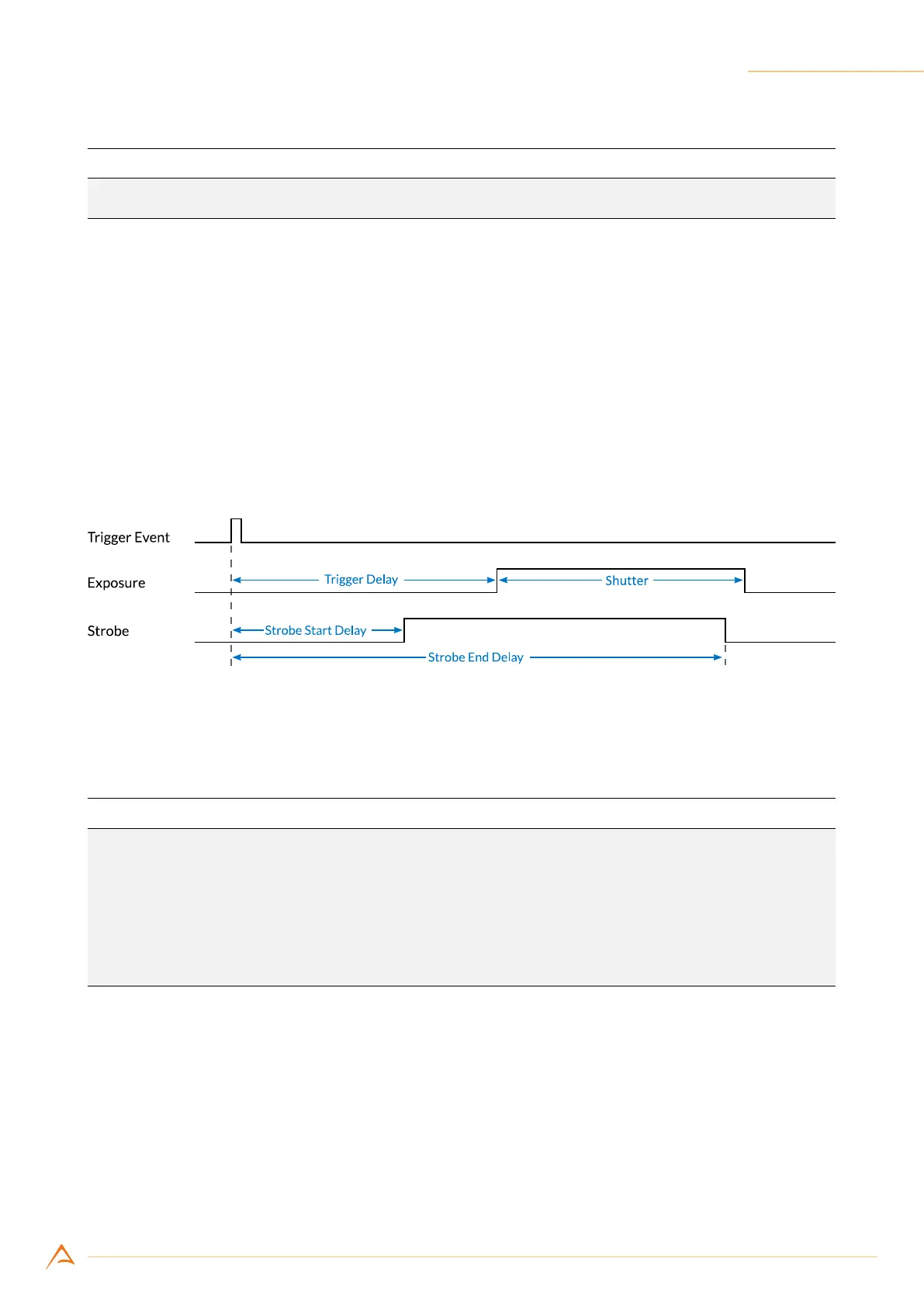
The strobe pulse can be generated by setting two programmable delays from the beginning of exposure,
for rise and falling time. These two delays can be properly set with 1 µs resolution, according to your
needs.
Figure 4.23: Strobe pulse
The following code congures the strobe signal and routes it to output port 3:
Example Code 4.12 | Strobe as P3 source
UnitInfo unit = device.Strobe.DelayUnitInfo; // Retrieve Delay unit info
double startDelay = 1e-6; // Set strobe start delay to 1 us
double endDelay = 10e-6; // Set strobe end delay to 10 us
device.Strobe.StartDelay = (uint)(startDelay / unit.Factor);
device.Strobe.EndDelay = (uint)(endDelay / unit.Factor);
device.PIOPorts[3].Source = OutputSource.Strobe;



 To Next Page