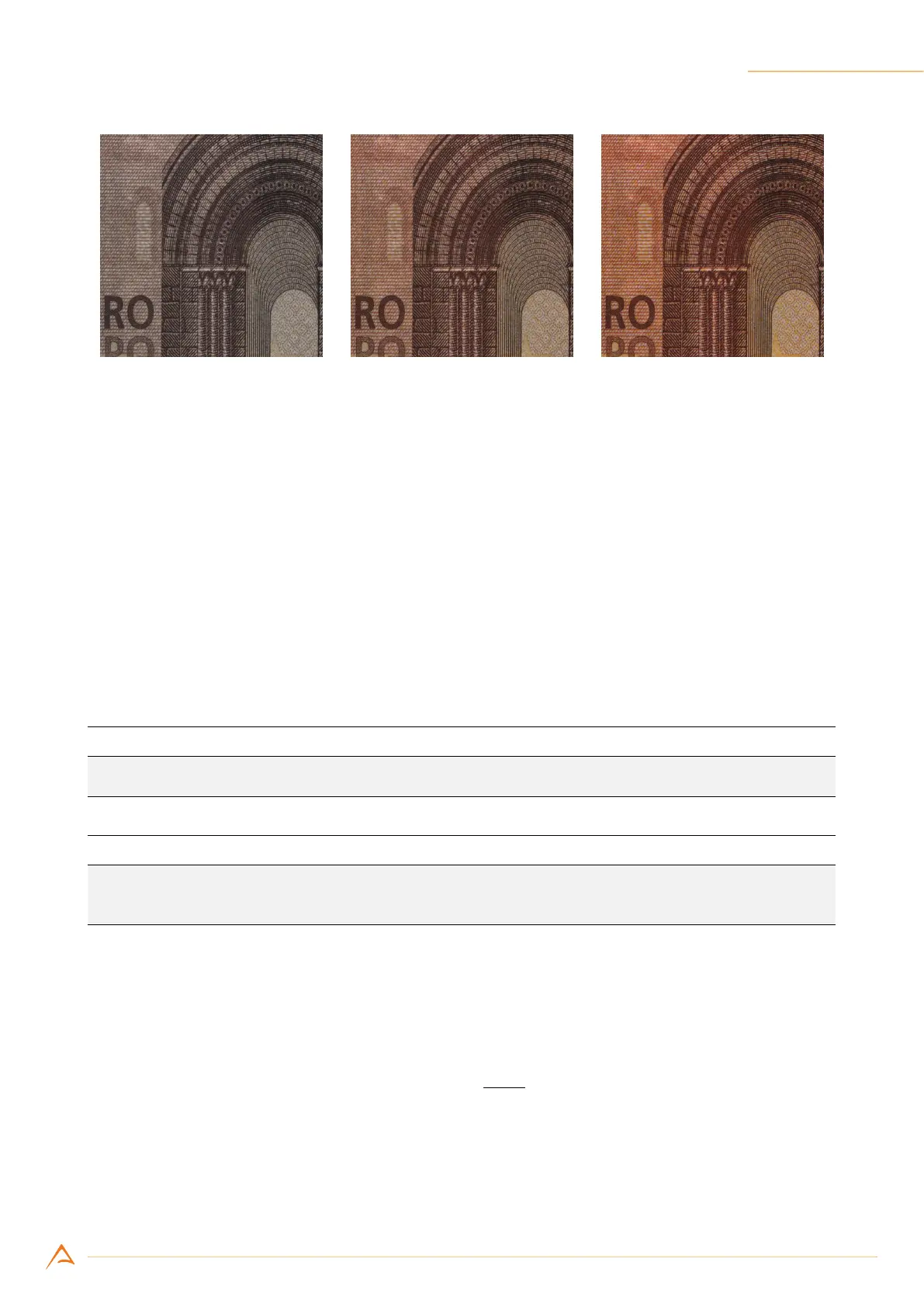
8. Capturing Images 109
(a) Saturation 64 (b) Saturation 128 (neutral) (c) Saturation 192
Figure 8.14: Example of Saturation control effect.
8.10.6 White Balance (color models only)
The WhiteBalance controls the relative mixture of primary colors (R, G and B); they allow to sepa-
rately change the relationship between the Red/Green and Blue/Green image components to correct
the colors resulting from the illuminating light and reset the actual white color to a neutral white.
The camera also provides an automatic mode called one-push, that acquires a frame and uses it as a
reference for calculating an automatic white compensation. When using automatic compensation, the
reference white surface must be acquired with uniform illumination, using the average light level re-
quired by the application. Note that the area of the frame where the camera takes the information for
the automatic calculation may be changed setting the LMR (see Section 7.1).
Example Code 8.20 | Set white balance automatically
device.WhiteBalance();
Example Code 8.21 | Set white balance manually
device.WhiteBalanceUB = 1400;
device.WhiteBalanceVR = 800;
8.10.7 Gamma
The Gamma control (gamma correction) allows compensating the sampled image to match the response
of some displays and to boost low light details. Calculation performed by the camera is:
P
′
= C
Max
·
(
P
O
Max
)
γ
(8.18)
where P is the input pixel, P
′
the compensated pixel value, C
Max
the maximum achievable value of out-
put pixel (e.g. 255 for graph in Figure 8.15) and O
Max
= 2
ADC_resolution−1
is the maximum achievable
value of original pixel (e.g. 2047 for curves in Figure 8.15).



 To Next Page