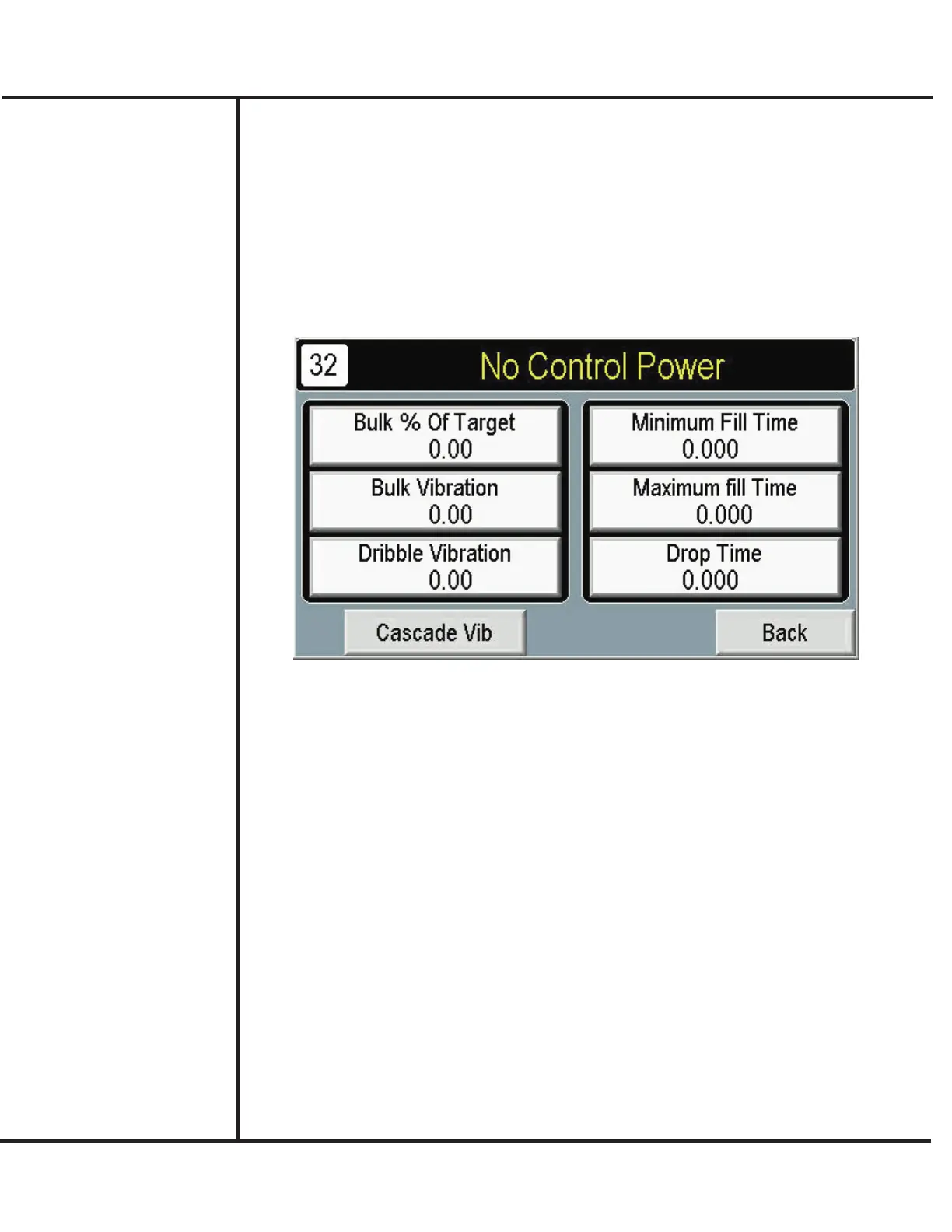
Setting Up Vibration
After setting up the desired target weight, you can proceed to define how vibration dispens-
es product at each bucket. It may be necessary to repeat the following procedure until arriv-
ing at settings that best suit your product, desired accuracy levels, and final production
rates.
1. Press SETUP from the MAIN screen, if necessary.
2. Press SETUP VIBRATION from the Setup screen.
Model VF110-E Touch Screen Control Panel Users Manual
12
AFI Publication 1910817 ● Issue: 1 ● August 2017
3. Press BULK % OF TARGET WT. to define how much product is dispensed in the
first stage fill as a percentage of final target weight. Up to 60% should be specified for
most effective use and optimum production speeds.
4. The BULK VIBRATION selects the rate of vibration during the first, bulk stage fill.
Generally, greater speeds will result in more product, however greater speeds may yield
less accuracy and greater preact (in-flight) amounts.
5. Press DRIBBLE VIBRATION to select the rate of vibration during the second, dribble
stage fill. Greater speeds (higher entries) will result in more product.
6. Press MINIMUM FILL TIME to specify the minimum time for a fill cycle used to iden-
tify problems or faults. If the fill time does not attain this minimum value, an error mes-
sage is generated indicating a possible problem. The Minimum Fill Time should be set
at a point where unacceptable weight (underweight) containers occur.
7. Press MAXIMUM FILL TIME for the time allowable for a fill cycle used to identify
problems or faults. If the fill time exceeds this value, an error message is generated indi-
cating a possible problem.
8 The DROP TIME specifies the time required for product to drop into the discharge noz-
zle. The entry will vary according to the type of product, overall accuracy levels, and
desired production rates.



 To Next Page