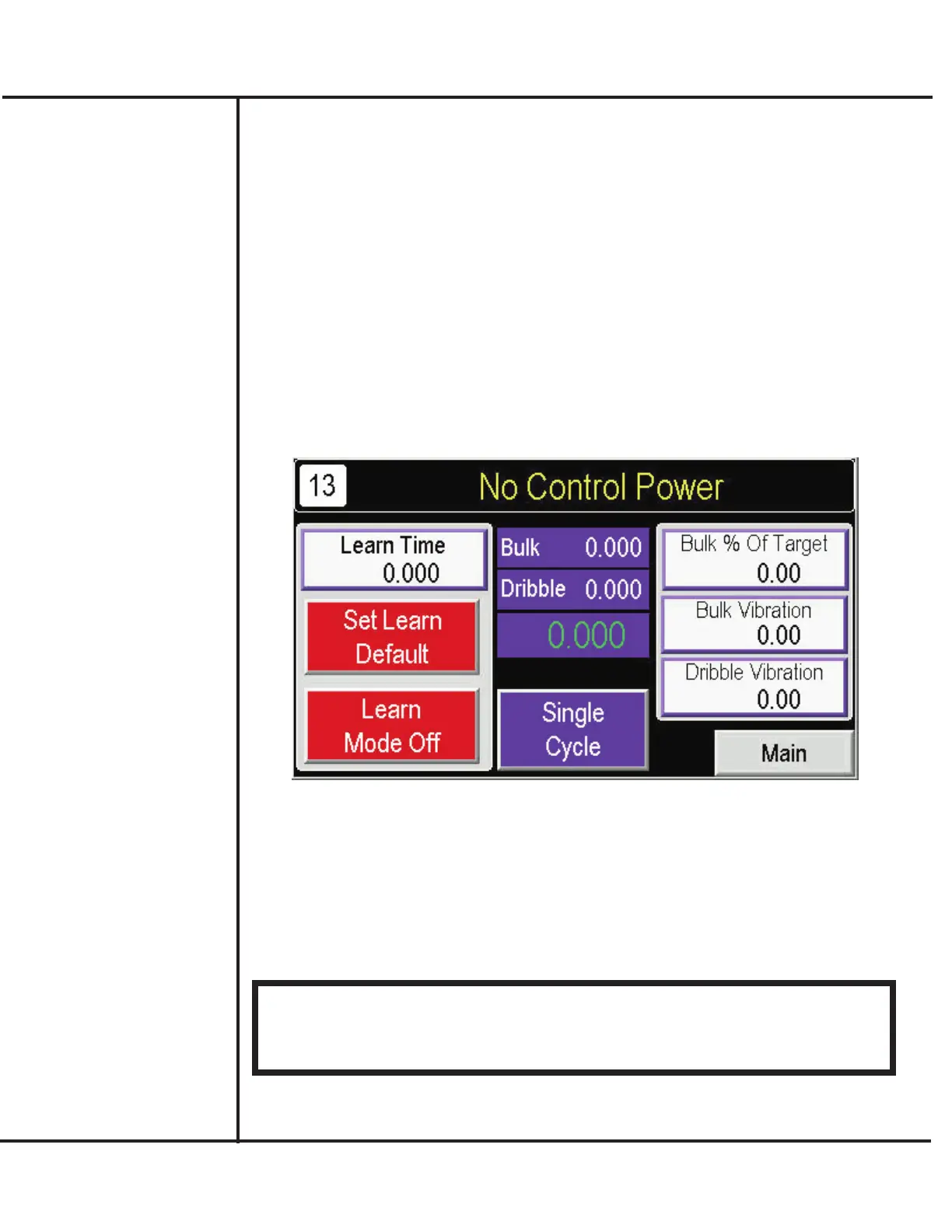
Using the Learn Mode
The Model VF110-E includes a method to automatically optimize your filling application and
setup entries through use of a Learn Mode. After starting production, you can use this Learn
Mode to improve overall production rates. Use the following to use the Learn Mode with
your Model VF110-e.
The Learn Mode can also be useful when a new product is to be used or existing product’s
density changes.
1. Complete your setup recipe selections and entries, including the Target Weight desired,
Bulk % of Target, and Bulk/Dribble Vibration rates.
2. Determine your desired production rate in terms of fill cycles per minute.
3. Access the Main screen and press LEARN MODE.
Model VF110-E Touch Screen Control Panel Users Manual
17
AFI Publication 1910817 ● Issue: 1 ● August 2017
4. Press LEARN TIME and enter value determined in Step 2.
5. Ensure an adequate supply of product and containers are available. Press LEARN
MODE as “On” (Green).
6. Use the SINGLE CYCLE on the Learn Mode screen or use footswitch to perform sev-
eral trial fills. Note that the Bulk % of Target, and Bulk/Dribble Vibration rates update on
the screen. Turn LEARN MODE “Off” (Red) when complete.
!!! IMPORTANT !!!
The Bulk % of Target, and Bulk/Dribble Vibration rates resulting from the Learn Mode
will replace any existing Bulk % of Target, and Bulk/Dribble Vibration rate settings of the
current Setup Recipe. If necessary, you can record your existing settings using the
Setup Recipe worksheet provided in the Appendix.



 To Next Page