Setup of the feeder consists of the following major procedures:
Picking a Setup Recipe Number
Setting up a Target Filling Weight
Setting Up Vibration
Setting Up the Cascade Feeder
Setting Up the Weigh Bucket & Gate
Procedures to perform these setup operations are provided in the following. The Appendix
of this manual contains a Worksheet that can be used to help you develop and record Setup
selections and entries.
Picking a Recipe Number
The Touch Screen controls provide the ability to store up to 50 different setup recipes for
use with different containers, products, fill amounts, etc. Use the following to initially select
and set up your recipes.
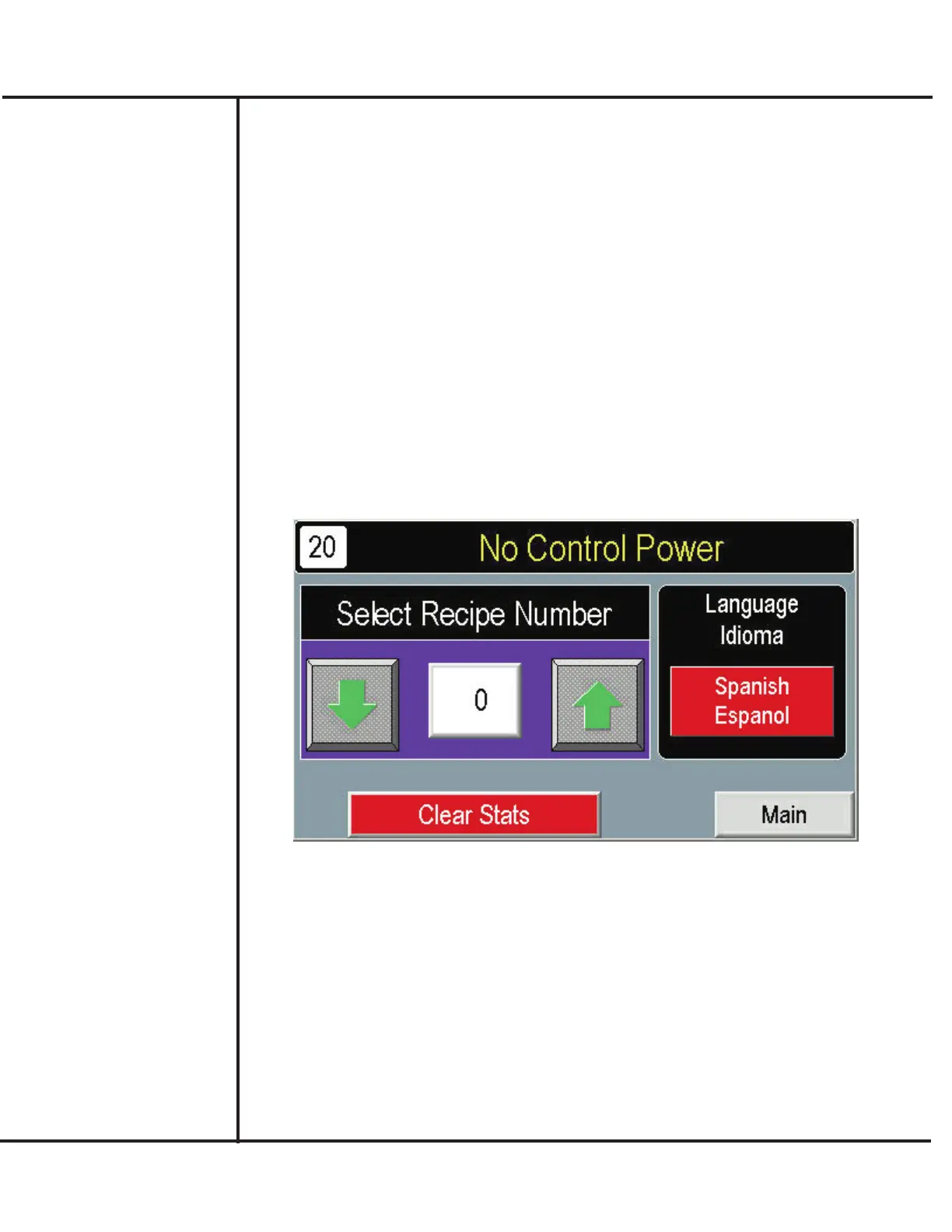
Access the Main screen. Press SELECT.
Model VF110-E Touch Screen Control Panel Users Manual
10
AFI Publication 1910817 ● Issue: 1 ● August 2017
Setting Up the
VF110-E
Press SELECT RECIPE NUMBER and choose a number from the numeric
keypad.
Additionally, you can use this screen to select the language (Spanish/English) and
te reset statistical totals appearing on the Main screen.



 To Next Page