After installing the filler and connecting the required electrical and pneumatic inputs, the
machine can be started and initially operated to ensure that all components are functioning
correctly. Use the Control Power switch on the panel. The Main screen should appear.
Machine Testing
Use the following for initial testing and/or adjustments.
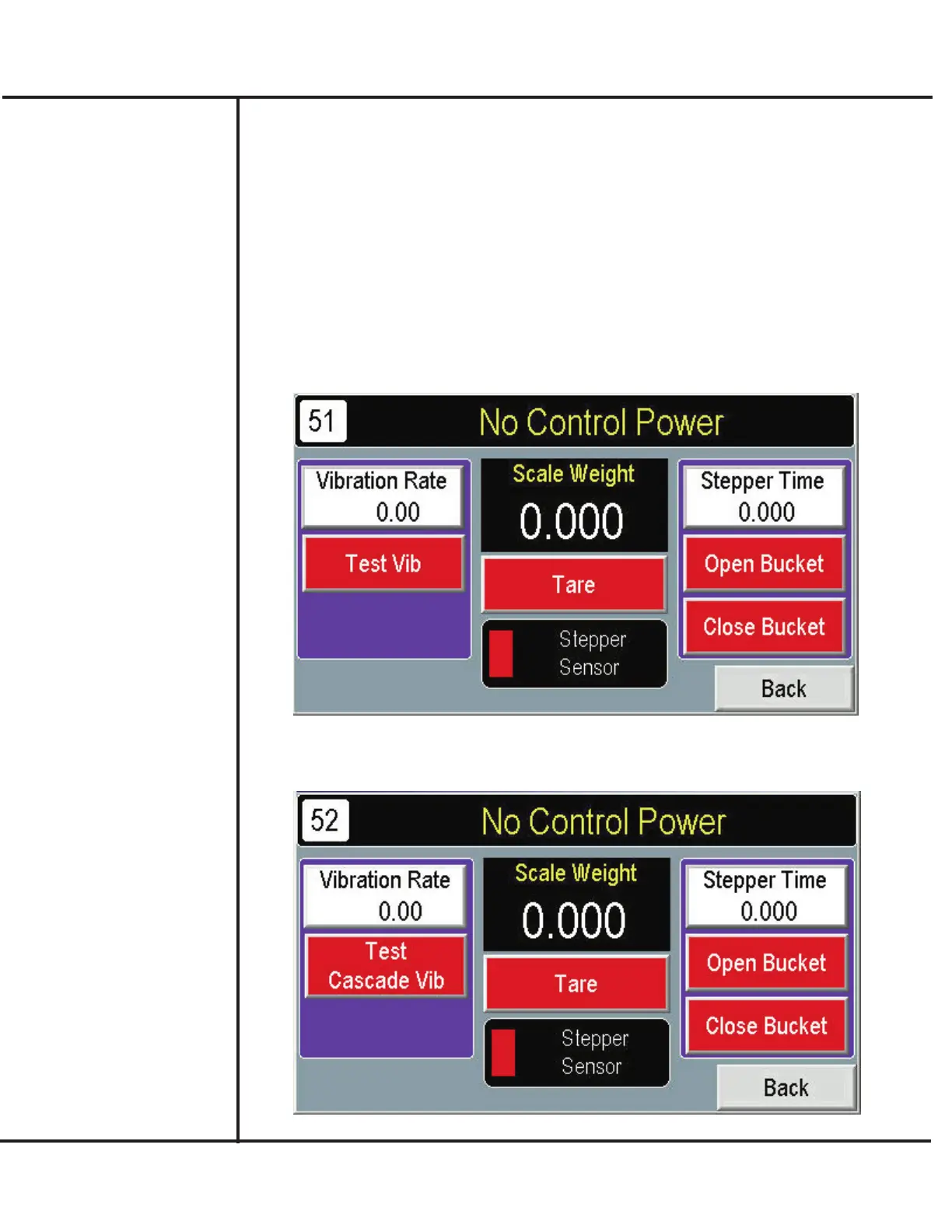
1. From the MAIN screen, press TEST.
2. Press TEST VIBRATOR to operate vibrator, display weights, and operate the weigh
bucket/stepper actuator.
Model VF110-E Touch Screen Control Panel Users Manual
8
AFI Publication 1910817 ● Issue: 1 ● August 2017
Initial Testing and
Adjustment
3. Press TEST CASCADE VIBRATOR to operate the additional cascade vibrator that
feeds the primary pan.



 To Next Page