Hardware Setup
NHA80945 04/2017 29
Installation of the Module
Before Starting
Check that the module catalog number marked on the label is the same as that on the delivery note
corresponding to the purchase order.
Remove the fieldbus module from its packaging and check that it has not been damaged in transit.
Insertion of the Fieldbus Module
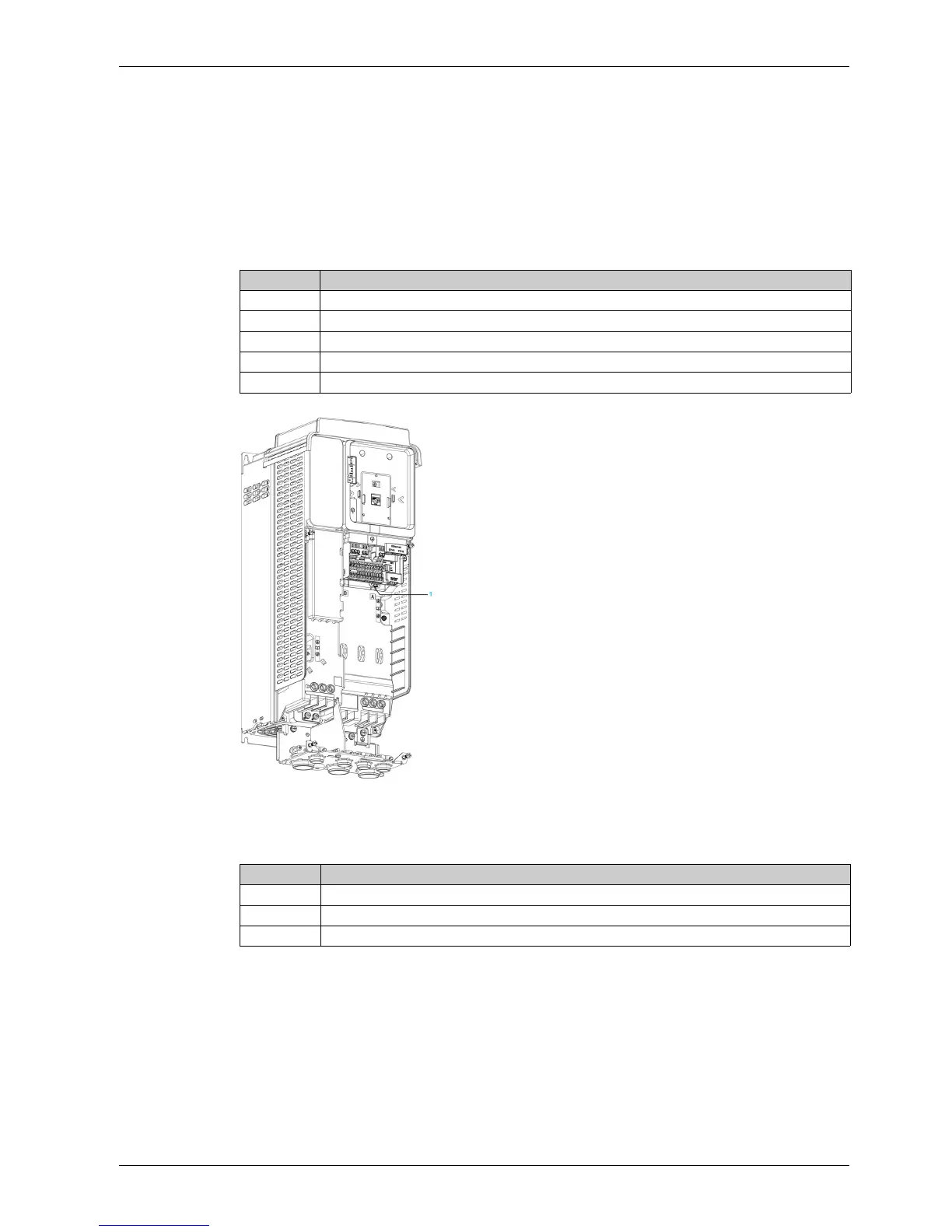
The table provides the procedure for insertion of the CANopen option module in the drive:
1 Slot A
Removal of the Fieldbus Module
The table provides the procedure for removal of the CANopen option module from the drive:
Step Action
1 Ensure that the power is off.
2 Locate the fieldbus module slot (A) on the bottom of the control part.
3 Add the corresponding sticker on the LED front panel of the drive.
4 Insert the module.
5 Check that the module is correctly inserted and locked mechanically in the drive.
Step Action
1 Ensure that the power is off.
2 Press the strip.
3 Remove the module while maintaining the strip pressed,


 To Next Page