NHA80945 04/2017 9
About the Book
At a Glance
Document Scope
The purpose of this document is to:
Show you how to install the CANopen fieldbus on your drive.
Show you how to configure drive to use CANopen for monitoring and control.
Provide examples of setup using Unity
NOTE: Read and understand this document and all related documents (see below) before
installing,operating, or maintaining your drive.
Validity Note
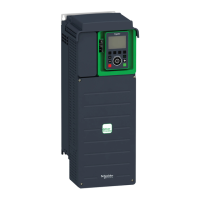
This documentation is valid for the drive Altivar Process drives.
The technical characteristics of the devices described in this document also appear online. To access this
information online:
The characteristics that are presented in this manual should be the same as those characteristics that
appear online. In line with our policy of constant improvement, we may revise content over time to improve
clarity and accuracy. If you see a difference between the manual and online information, use the online
information as your reference.
Step Action
1 Go to the Schneider Electric home page
www.schneider-electric.com
.
2 In the Search box type the reference of a product or the name of a product range.
Do not include blank spaces in the reference or product range.
To get information on grouping similar modules, use asterisks (
*
).
3 If you entered a reference, go to the Product Datasheets search results and click on the reference that
interests you.
If you entered the name of a product range, go to the Product Ranges search results and click on the
product range that interests you.
4 If more than one reference appears in the Products search results, click on the reference that interests you.
5 Depending on the size of your screen, you may need to scroll down to see the data sheet.
6 To save or print a data sheet as a .pdf file, click Download XXX product datasheet.


 To Next Page