Software Setup
56
NHA80945 04/2017
Step 3
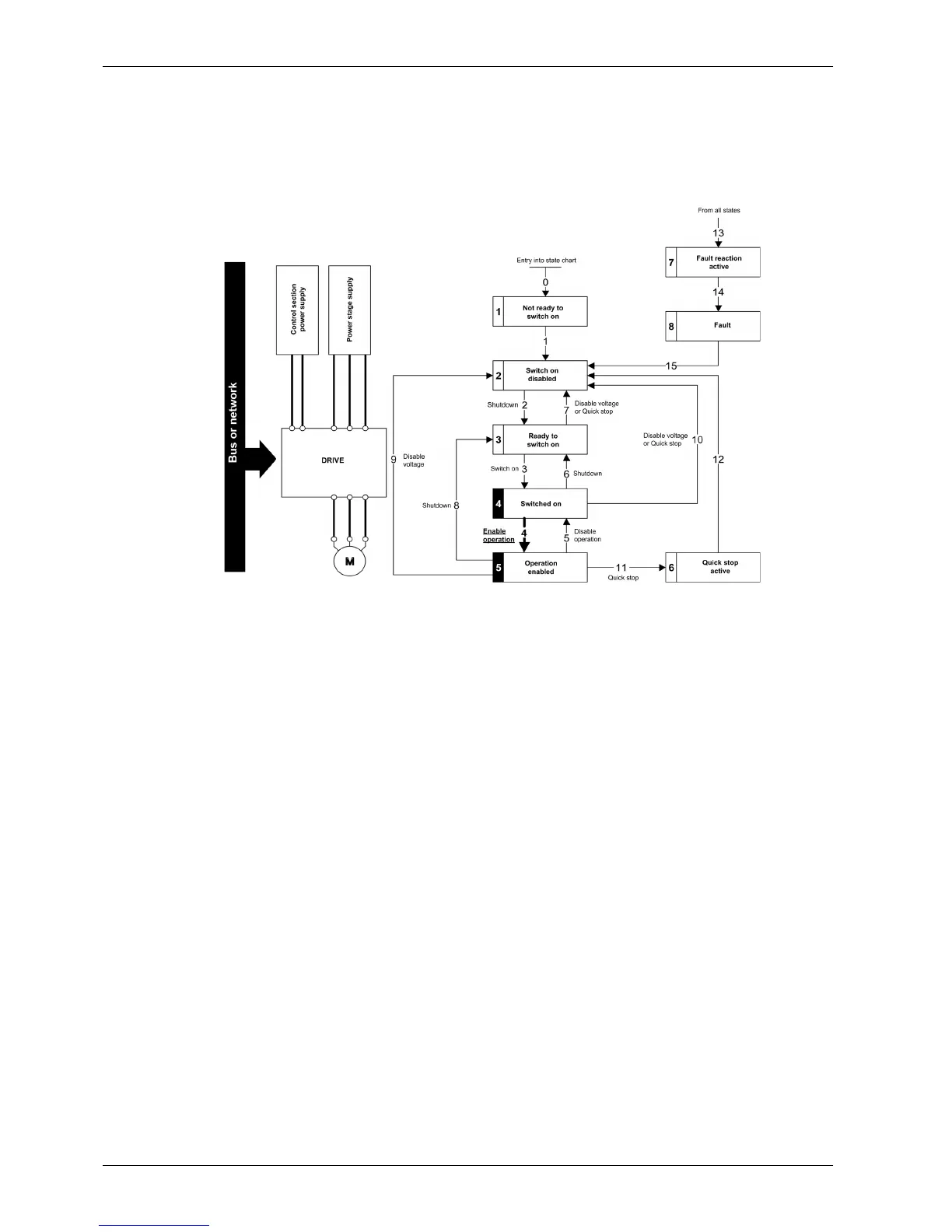
Check that the drive is in the operating state 4 - Switched on.
Then apply the 4 - Enable operation command.
The motor can be controlled (send a reference value not equal to zero).
If the power stage supply is still not present in the operating state 4 - Switched on after a time delay
[Mains V. time out] LCt, the drive triggers an error [Input Contactor] LCF.


 To Next Page