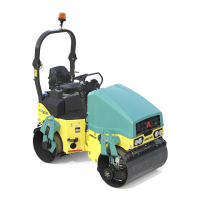
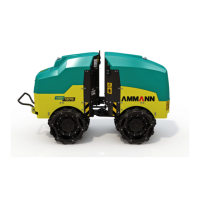
43AV 70 X
OPERATION MANUAL
Travel controls (1)
These controls are used to adjust travel direction and speed.
Travel speed depends on the degree of swing of travel controls
from zero position (0), in dependence on speed potentiometer
(2) adjustment.
Travel controls have two positions, i.e. “N” and “0”:
“N”
- neutral
- in this position the Machine parking brake is enabled.
“0” - zero position
- the Machine is not braked in this position.
Neutral position (N) is signalled through lighting up of neutral
and parking brake indicator lamps on the cluster (25).
Located on the travel control are vibration ON/OFF pushbuttons
(7) and pushbuttons (5), (6) to control in CRAB mode.
If the Machine is equipped with cutter and nal compactor then
pushbuttons (5) and (6) on travel control are used to control it,
i.e. those on the same side where it is mounted (optional).
Engine start is possible only in neutral position (N).
Speed potentiometer (2)
Potentiometer is used to smoothly select speed mode within
the range from min speed of “turtle” to max speed of “rabbit”.
When adjusting potentiometer speed in any position you may
always enable vibration function.
Machine will not move with speed potentiometer set to MIN
position.
Switch for the mode of soft starting to move (dri-
veaway) and stopping to move (stopway) (3)
It is used to adjust soft starting to move and stopping to move
when stopping and reversing the Machine. In this way the crea-
tion of “waves” on compacted surface will be eliminated. Press
the switch to enable the function, and indicator lamp on cluster
(26) will go ON.
Attention, in this mode the Machine stopping distance is
longer!
Switch for CRAB mode resetting (4)
Press this switch to adjust front drum in CRAB mode.
CRAB mode resetting is signalled by indicator lamp on cluster
(26) going OFF.
Steer angle of the front drum in CRAB mode – yel-
low pushbuttons (5) and (6)
Press pushbuttons on travel controls (1) to steer in CRAB mode
Pushbutton (5) – front drum to the right
Pushbutton (6) – front drum to the left
Indicator lamp on cluster (26) goes ON to signal this function.
Note
If the Machine is equipped with cutter and nal compactor then
it will be controlled via pushbuttons (5) and (6) on travel con-
trol (1), and this on the same side where it has been mounted
(optional).
Vibration ON / OFF pushbuttons (7)
Press these buttons to turn ON/OFF this function. Indicator lamp
on cluster (25) will go ON.
Sprinkling button (9)
Emergency brake (8) pushbutton
Press this button to enable Machine’s emergency brake, and in-
dicator lamps on cluster (25) for brakes, recharging, neutral, and
engine oil pressure will light up.
Engine will stop and stall!
Hold down this pushbutton to enable drum additional sprin-
kling function. Indicator lamp on cluster (26) will light up.


 To Next Page