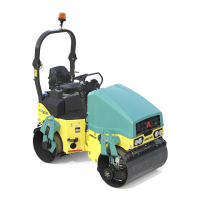
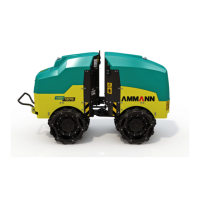
65AV 70 X
OPERATION MANUAL
2.7.2. Travel and reversing
Before starting to move, please check the area in front and behind the Machine is clear and with no
persons or obstructions present!
Use loud horn to signal engine starting and wait long enough for those persons present to leave the in
time the area round the Machine or the area beneath the Machine!
Operator must sit on the seat before the Machine starts moving! If the operator gets up from the seat
during the Machine travel then the Machine will stop and brake.
Machine travel and reversation:
Select travel direction:
Start the engine. Adjust max engine rpm via accelerator control (13)
Get the Machine moving by shifting travel controls (1) from (N) zero position to (0) neutral position and then by selecting a direction
of running.
Shift the controls (1) to opposite direction to change the direction of Machine travel.
Travel speed selection:
Travel speed corresponds to the deection magnitude of travel controls (1) from zero position (0).
Travel speed can continuously be altered using speed potentiometer (2) within the range of MIN (turtle) to MAX (rabbit).
If the speed potentiometer (2) is in MIN position then the Machine is unable to start moving.
Note
The instantaneous stopping of the Machine by means of travel controls (1) applies to all travel modes of the Machine.
Shift the travel controls (1) to opposite position via (0) and then return to (0) position within the interval of 1 second to stop the Ma-
chine – the engine will continue to run.
Travel modes of the Machine:
RAMP (soft starting to move and stopping to move) •
CONSTANT SPEED (continuous Machine drive)
•
ANTISTALL (engine protection against overload)
•
CRAB (extended track of the Machine)
•
Travel in RAMP mode
The function of soft starting to move or stopping to move prevents from forming the waves when compacting the bitumen surface
during Machine travel.
Attention, in this mode the Machine stopway is longer!
Use speed potentiometer (2) to adjust the speed, and use travel control (1) to adjust travel direction.
Press pushbutton (3) to switch ON/OFF this function, indicator lamp on cluster (26) will light up to signal this function.
Move travel controls (1) to opposite position via (0), and then return it back to (0) position within 1 second interval to stop the Machine
– the engine will remain running.
Following the travel controls (1) moved to neutral (N) the function will be OFF!
Shift travel controls (1) to neutral (N) position, press pushbutton (3) – the function will become enabled again.
Note
You may switch ON the function during Machine travel.


 To Next Page