Ampcontrol Pty Ltd – ABN 28 000 915 542
IPM V2 USER MANUAL
IPM2B003 Revision 15 – MAY/18
Uncontrolled Copy - Refer to Ampcontrol Website for Latest Version
APPROVED FOR EXTERNAL DISTRIBUTION – PROPERTY OF AMPCONTROL PTY LTD – NOT TO BE REPRODUCED IN PART
one outgoing phase when the main contactor was
closed
Residual E/L Trip condition
The thermal memory data has been corrupted
Thermal memory has been manually reset to zero
Records that the relay‟s non-volatile parameter
memory has been corrupted
Internal microprocessor reset
Records that the Remote Termination Module‟s
non-volatile memory has been corrupted or Remote
Termination Module has gone off line while the
outlet is running.
Records RTM machine code and number when
main contactor is closed (proceeded by MCR
closed). This log only appears when in RTM mode.
Indicates a loss of communications with the RTM.
Records the result of the Insulation Test
Result of Insulation Test is equal to or less than the
alarm level
Thermal accumulator has exceeded the selected
threshold
Phase current has dropped below the selected
threshold
Phase current has exceeded the selected threshold
Earth leakage current exceeded the selected
threshold
In any of the remote start modes; the event log will
record when the IPM is stopped via the remote
digital input.
12.10 Time and Date
Clock Setup
We 26/07 14:58:21
If there is a need to adjust the real time clock, carry out the following procedure:
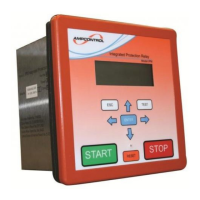
Using the display‟s keys select the time and date information page (Level 4, Screen 5) to display
the Day, Month, Year, Hours and Minutes.
Press the ENTER key. A “v” will appear in the top line above the minute section. This indicates
the number to be changed.
Use the left and right arrow keys to move the “v” to the desired position.
Press the ENTER key. The “v” now changes to a “?” The right arrow key is used to increment the
allowable values, once the desired value is obtained, press the ENTER key again. The “?”
returns to a “v”.


 To Next Page