L0118G
5-4
bars are provided with the standard glass front
vendor.
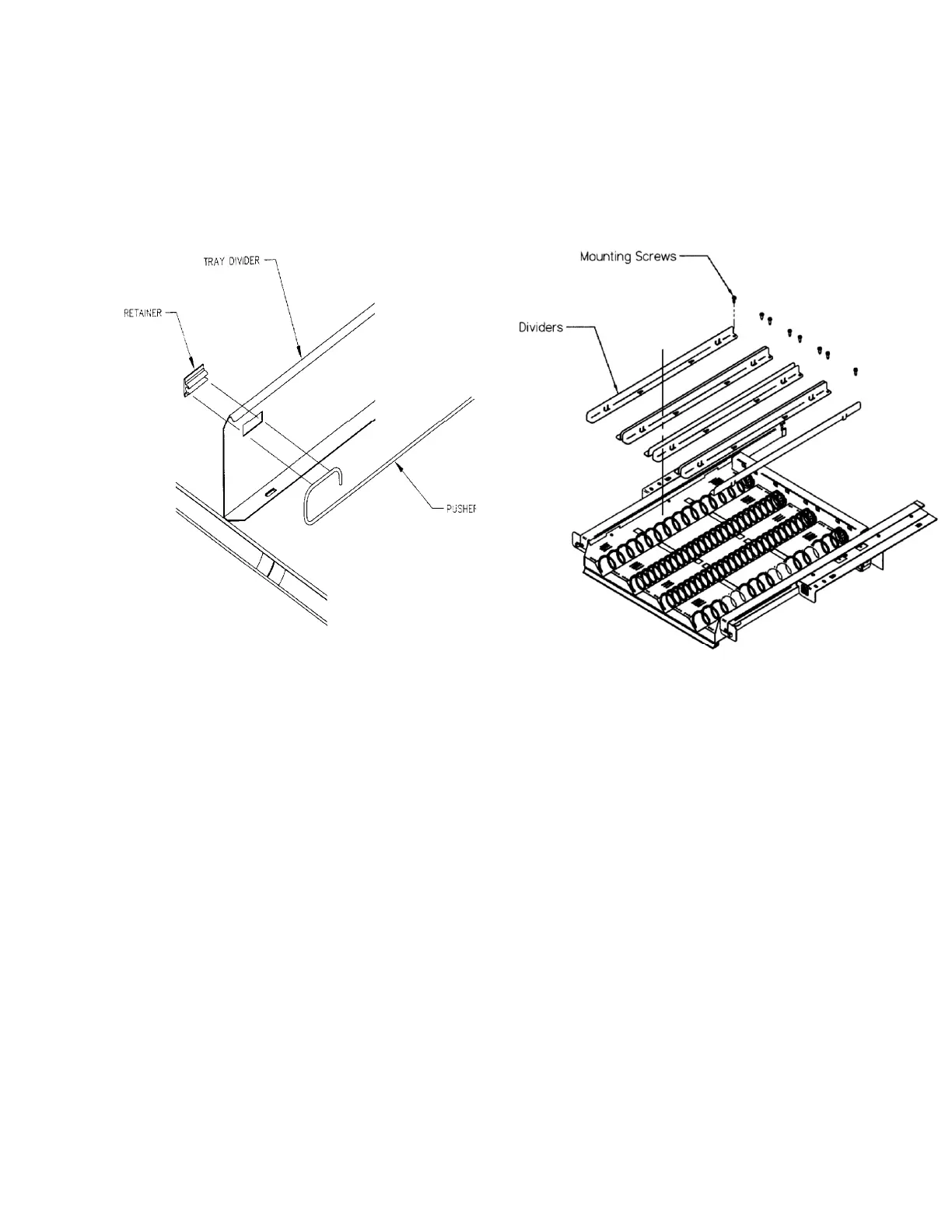
1. Snap the pusher bar into the retainer.
2. Rotate the pusher bar to accommodate the
product.
Figure 5.3 Pusher Bar Installation
5.15 OPTIONAL 1.5” HELIX TRAY ADJUSTMENT
AND LOADING
General Information
Vendors can be ordered with an optional 1.5” Helix
Tray designed to vend small candy, gum and mint
packages. The 1.5” Helix Tray can also be ordered
separately for new installations (Refer to Section 10
for installation kits).
Tray Adjustment and Loading
As delivered from the factory there are two wide
columns for products such as mints, and two narrow
columns for products such as gum.
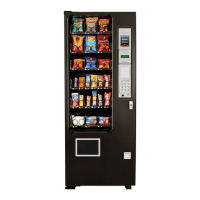
The tray may be reconfigured to fit the product being
vended by adjusting the position of the column
dividers (Refer to Figure 5.4). The dividers, being
adjustable, change the column width.
Adjust the divider position by removing the screw at
the rear of the divider. Pull on the divider towards the
front of the tray to loosen it. Reposition the divider by
inserting the mounting tabs into the appropriate slots.
Push the divider down and to the rear to tighten it into
place. Reinstall the screw at the rear of the divider.
Test the column for proper vending.
Figure 5. 4 1.5” HELIX TRAY



 To Next Page