EasyManua.ls Logo

AMX NXD-1200VG - User Manual

AMX NXD-1200VG
232 pages
Print Icon
To Next Page IconTo Next Page
Loading...
Operation/Reference Guide
Touch Panels
VG Series Modero
®
Touch Panels
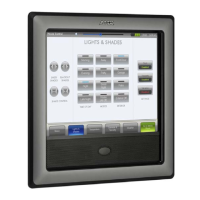
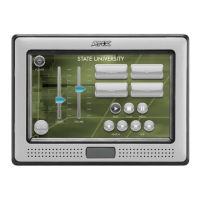
NXD/T-1200VG 12" Modero Touch Panel
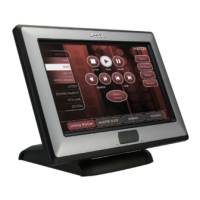
NXD/T-1500VG 15" Modero Touch Panel
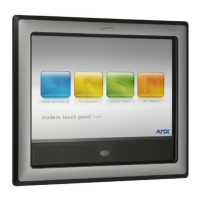
NXD/T-1700VG 17" Modero Touch Panel
Last Revised: 12/19/2012

Table of Contents

Other manuals for AMX NXD-1200VG

Questions and Answers

  • A
    ashleyramosAug 21, 2025
    Why is my AMX NXD-1200VG not responding to touch?
    • Z
      zkellyAug 21, 2025
      If your AMX Touch Panel isn't responding to touches, ensure that you remove any protective laminate coating from the LCD screen before starting the calibration process. The protective cover can press on the LCD, making calibration difficult because the user can’t calibrate on specific crosshairs when the sheet is pressing on the whole LCD.
  • G
    gonzalesdavidAug 22, 2025
    What to do if my AMX Modero Touch Panel can't obtain a DHCP Address?
    • A
      Andrew WhiteAug 23, 2025
      If your AMX Modero Touch Panel isn’t obtaining a DHCP address, first verify that an active Ethernet connection is attached to the rear of the Modero. Next, from the Main menu, select Diagnostics > Network Address and verify the System number. If the IP Address field is still empty, allow the Modero a few minutes to negotiate a DHCP Address and try again. The DHCP Server can take up to a few minutes to provide the address.
  • H
    hhillAug 25, 2025
    Why is my AMX NXD-1200VG Touch Panel WEP not working?
    • J
      James DoughertyAug 25, 2025
      If WEP isn't working on your AMX Touch Panel, it's because the same default key isn't set on both the panel and the access point (AP). For example, if your access point is set to default key 4 with the value 01:02:03:04:05, you must also set key 4 on the Modero to 01:02:03:04:05.
  • M
    Mr. Craig BarkerAug 26, 2025
    How to fix AMX NXD-1200VG Touch Panel calibration not working?
    • H
      hannahlopezAug 27, 2025
      If calibration isn't working on your AMX Touch Panel, cycling power to the panel should provide a baseline calibration. Then, proceed to the Calibration page and reset the on-screen calibration. This may be necessary after a new firmware kit has been downloaded to the panel through NetLinx Studio.
  • R
    rgoodAug 27, 2025
    What to do if I keep getting a yellow exclamation point on my AMX NXD-1200VG USB in the System Tray?
    • S
      simmonsdonAug 27, 2025
      If you see a yellow exclamation point on your USB in the System Tray, ensure you have installed the latest USB driver for the AMX LAN. Even if you have loaded the latest NetLinx Studio, it is recommended that if you are working with the new 1200V and/or VG-Series of panels, that you install the updated USB executable available at www.amx.com. Refer to the Configuring and Using USB with a Virtual Master section on page 81.
  • V
    Vincent BennettAug 29, 2025
    Why can't I completely charge my AMX NXD-1200VG Touch Panel batteries from within an NXA-BASE/B connected to a power supply?
    • A
      Alexandra FryAug 29, 2025
      If you can’t completely charge your AMX Touch Panel batteries within an NXA-BASE/B connected to a power supply, ensure the NXA-BASE/B Battery base has the latest firmware (part of the Modero firmware KIT file) from www.amx.com. The base can only charge batteries while the NXT panel is in Sleep Mode. Adjust the Display Timeout value to allow the panel to commence the Sleep Mode and begin charging batteries within the base (drawing power from a PSN). If the panel parameters are set to their highest values, the priority for the power draw becomes the active panel functions and no power is routed to the base for charging. Refer to the NXA-BASE/B Battery Base Kit (FG2255K) section on page 37 for more information.
  • C
    carterrobertAug 31, 2025
    Why is my AMX NXD-1200VG NXT-BP battery pack blinking?
    • D
      Dr. John Green MDAug 31, 2025
      If your AMX NXT-BP battery pack is blinking when you check the battery life indicator, it means there is less than 10% power charge remaining on the battery. It is recommended that you fully charge the battery either in the NXA-BASE/B battery base or in the NXT-CHG battery charger. Refer to the NXA-BASE/B Battery Base Kit (FG2255K) section on page 37 for more information.
  • A
    Amy HarrisSep 3, 2025
    Why does only one AMX Modero Touch Panel show up when multiple are connected?
    • K
      Karen KingSep 3, 2025
      If you have more than one Modero panel connected to your System Master and only one shows up, it's because each Modero panel comes with a defaulted Device Number value of 10001, and multiple NetLinx Compatible devices (such as Modero panels) can be associated for use with a single Master. Press and hold the grey Front Setup Access button for 3 seconds to open the Setup page. Press the Protected Setup button (located on the lower-left of the panel page), enter 1988 into the on-screen Keypad’s password field, and press Done when finished. Enter a Device Number value for the panel into the Device Number Keypad. The default is 10001 and the range is from 1 - 32000.
  • D
    Daniel ByrdSep 5, 2025
    Why is my AMX Modero Touch Panel not appearing in Workspace window?
    • K
      Kim FosterSep 5, 2025
      If your AMX Modero Touch Panel isn’t appearing in your Workspace window, verify that the System number is the same on both the NetLinx Workspace window and the System Settings page on the Modero panel. Also, verify you have entered the proper NetLinx Master IP and connection methods into the Master Connection section of the System Settings page. Refer to the System Settings Page section on page 136 for more information.
  • S
    Stephanie ParrishSep 6, 2025
    What to do if Battery Base page isn't working after AMX NXD-1200VG firmware update?
    • M
      Martin ToddSep 7, 2025
      If your Battery Base page isn’t working properly after updating your AMX Touch Panel firmware, cycle power manually to the panel and check the Battery Base page after startup. If downloading the firmware to the panel via a COM port, try using an IP Address and retry the download of the firmware to the panel.

AMX NXD-1200VG Specifications

General IconGeneral
BrandAMX
ModelNXD-1200VG
CategoryTouch Panel
LanguageEnglish

Related product manuals