Section 2 MS2665C
2-14
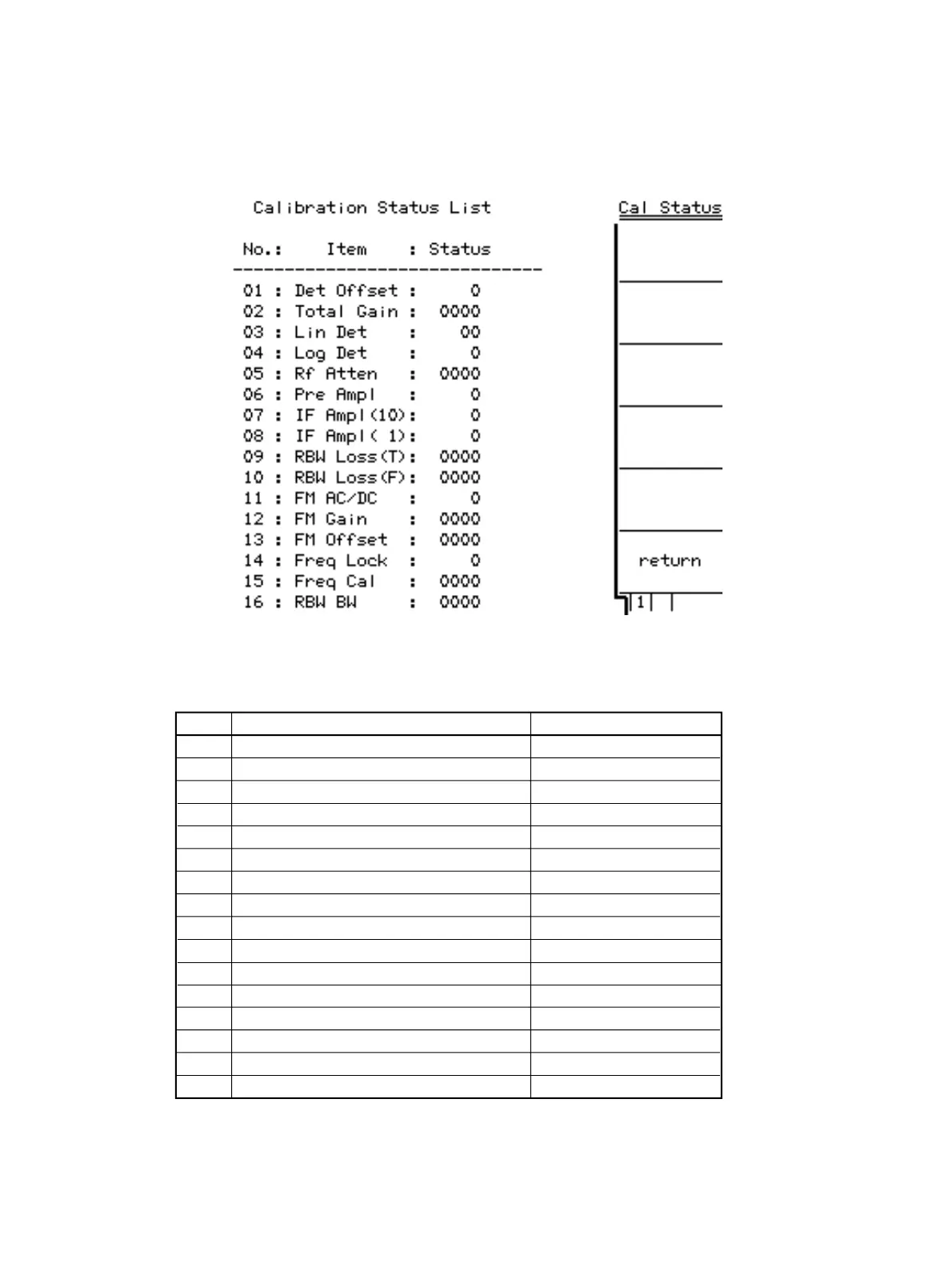
After executing internal calibration, you can locate the faulty module using “Cal Status” (as shown below). “Cal Status”
can be displayed by the key operation : open the second page of Cal menu with “More” key, and press “F5” key.
If error occurred (Status value is not zero), the faulty module corresponding to each item is shown below :
NO.
01
02
03
04
05
06
07
08
09
10
11
12
13
14
15
16
Error item (at the status is not zero )
Det Offset
Total Gain
Lin Det
Log Det
RF Atten
Pre Ampl
IF Ampl (10)
IF Ampl (1)
RBW Loss (T)
RBW Loss (F)
FM DC/AC
FM Gain
FM Offset
Freq Lock
Freq Cal
RBW BW
Faulty module
A05 SCAN/AD
A06 IF
A05 SCAN/AD
A05 SCAN/AD
HR S-ATT
3 GHz PRE AMP
A06 IF
A06 IF
A06 IF
A06 IF
A0902 AM/FM MONITOR
A0902 AM/FM MONITOR
A0902 AM/FM MONITOR
A08 LOCAL-A
A08 LOCAL-A
A06 IF












 To Next Page