2-17
(1) Connect the spectrum analyzer Buff Out (on its rear panel) to MG3633A REF INPUT (on its rear panel).
(2) Connect the MG3633A OUTPUT to MF76A Input.
(3) Connect the MF76A EREQ STD 10 MHz IN (on its rear panel) to 10 MHz standard signal. And set the EXT/INT
selector switch to EXT.
Procedure :
(1) Set the MG3633A output to :
Center frequency, 1 GHz (CW)
Output level, 0 dBm
(2) Set the MF76A to resolution 1 Hz.
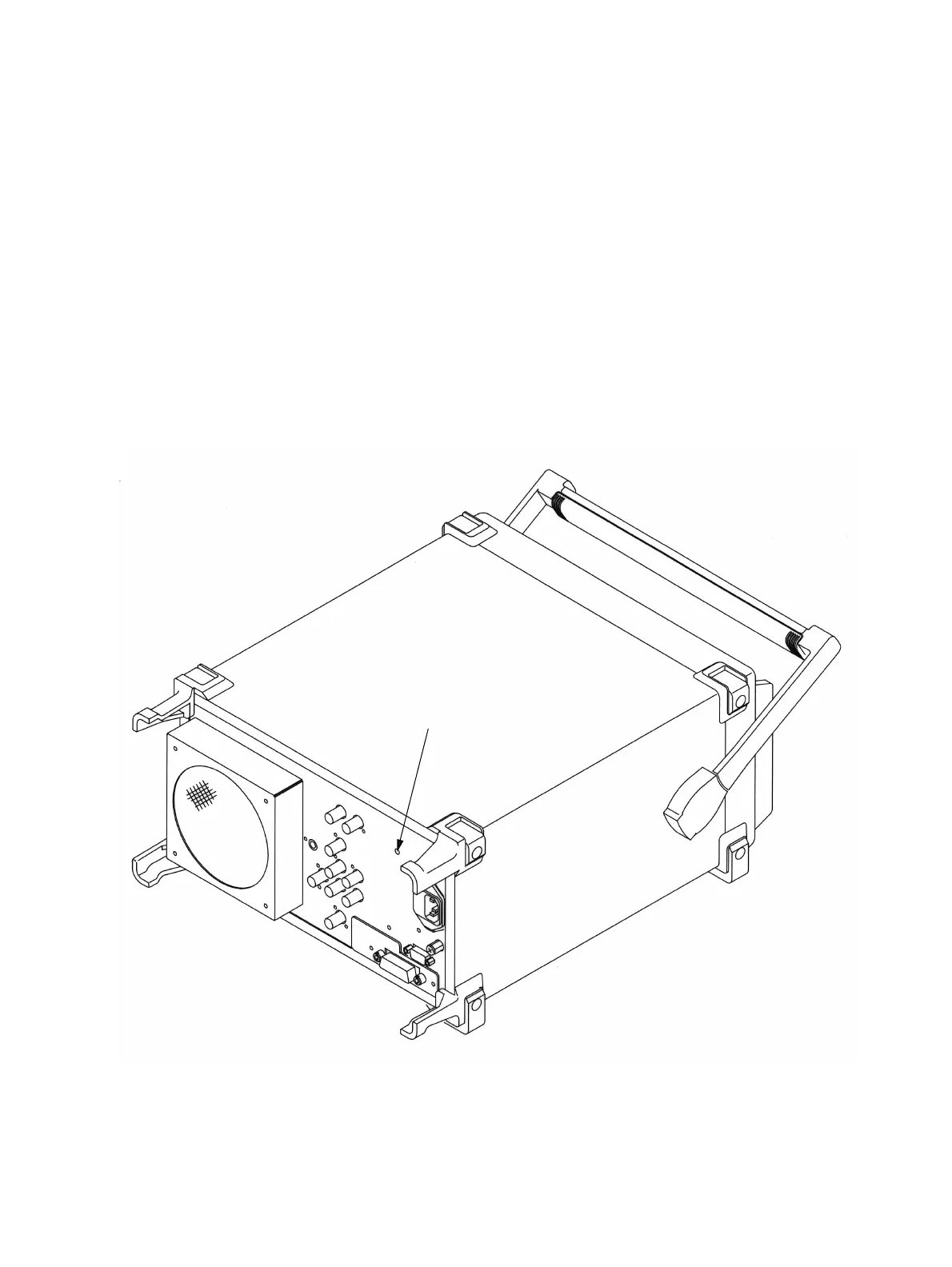
(3) Adjust the “Reference Adjust Screw (Multi-turn potentiometer)” visible through the hole provided on the rear panel
(refer to Fig. 2-2-2) to make the MF76A reading 1,000,000,000 Hz ±5 Hz.
Reference Adjust Screw
Fig. 2-2-2 The location of an adjuster of Reference crystal oscillator
2.2 Troubleshooting












 To Next Page