39
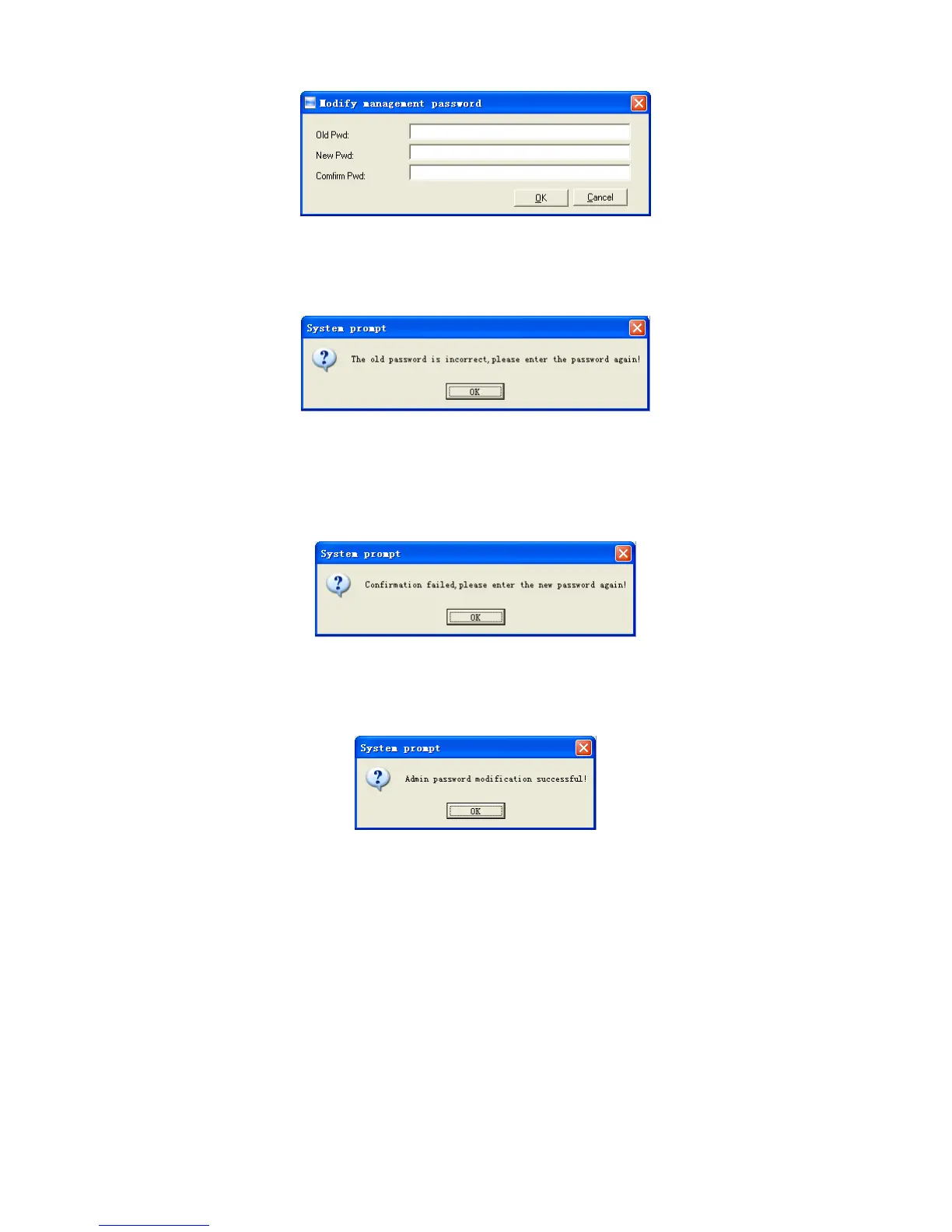
Old password: default password is empty. If user has modified password,
please input this password which is used to log on system. If it’s wrong, system will
prompt,
Click [OK] and input old password again.
New Pwd: the password user wants to set
Confirm Pwd: input new password again to confirm. If confirm Pwd is different
from new one, system will prompt:
Click [OK] button to input confirm password again.
After modifying completed, click [OK] button to save new password and system
will prompt:
Click [Cancel] button to exit.
4.5.5 Database linking setting
Click [Database linking setting] item, pop-up [Data link properties] window as
following:


 To Next Page