40
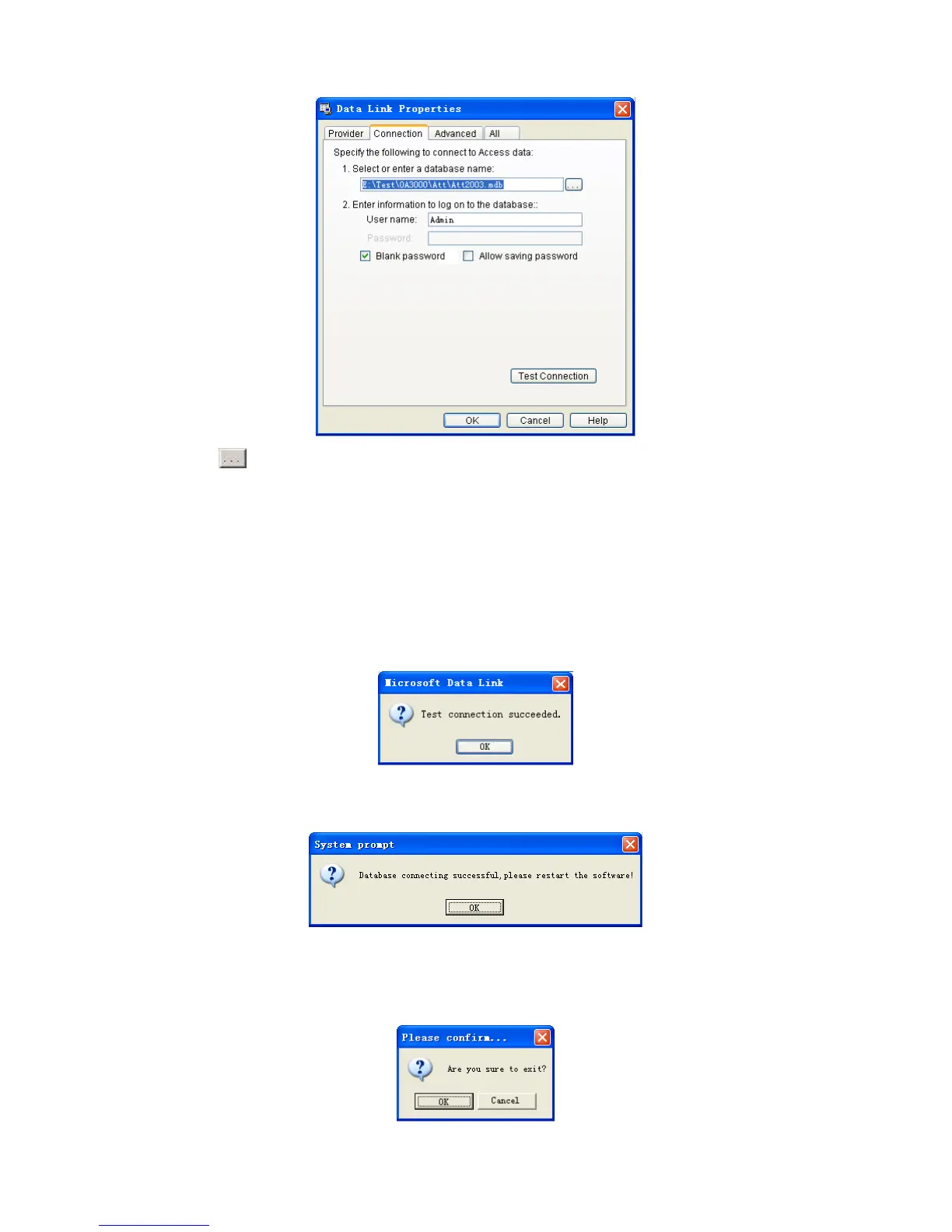
Click [
] button beside [1. Select or enter a database name:] to choose the
linking database directory.
Choose database name, click [Open] button to confirm database linking and exit
to [Data link properties] interface. If database set ID and password, input ID and
password in [2]. Enter information to log on to the database]. After completed, click
[Test connection] to test the connection correctness of the database and system
prompts:
Click [OK] button to [Data link properties] interface. Click [OK] button and
system prompts:
Click [OK] button to exit.
4.5.6 Exit system
Click [Exit system] item, pop-up confirm info:


 To Next Page