Apogee Symphony Desktop User’s Guide
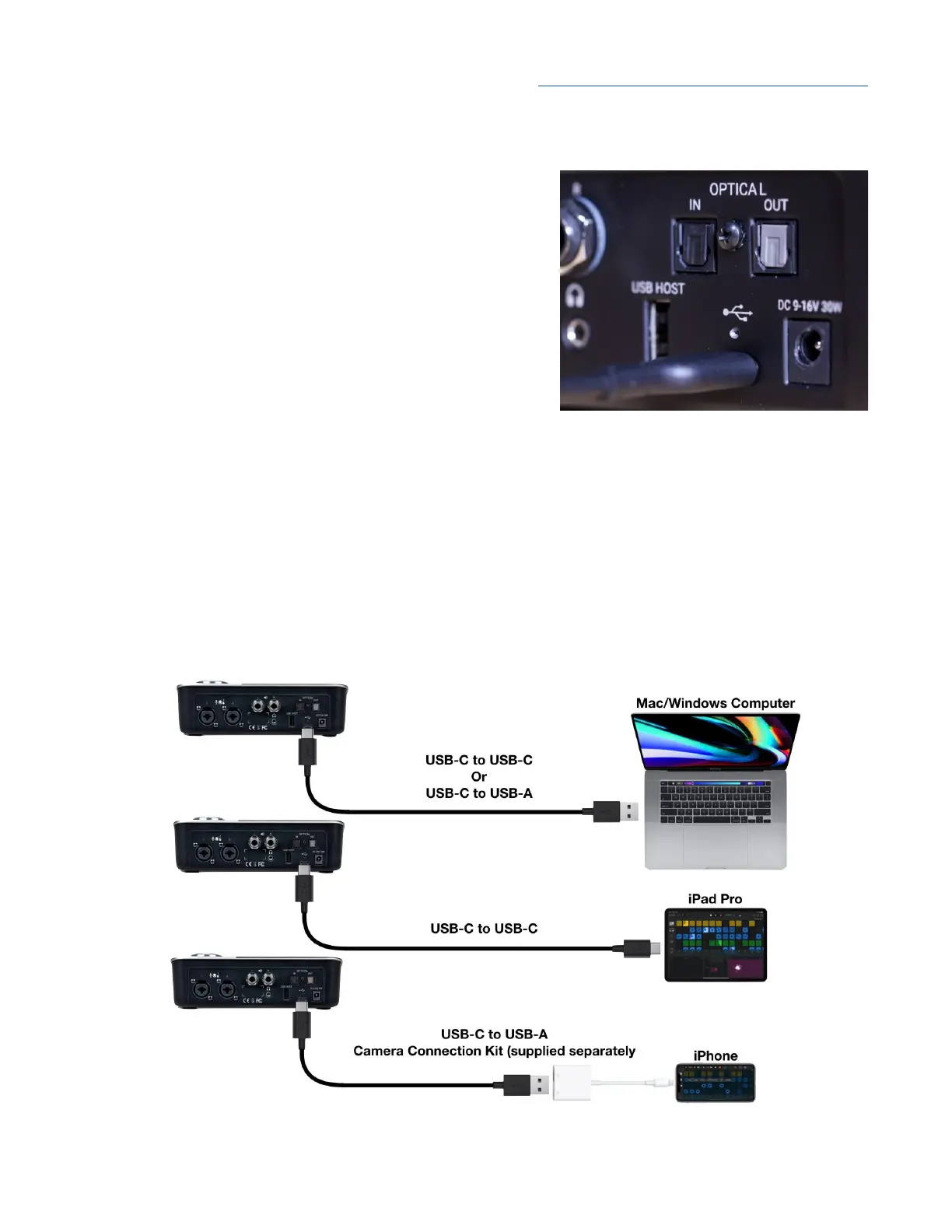
Connecting to a Mac or Windows computer
Using one of the supplied cables (USB-C to USB-C or
USB-C to USB-A), connect Symphony Desktop’s USB-C
port to a USB port on your Mac or Windows computer.
Be sure to use Symphony Desktop’s USB-C port, not the
port labelled USB Host.
Connecting to an iPad Pro (USB-C)
Using the supplied USB-C to USB-C, connect Symphony Desktop’s USB-C port to the iPad Pro’s
USB-C connector.
Connecting to an iOS Device
Using one of the supplied cables (USB-C to USB-C or USB-C to USB-A), connect Symphony
Desktop’s USB-C port to an Apple Camera Connection Kit, supplied separately. The Camera kit’s
Lightning connector is then connected to your iOS device.
13



 To Next Page