Apogee Symphony Desktop User’s Guide
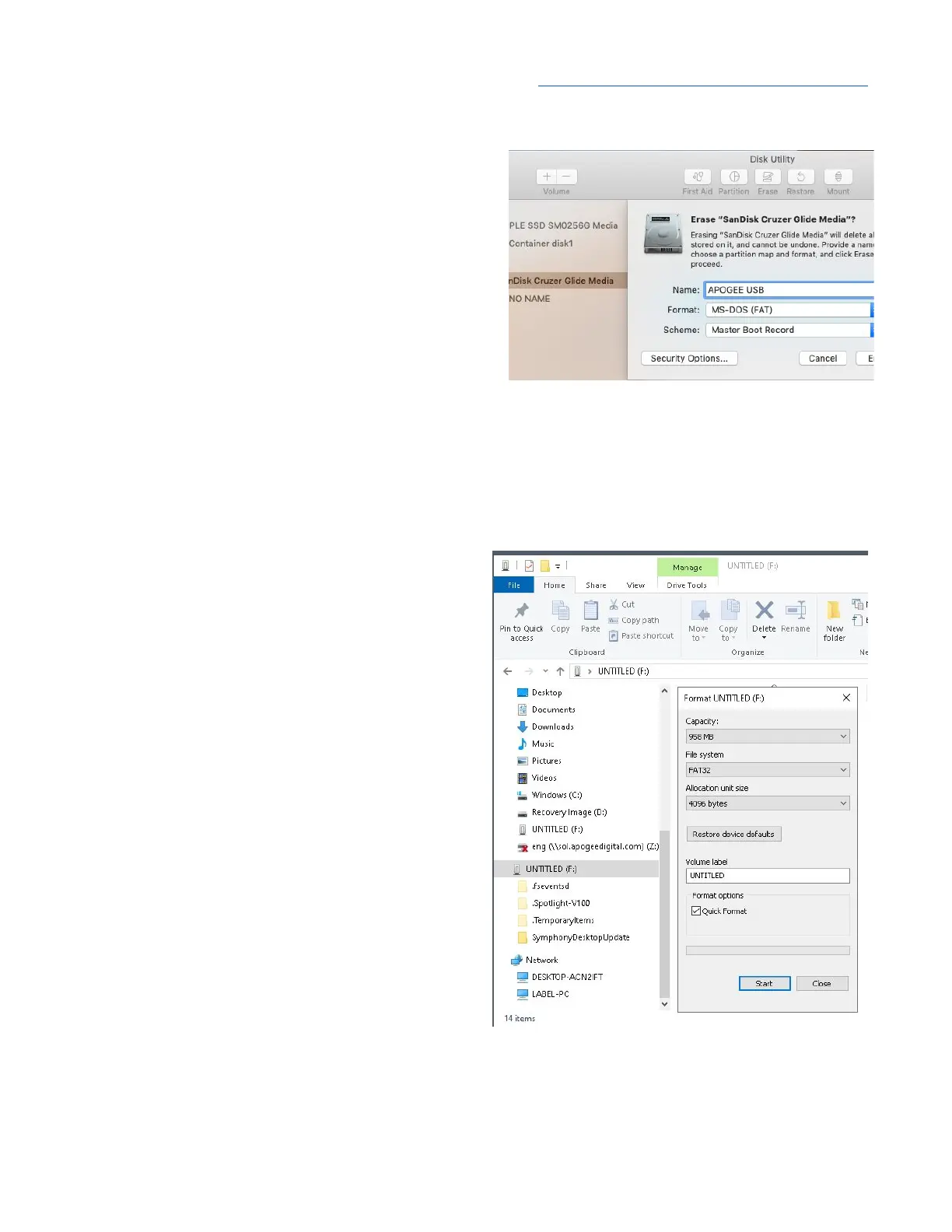
To use your own USB thumb drive, it must be formatted to the FAT32 file system.
1. On macOS:
● Connect your USB drive to your computer,
then open Disk Utility from the Applications >
Utilities folder.
● In the menu bar, select View > Show All
Devices.
● In the left hand External column, click the
USB thumb drive Root Device (i.e the
volume representing the thumb drive that’s
higher and to the left).
● In the upper Toolbar, click the Erase button.
● Enter a name, set the Format to MS-DOS (FAT), set the Scheme to Master Boot Record, then
click Erase.
2. On Windows 10:
● Open File Explorer.
● Right-click on the USB thumb drive and
choose Format.
● Set File System to FAT32 and click Start.
15



 To Next Page