Apogee Symphony Desktop User’s Guide
Additional Workflows
Mix Inputs Before Recording
You can use the Symphony Desktop Mixer to mix hardware inputs and record the mixed output: 1)
use two mics to capture an instrument and record a blend to one DAW track; 2) pan one input to the
center of a stereo output for audio apps without panning functionality.
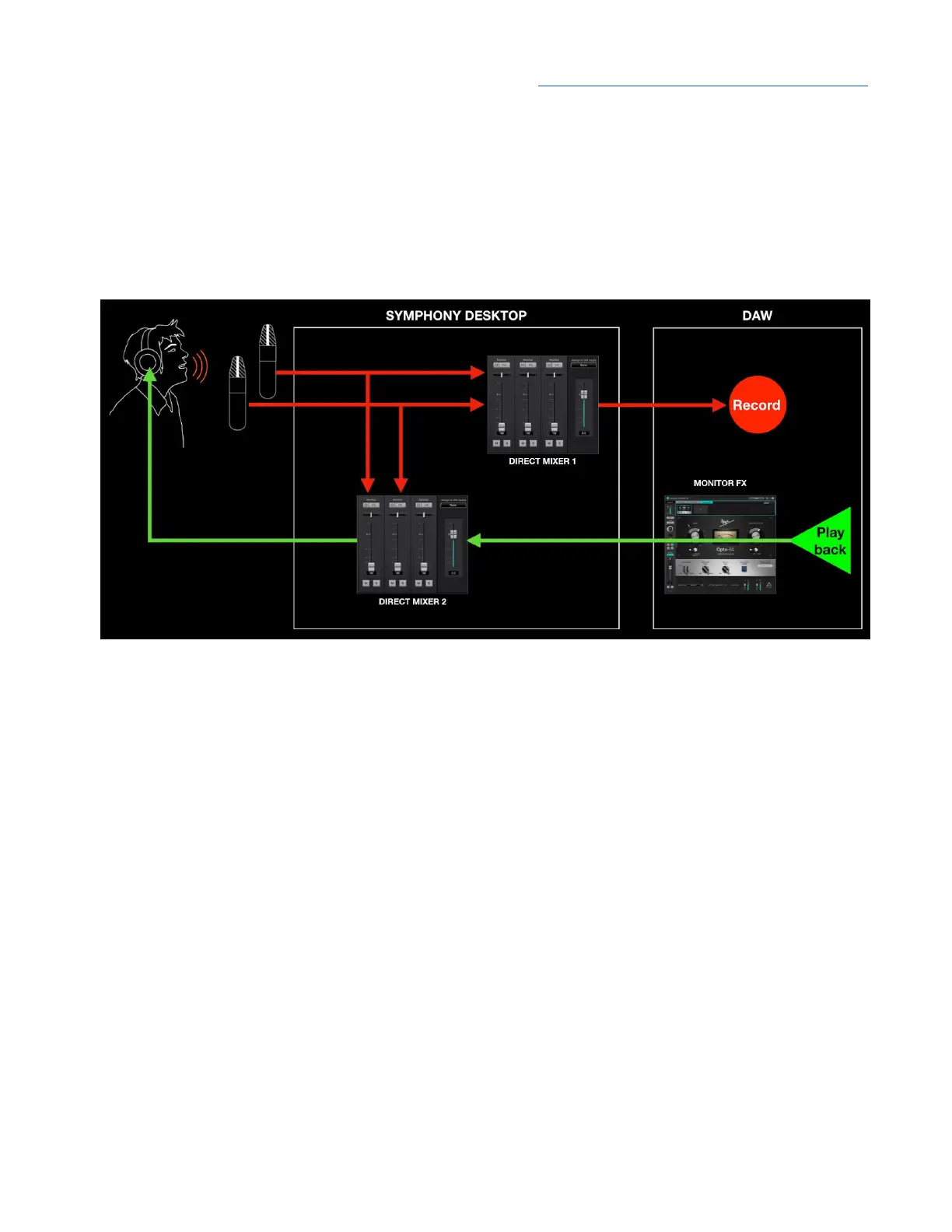
In this workflow, Direct Mixer 1 is used to mix hardware inputs which are then routed to DAW channel
inputs. Direct Mixer 2 is used for Direct monitoring, to mix hardware inputs with Playback outputs from
the DAW. It looks complicated, but once configured it’s pretty straightforward.
CAUTION - If Mixer 1 Playback inputs are active, you may create a feedback loop that results in a
loud and potentially damaging oscillation. MUTE the Mixer’s Playback inputs.
54



 To Next Page