Apogee Symphony Desktop User’s Guide
Direct Monitoring
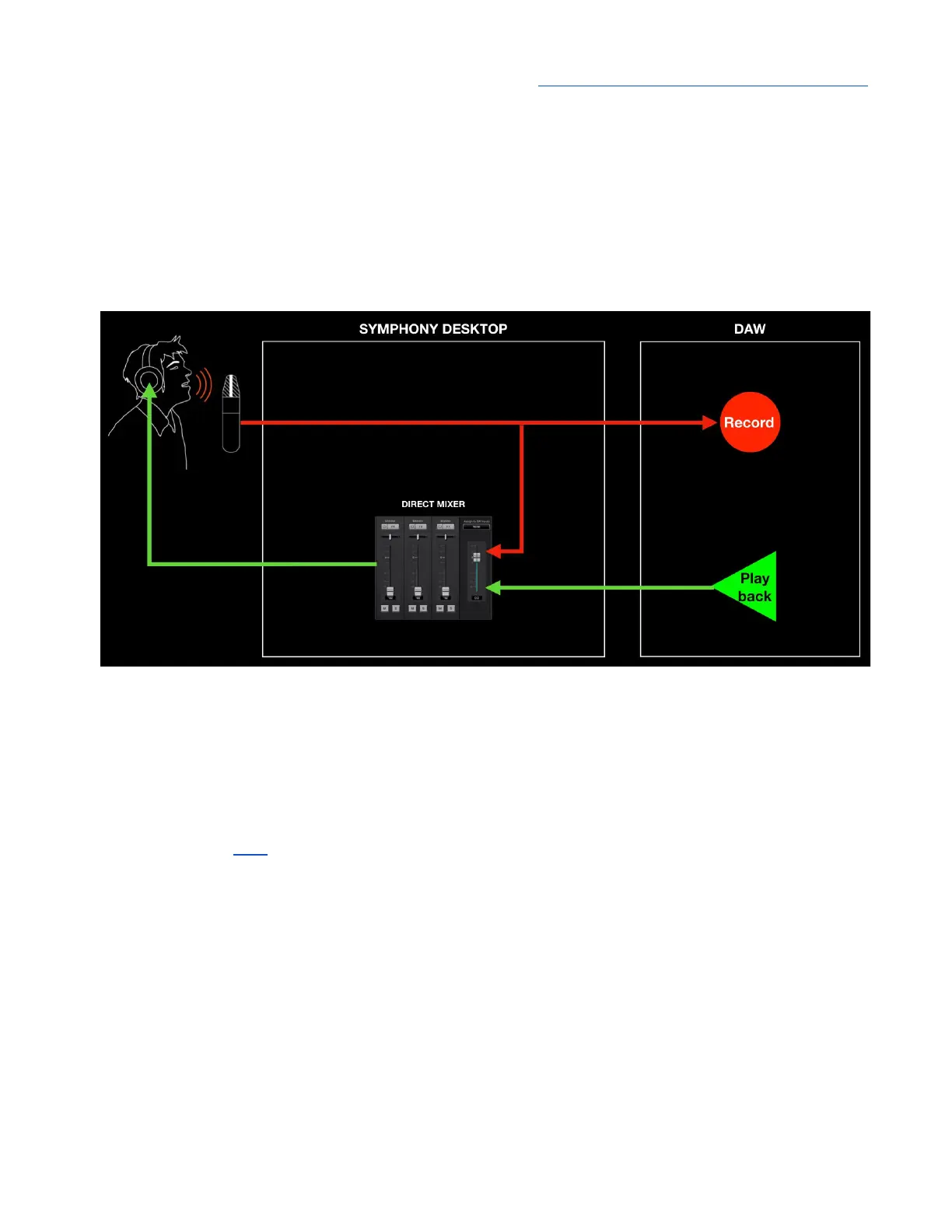
Direct Monitoring, aka Low Latency Mixing - When the processing demands of your session
require a higher Buffer setting that causes disruptive latency, Direct monitoring lets performers hear
themselves through a separate mixer running on hardware DSP and controlled in Desktop Control
software. The Direct mixer avoids the latency-inducing round trip through the DAW. To avoid double
monitoring, the DAW must be configured so incoming audio to be recorded is NOT monitored through
the DAW.
● Pros - Low latency and maximum plugin power - the DAW IO Buffer may be set to its
maximum value for the greatest number of native plugins without an effect on latency. Latency
remains virtually non-existent through the direct monitoring mixer.
● Cons - With many audio interface systems, it’s necessary to toggle between your DAW
window and a separate direct monitoring mixer app. Adding non-destructive plugins while
Direct monitoring can become unwieldy. Apogee’s proprietary DualPath monitoring workflow,
described here, addresses these disadvantages, so you benefit from the advantages without
suffering the disadvantages.
47



 To Next Page