Apogee Symphony Desktop User’s Guide
Plugin Processing Workflows
Symphony Desktop also includes flexible and powerful onboard DSP processing that supports a wide
range of innovative workflows - 1) Apogee Alloy mic preamp emulation; 2) Print FX; 3) Monitor FX
(DualPath Monitoring); and 4) Native operation.
Plugin Processing workflows are independent of your monitoring workflow, with the exception of
DualPath monitoring, which is Apogee’s revolutionary approach to Direct monitoring with plugins.
Apogee Alloy Mic Preamp Emulation
Apogee Alloy mic preamp emulation employs circuitry found in Symphony Desktop’s Analog inputs
plus onboard hardware DSP to bring the warmth and character of classic mic preamps to your
recordings.
The analog circuitry is a key component of the emulation processing, so mic pre emulation is
available only on Analog In 1 & 2 mic, line and instrument inputs.
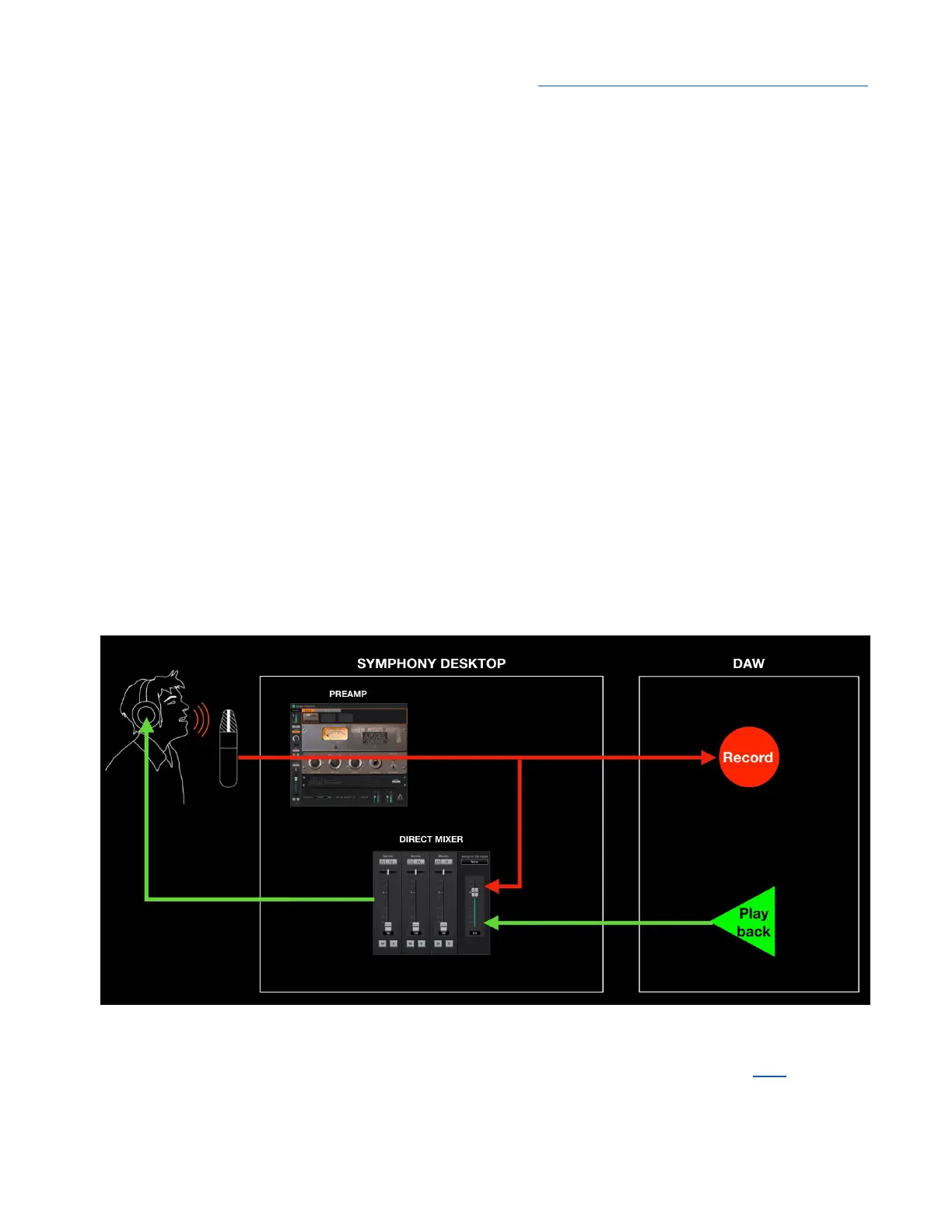
Mic preamp emulation is inserted into the signal path before the direct monitoring mixer and the
“send” to your DAW, as shown below. Emulation processing is printed, i.e. it permanently modifies the
audio signal, regardless of your monitoring workflow (Software or Direct monitoring). Of course, a
hardware mic preamp would also permanently change the audio as well!
To apply Alloy mic preamp emulation, open the Channel FX on the DAW channel(s) you’re recording
on. Set the Channel Link setting to match the DAW channel input setting as described here - now the
Preamp, Print FX and Monitor FX tabs appear at the top of the plugin. Click Preamp and choose your
preferred emulation.
48



 To Next Page