Apogee Symphony Desktop User’s Guide
Optical IN Channels
11. Optical IN channels represent digital inputs from external digital audio devices like standalone mic
preamp expanders, digitally connected synths, and others.
● Optical inputs are routed to software (DAW) inputs 3-10, depending on the Optical Format
setting;
● Optical inputs are routed to direct monitoring Mixers 1 & 2;
● Optical inputs may be routed to Optical and Monitor outputs for Standalone operation.
Playback Channels
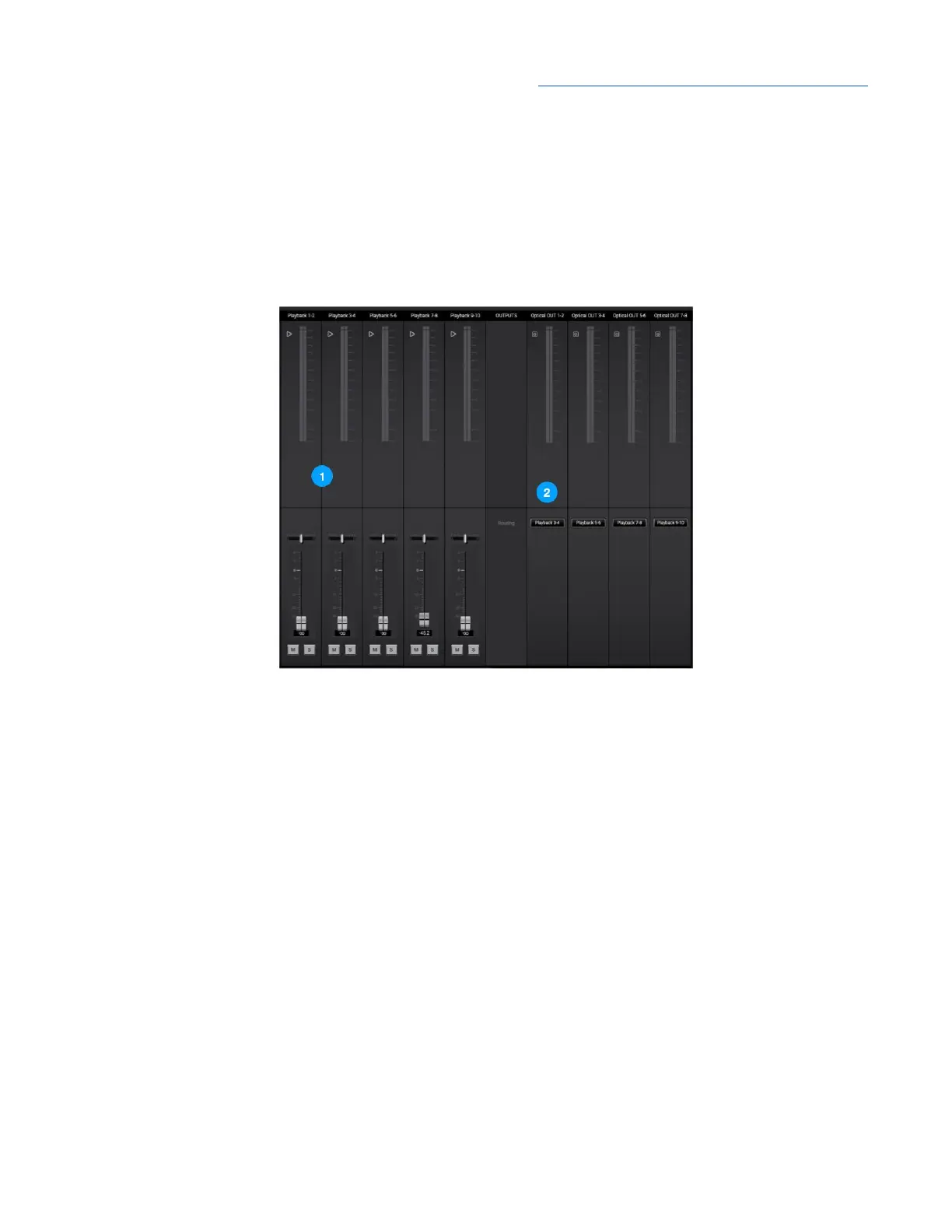
1. Playback channels represent the playback signal from your audio software (DAW) outputs.
● Playback channels are routed to direct monitoring Mixers 1 & 2 for using when Direct
monitoring.
● Playback channels may be selected as the source for Monitor outputs when software
monitoring.
● Playback channels may be selected as the source for Optical outputs.
Optical Output Channels
2. Optical output channels represent digital outputs to be connected to external digital audio devices.
The audio source for the channel is selected in the Routing dropdown menu:
● Playbacks - route the selected stereo Playback signal from audio software to the Optical
output.
● Mixers - route the stereo signal from the selected mixer to the Optical output.
● HW Inputs - route the selected mono or stereo signal from the selected hardware input(s) to
the Optical output.
38



 To Next Page