Apogee Symphony Desktop User’s Guide
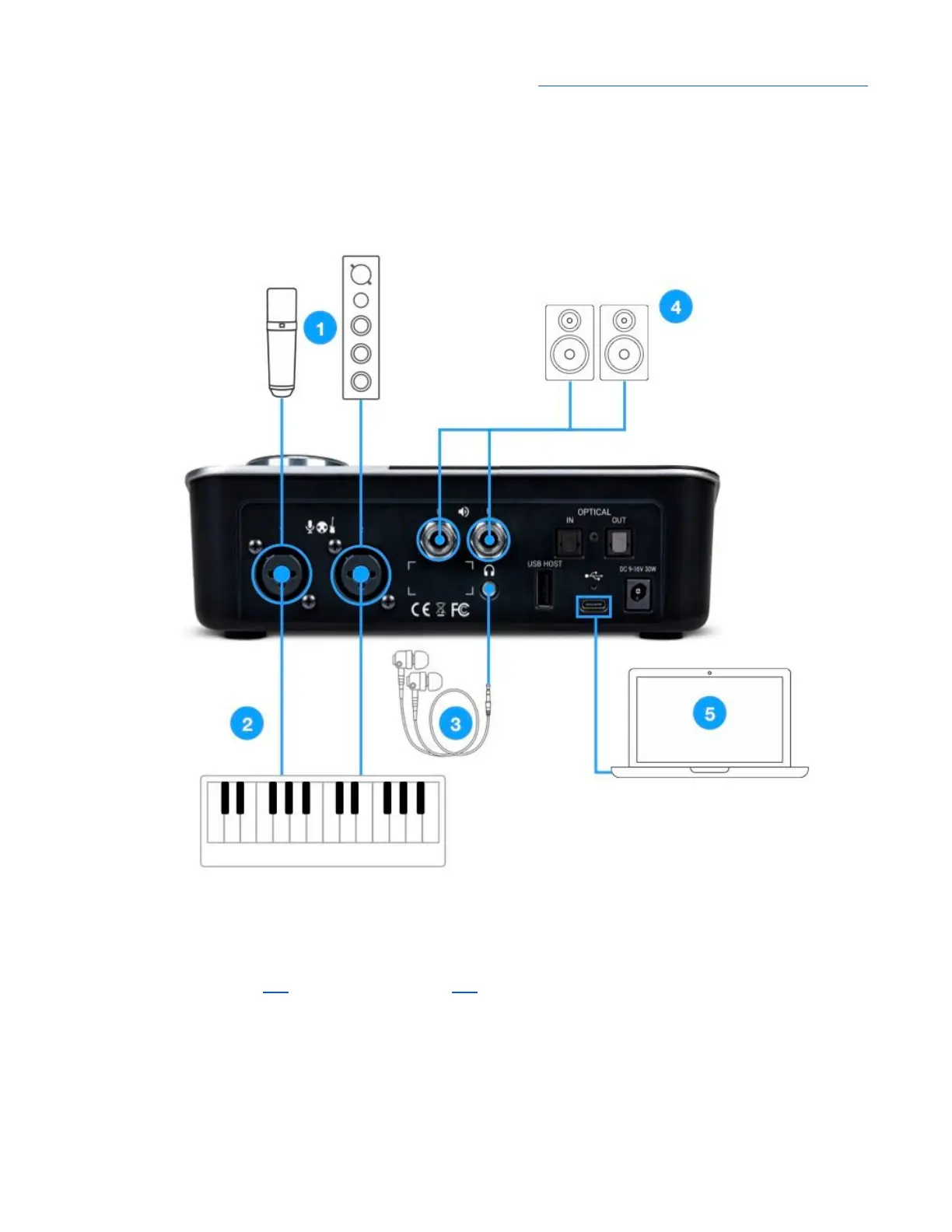
Connecting Your Studio
A wide range of devices, including dynamic & condenser microphones, electric instruments,
speakers, headphones, and digital I/O expanders may be connected to Symphony Desktop.
1. Connect microphones and line level audio gear to the rear panel XLR inputs.
● Connect dynamic and condenser mics to XLR inputs, then set Analog Level to Mic from the
touch screen (link) or Desktop Control (link). When using condenser mics, be sure to engage
48v phantom power.
● Connect analog line level audio gear line outputs to the XLR inputs using the appropriate
adaptor if required. Set Analog Level to +4 dBu for professional sources, set to -10dBV for
consumer level sources.
2. Connect synthesizers and keyboards to the rear panel ¼” inputs 1 & 2, then set Analog Level to
Instrument from the touch screen or Desktop Control.
18



 To Next Page