Apogee Symphony Desktop User’s Guide
3. Connect consumer headphones, earbuds and balanced armature headphones (with
comparatively low impedance and higher sensitivity) to the rear panel ⅛” headphone output.
4. Connect Main outputs 1-2 directly to active speakers. If your speakers are equipped with XLR
inputs, use a ¼” TRS (tip-ring-sleeve) to XLR male adaptor cable. If using passive speakers,
connect the Main outputs to the speaker’s amplifier inputs.
5. Connect to your Mac, Windows or iOS device to the USB-C port.
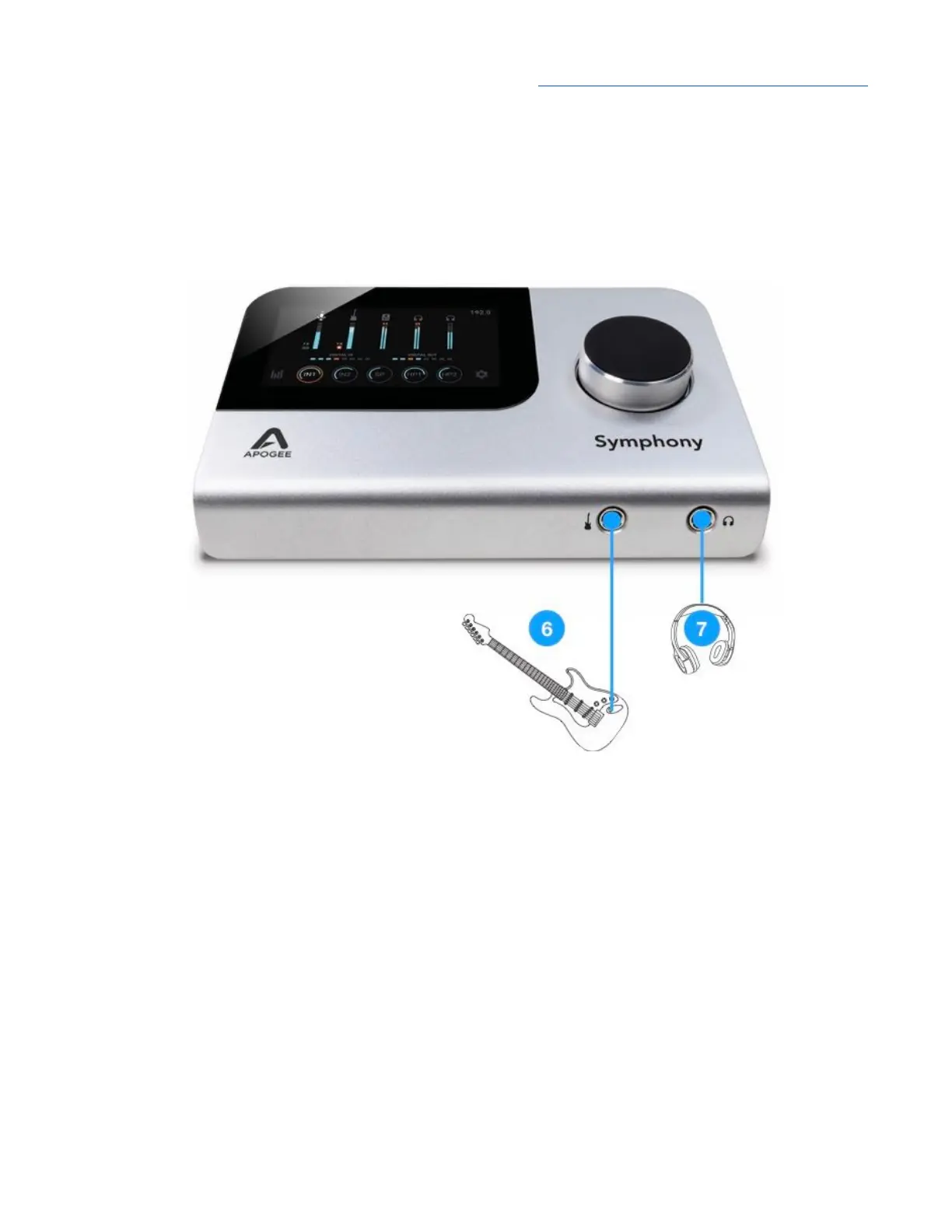
6. Connect electric guitars and basses to the front panel ¼” input. Once the ¼” connector is inserted,
Input 2 Analog Level automatically toggles to Instrument.
Important Note -
When connections are made to both
the rear panel analog input 2 (XLR or
TRS) and the front panel Instrument input, the rear panel connection takes precedence. To
use the front panel instrument input, disconnect the rear panel connection.
7. Connect professional headphones (with a comparatively higher impedance and lower sensitivity)
to the front panel ¼” headphone output.
19



 To Next Page