Apogee Symphony Desktop User’s Guide
Monitoring Workflows
The two basic monitoring workflows, Software monitoring and Direct monitoring, are described below.
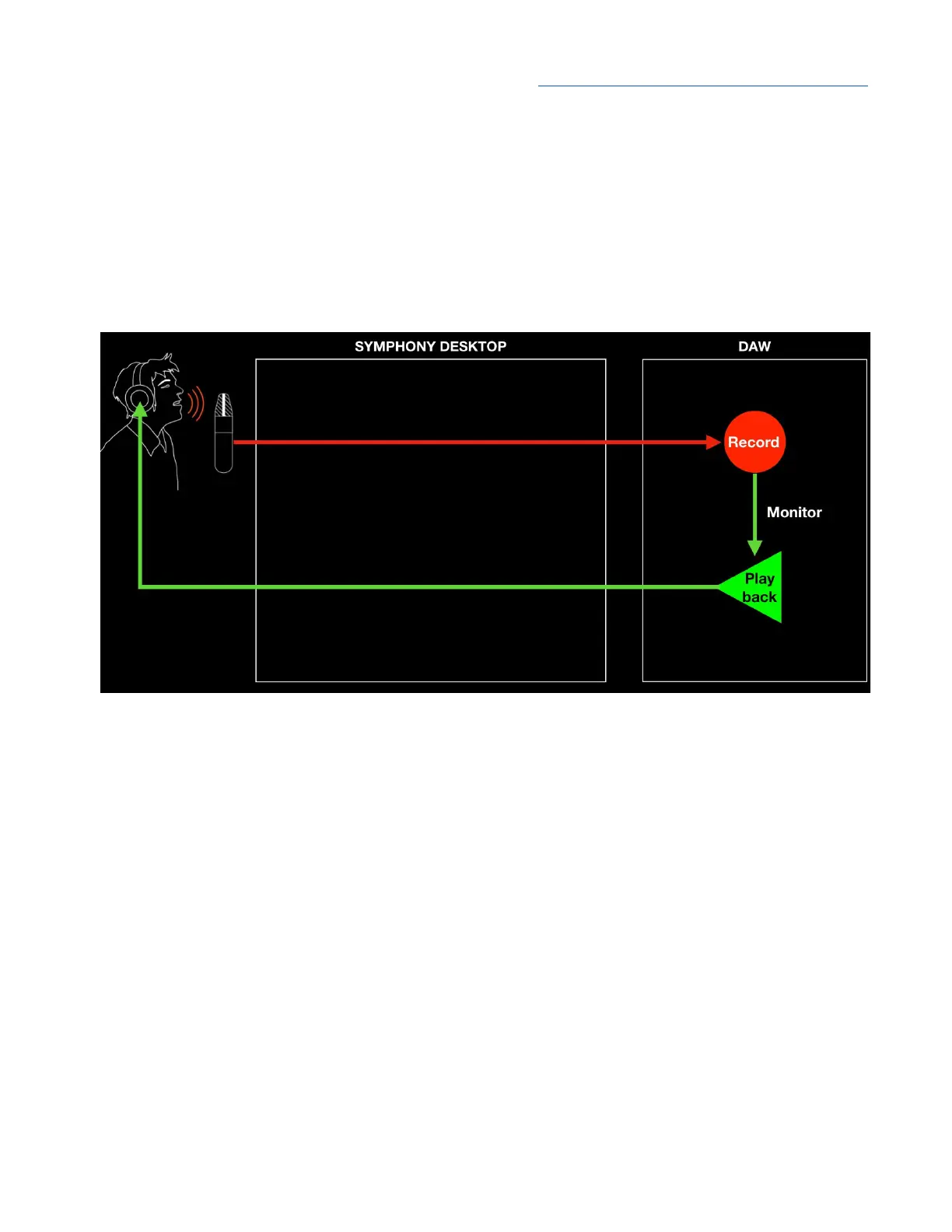
Software Monitoring
When your system is set up for Software monitoring, the audio that the performer hears is routed
through the DAW, including plugins and mixers, and thus incurs the maximum latency of the system,
as shown below.
● Pros - This is the simplest monitoring workflow, where most settings are made in the DAW
window.
● Cons - It’s necessary to set the DAW IO Buffer setting to a compromise between lower latency
and maximum CPU plugin processing - the lower the latency, the fewer native plugins may be
run.
If you have a powerful computer and your sessions use a moderate amount of plugin processing, you
may be able to find a Buffer setting that’s low enough that latency isn’t a problem but high enough
that processing is completed without issues.
46



 To Next Page