Apogee Symphony Desktop User’s Guide
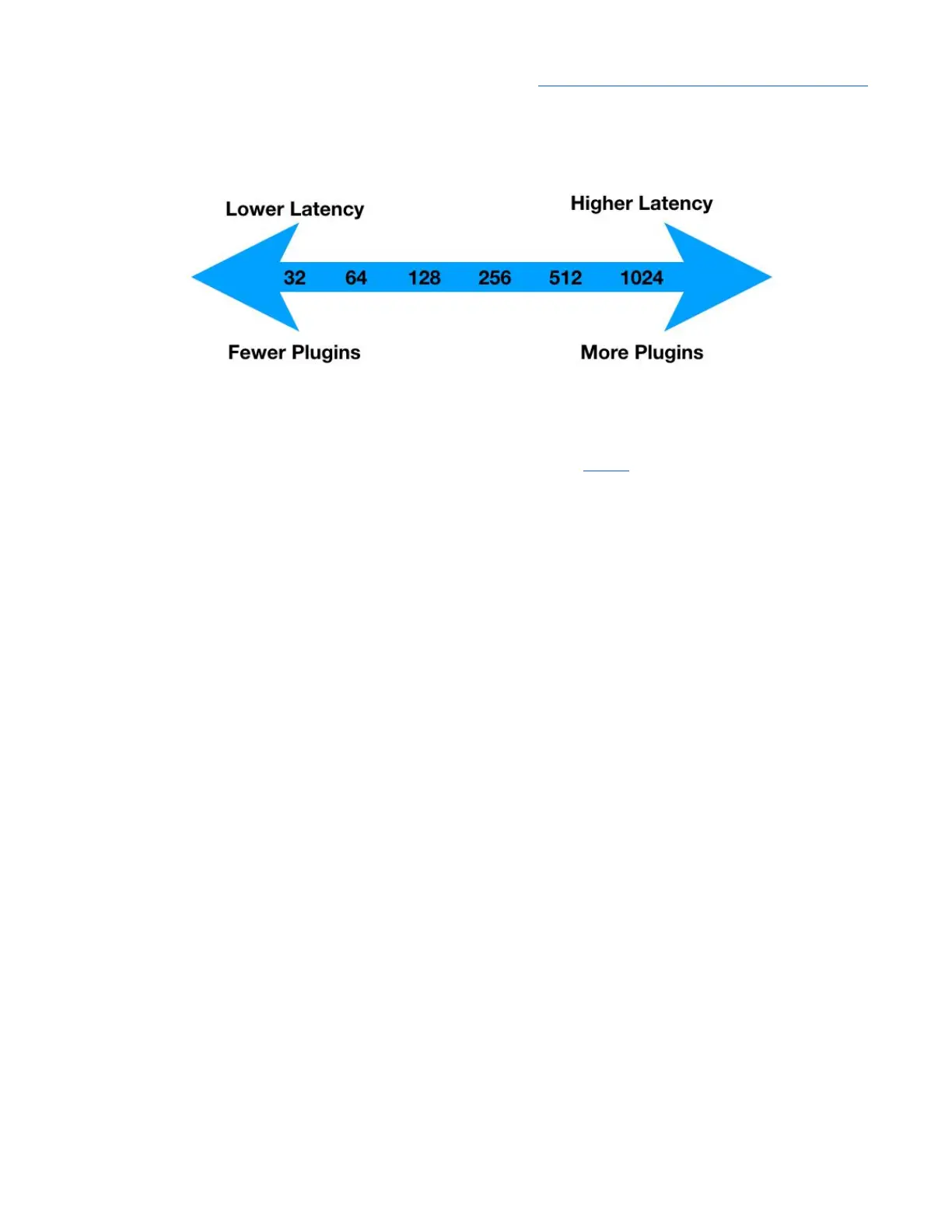
Thus, the Buffer setting is always a compromise between lower latency and more processing power.
Monitoring - One of the fundamental workflow choices you’ll make is input monitoring - that is, how
performers hear themselves while recording. Symphony Desktop offers two monitoring workflows,
Software monitoring and Direct monitoring, which are described below in greater detail.
Native DSP Processing - When you open and run plugins in your DAW software, they use your
computer’s native CPU processing power to perform the required DSP, and are said to be native
plugins. If you’ve set the DAW Buffer to it’s maximum setting, you can run virtually thousands of
Apogee plugins from a reasonably recent computer - there’s really a lot of native DSP processing
power available from your computer!
Hardware DSP Processing - Even though you can open thousands of plugins running natively on
your computer, there are a few instances where you need hardware DSP processing on-board your
audio interface.
● To fulfill the requirements of Direct monitoring, your audio interface needs hardware DSP for
the Direct monitoring mixer and plugins;
● Hardware DSP can process an interface input before it’s sent to your DAW, so you can sculpt
your sound and record the results.
Apogee Ensemble Thunderbolt, Element Series and Symphony Desktop all offer hardware DSP
on-board.
Ideally, your plugins can run both as a native plugin in your DAW and as a hardware plugin in your
audio interface’s Direct monitoring mixer. The Apogee Channel FX plugin is one of the very few that
can!
Apogee Channel FX Plugin - when referred to in this User’s Guide, the Channel FX
Apogee FX Plugin - the collection of Apogee plugins that can be opened in the Channel FX plugin
Print FX - the term “Print FX” or “printing” is used in this guide to specify DSP processing that is
“destructive”, or permanently applied to the audio file being processed. For example, when EQ
processing is “printed”, it becomes a permanent and irreversible characteristic of the audio file.
44



 To Next Page