16
THE INFORMATION CONTAINED HEREIN IS PROPRIETARY TO APPLANIX CORPORATION. RELEASE TO THIRD PARTIES OF THIS PUBLICATION OR OF
INFORMATION CONTAINED HEREIN IS PROHIBITED WITHOUT THE PRIOR WRITTEN CONSENT OF APPLANIX CORPORATION. APPLANIX RESERVES THE
RIGHT TO CHANGE THE SPECIFICATIONS AND INFORMATION IN THIS DOCUMENT WITHOUT NOTICE. A RECORD OF THE CHANGES MADE TO THIS
DOCUMENT IS CONTAINED IN THE REVISION HISTORY SHEET. COPYRIGHT © APPLANIX CORPORATION, 2021ALL RIGHTS RESERVED. NO PART OF
THIS PUBLICATION MAY BE REPRODUCED, STORED IN A RETRIEVAL SYSTEM OR TRANSMITTED IN ANY FORM OR BY ANY MEANS WITHOUT THE
PRIOR WRITTEN CONSENT OF APPLANIX CORPORATION.
3.4. Front Panel LEDs
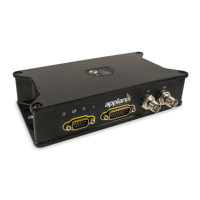
LVX has four LEDs on the front panel to indicate, from left to right, power, satellite
tracking, RTK reception and IMU status. The boot up sequence for LVX lights all 4
LEDs for about 3 seconds followed by a brief duration where all LEDs are off. Thereafter
use the following table to determine the operational status.
No incoming RTK corrections
Receiving incoming RTK corrections
Receiving Moving Base corrections at 5 Hz
Receiving Moving Base corrections at 5 Hz
If the power LED and Satellite LED are on continuously and the RTK LED is blinking at
1 Hz it indicates the LVX is in Boot Monitor mode. In this case it is necessary to use
Winflash to reload the firmware. Contact technical support for more information.


 To Next Page