69
THE INFORMATION CONTAINED HEREIN IS PROPRIETARY TO APPLANIX CORPORATION. RELEASE TO THIRD PARTIES OF THIS PUBLICATION OR OF
INFORMATION CONTAINED HEREIN IS PROHIBITED WITHOUT THE PRIOR WRITTEN CONSENT OF APPLANIX CORPORATION. APPLANIX RESERVES THE
RIGHT TO CHANGE THE SPECIFICATIONS AND INFORMATION IN THIS DOCUMENT WITHOUT NOTICE. A RECORD OF THE CHANGES MADE TO THIS
DOCUMENT IS CONTAINED IN THE REVISION HISTORY SHEET. COPYRIGHT © APPLANIX CORPORATION, 2021ALL RIGHTS RESERVED. NO PART OF
THIS PUBLICATION MAY BE REPRODUCED, STORED IN A RETRIEVAL SYSTEM OR TRANSMITTED IN ANY FORM OR BY ANY MEANS WITHOUT THE
PRIOR WRITTEN CONSENT OF APPLANIX CORPORATION.
7. Appendix A – RTK Setup
The LVX can be setup to accept real time corrections in several different ways. This
Appendix reviews the use of the built-in NTRIP client on the LVX, as well as the setup
for use of an external NTRIP client.
7.1. RTK using the NTRIP Client on the LVX
The LVX needs to be connected to a router/network switch which is able to route into the
internet. The IP address should remain static and be in the subnet of the DHCP router
range.
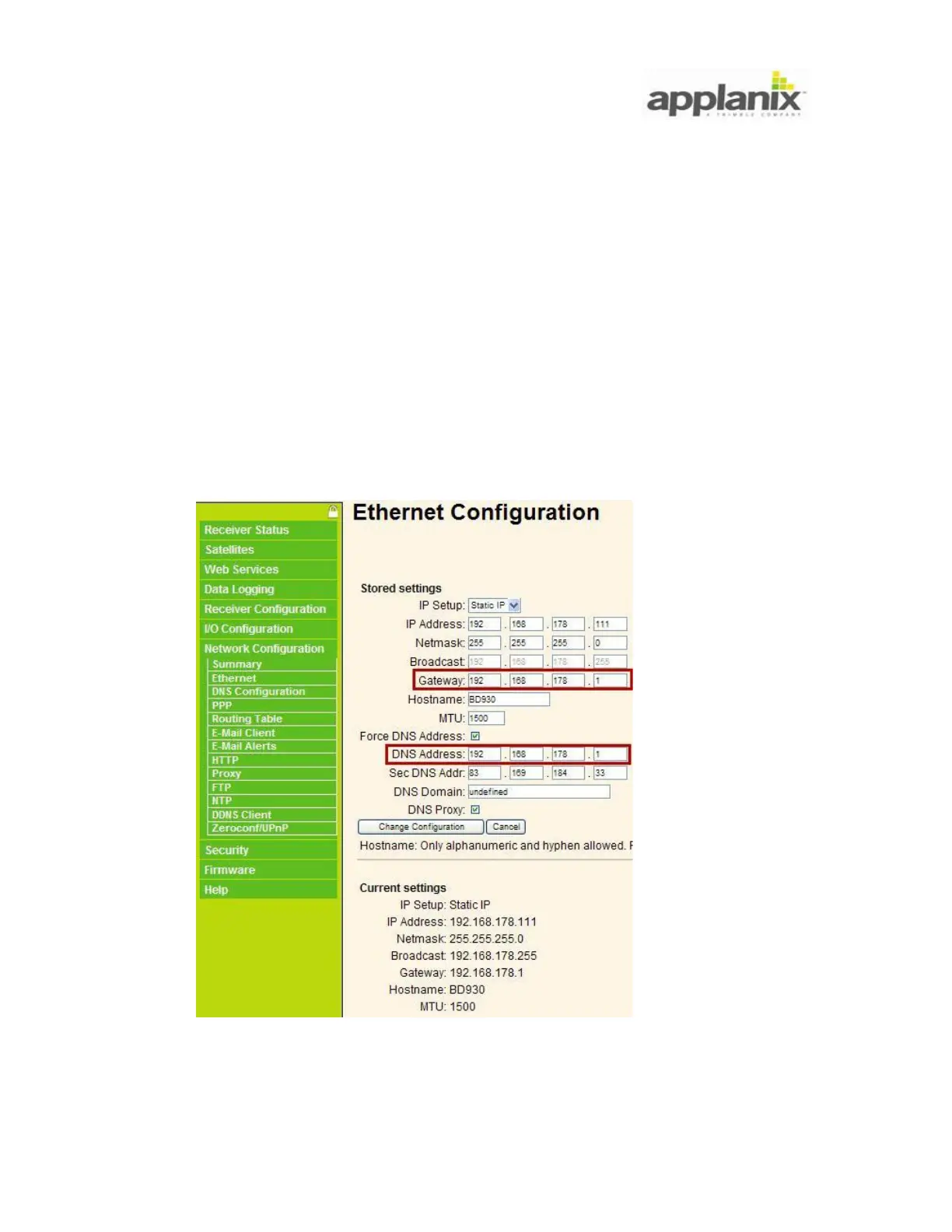
Setup the static IP address, Subnet, Gateway and DNS server. This can be done from the
LVX WEB GUI:
Tips: 1) If the Gateway is unknown use ipconfig to determine the value


 To Next Page