40
THE INFORMATION CONTAINED HEREIN IS PROPRIETARY TO APPLANIX CORPORATION. RELEASE TO THIRD PARTIES OF THIS PUBLICATION OR OF
INFORMATION CONTAINED HEREIN IS PROHIBITED WITHOUT THE PRIOR WRITTEN CONSENT OF APPLANIX CORPORATION. APPLANIX RESERVES THE
RIGHT TO CHANGE THE SPECIFICATIONS AND INFORMATION IN THIS DOCUMENT WITHOUT NOTICE. A RECORD OF THE CHANGES MADE TO THIS
DOCUMENT IS CONTAINED IN THE REVISION HISTORY SHEET. COPYRIGHT © APPLANIX CORPORATION, 2021ALL RIGHTS RESERVED. NO PART OF
THIS PUBLICATION MAY BE REPRODUCED, STORED IN A RETRIEVAL SYSTEM OR TRANSMITTED IN ANY FORM OR BY ANY MEANS WITHOUT THE
PRIOR WRITTEN CONSENT OF APPLANIX CORPORATION.
The DMI direction sense is programmed by setting the sign on the DMI scale factor
value. If the DMI is mounted on the driver’s left side of the vehicle, use a positive scale
factor value. If the DMI is mounted on the driver’s right side of the vehicle, use a
negative scale factor value.
4.6.13. I/O Configuration:
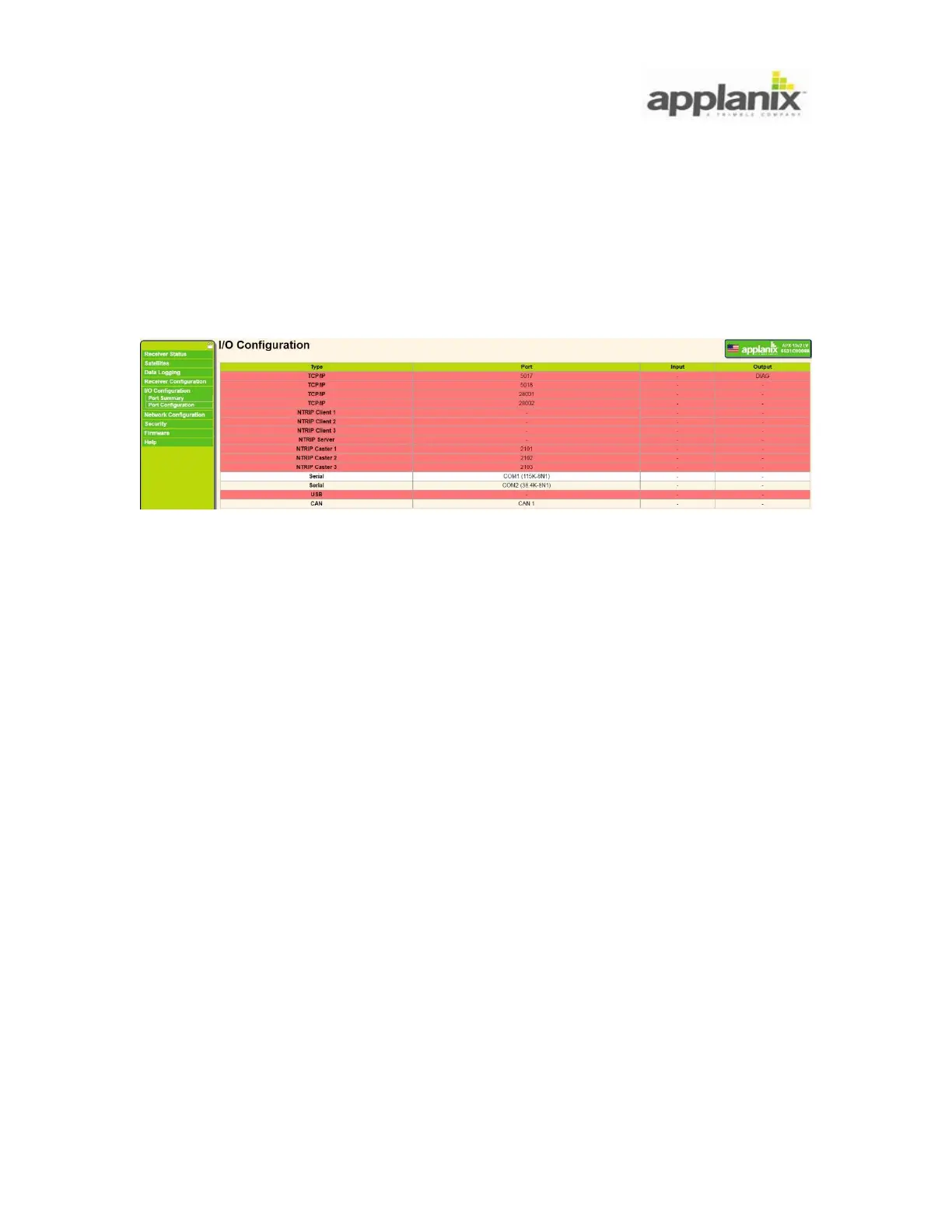
The I/O configuration refers to output message selection for specific port (see Figure 38).
Figure 38: I/O Configuration
In order to perform a configuration, click on port you want to select (e.g. Serial COM1
port).
The port property settings will be opened as it is on Figure 39. Using the message
selection pull down menu, select the messages of your choice. The messages can be
sequentially added, and one port can be set up to output multiple messages.


 To Next Page