DRAFT
September 25, 2007 1:07 am, 4376782_Maintain_the_System.fm
Chapter 6 Maintain the System
Regular Maintenance
Applied Biosystems StepOne
™
and StepOnePlus
™
Real-Time PCR Systems
Installation, Networking, and Maintenance Guide
92
Notes
Perform the
Calibration
1. In the main screen of the StepOne
™
software, select InstrumentInstrument
Maintenance Manager.
2. In the navigation pane of the Instrument Maintenance Manager, click Spatial.
3. In the Instrument Maintenance Manager, click Start Calibration.
4. In the Setup screen of the Spatial Calibration dialog box, select The calibration
plate is loaded into the instrument, then click Next.
5. In the Run screen, click START RUN , then wait for the instrument to complete
the spatial calibration.
Remove the
Calibration Plate
PHYSICAL INJURY HAZARD. During instrument operation, the
temperature of the sample block(s) can exceed 100 ° C. If the instrument has been used
recently, keep your hands away until the sample block(s) reaches room temperature.
IMPORTANT! Wear powder-free gloves when you handle
calibration plate
.
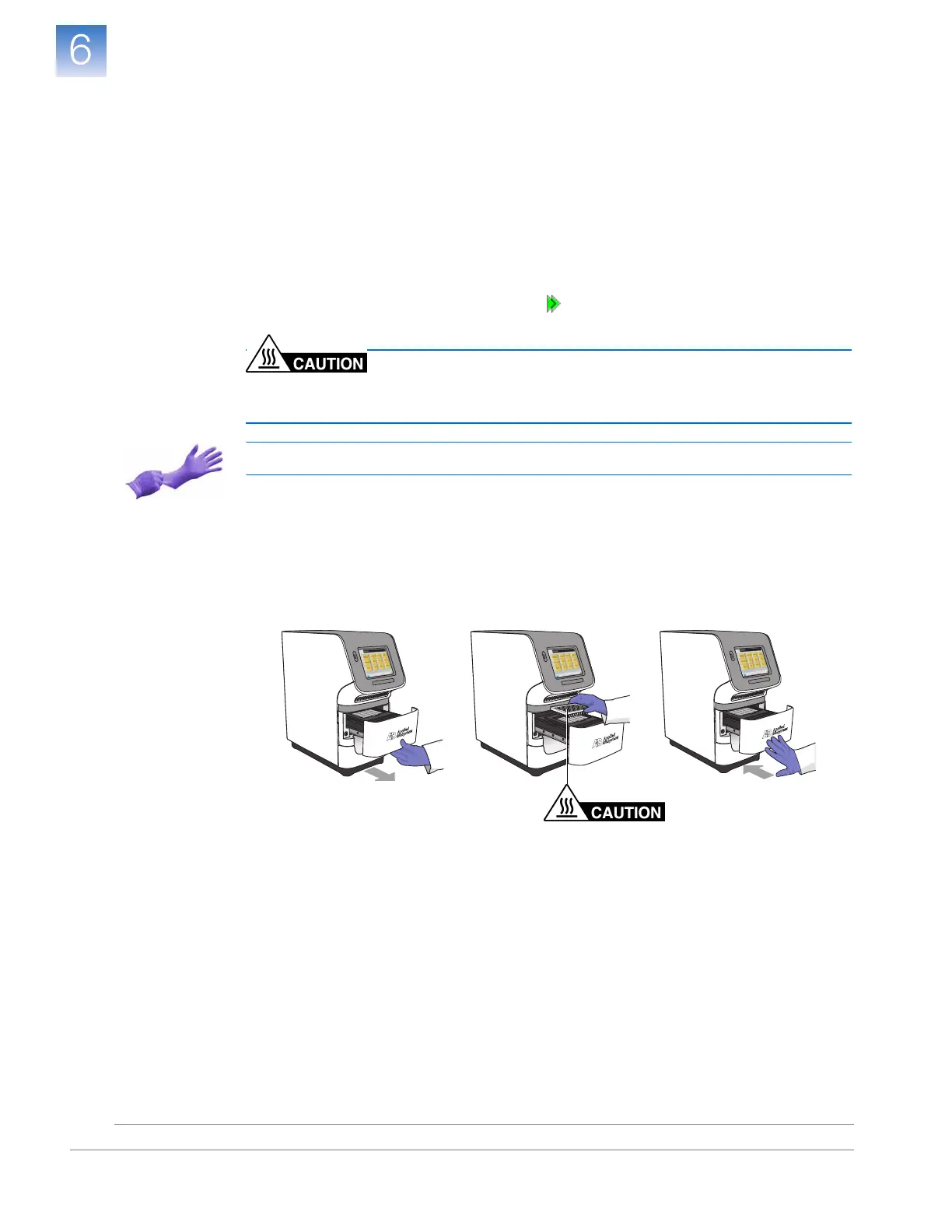
1. Open the instrument drawer.
2. Remove
calibration plate 1
from the sample block(s), place it inside its packaging
sleeve, and return it to the spectral calibration kit in the freezer.
3. Close the instrument drawer carefully.











 To Next Page