Page 12
1.2.2
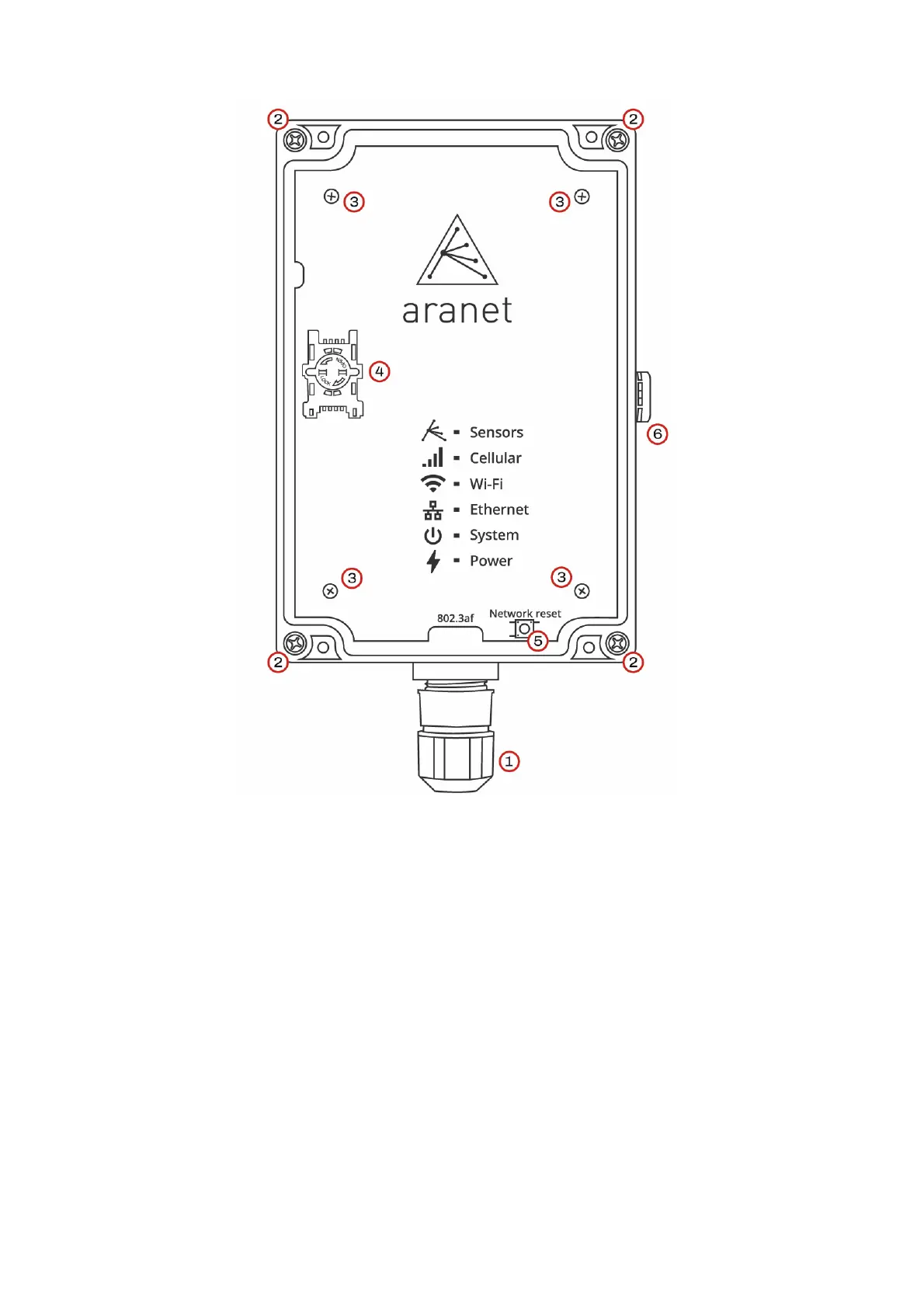
Aranet PRO+ front view
(1) IP68 protected RJ-45 Ethernet port for Network and Power connection.
(2) Screws for detaching/securing Aranet PRO+ case lid – 4 pcs.
(3) Warranty seals - Nylon screws – 4 pcs. Warranty is lost if damaged.
(4) SIM-card holder (P/N TDSBOB03, TDSBOBU3, TDSBOBC3 only).
(5) Network Reset button; press and hold for 5 seconds or more and then release the button to reset
network settings and password of “root” user account.
(6) Humidity membrane. Do not unscrew!



 To Next Page