Page 65
3.7.3
Modbus
Aranet PRO/PRO+ Modbus TCP/IP feature currently supports "Input register" object types. All other types
can be defined in the configuration file, but they will be ignored. It refers also to function codes. Only
function code 4 is supported (read "Input register").
Aranet PRO/PRO+ appears in Modbus networks as server (slave) having its own server(slave) ID. By
default, Aranet PRO/PRO+ server (slave) ID is “1”.
Notes for client side:
• Register size: 16 bits;
• Endianness - big-endian with high word first:
o high byte first;
o high word first (for 2 register/32-bit values).
• Supports only:
o Modbus function: read input registers (code: 4)
o Modbus data type: input registers (any address can be used in supported range: 0-65535)
• Used Modbus TCP exceptions
o In case if unsupported function is being requested, message with "ILLEGAL_FUNCTION"
code will be replied.
o In case if unavailable registry address is being requested, message with
"ILLEGAL_DATA_ADDRESS" code will be replied. This exception is sent also in case if
address is colliding with any other registry address.
o In case if uninitialized registry address is being requested, message with
"ILLEGAL_DATA_VALUE" code will be replied. Address of the registry exists, but valid
data of measurement has not been assigned yet.
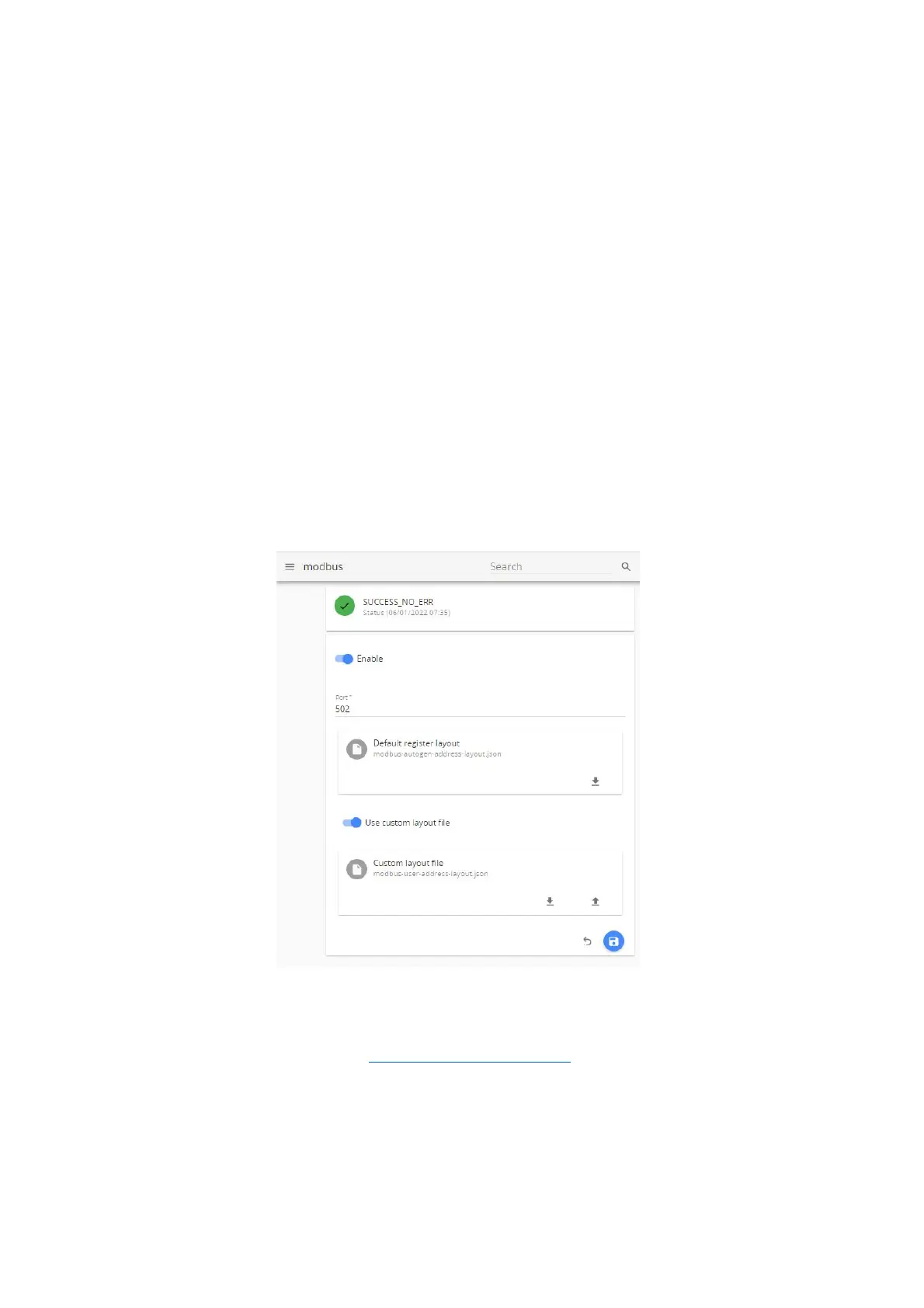
Modbus menu is where you setup connection to Aranet PRO/PRO+.
1) Enable – allows enabling/disabling Modbus TCP/IP on Aranet PRO/PRO+ base station;
2) Port – allows selecting the TCP port used for the connection to the Modbus client (master). The
most common port is 502.
3) Default register layout – autogenerated Aranet PRO/PRO+ Modbus addresses layout file in json
format can be downloaded here. (See layout file example below).
4) Use custom layout file – when enabled, custom Modbus addresses json file can be uploaded to the
Aranet PRO/PRO+ base here as well as downloaded back from base station.
5) Save or Cancel changes.



 To Next Page