Page 62
3.7.2
Aranet Cloud
Aranet Cloud menu is where you setup connection to Aranet Cloud.
Aranet Cloud is a Plug & Play Cloud solution for Aranet IoT ecosystem. Aranet Cloud is Enterprise
grade solution for centralized access and management of Aranet data, automated data monitoring and
possibility to set up customized notifications for sensor measurements.
Aranet Cloud usage does not require integrator involvement or third-party solutions to enable centralized
and remote data access for any number of sensors and bases. All sensors are available at one place – no
need to switch between base stations or build solutions how to access remote locations
Every organization can set up trial Aranet Cloud account with access for a period of 30 days.
Before setting up an Aranet PRO/PRO+ base station on the Aranet Cloud platform a couple of things
should be verified and provided:
• User has any type of device with a working Internet connection and WEB browser installed on it.
• User has access to an e-mail account that can be used for new account registration in the Aranet Cloud
platform.
• Aranet PRO/PRO+ base station is properly connected to the Internet and has at least firmware version
2.4.6. Aranet Cloud receives data from base stations using HTTPS protocol on TCP port 443.
1) Open aranet.cloud in new browser tab or window and log in with your credentials; If you do not have
user account, please register new user account.
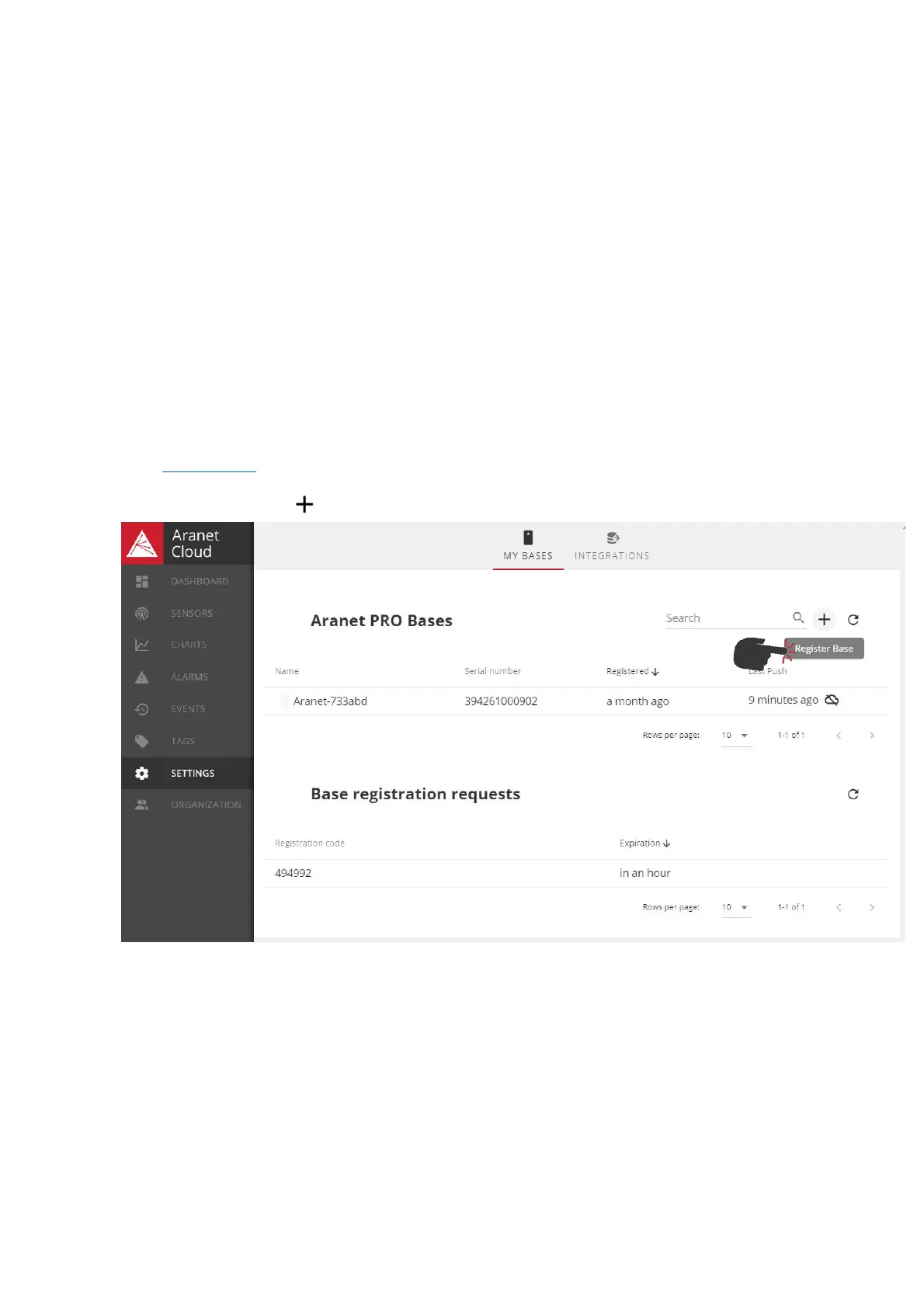
2) Go to Settings and click icon to register new Aranet Pro base;



 To Next Page