Page 30
2.4
Accessing the Aranet PRO/PRO+ from Internet
For remote access to Aranet PRO/PRO+ from Internet, public (fixed, static) IP address is required.
While all Aranet PRO/PRO+ network interfaces can be used for accessing the base from Internet, Ethernet
interface is most preferable option for this purpose.
IP address is assigned to selected Aranet PRO/PRO+ network interface as a Static IP address. Refer to
chapter “Network” and corresponding interface menu section.
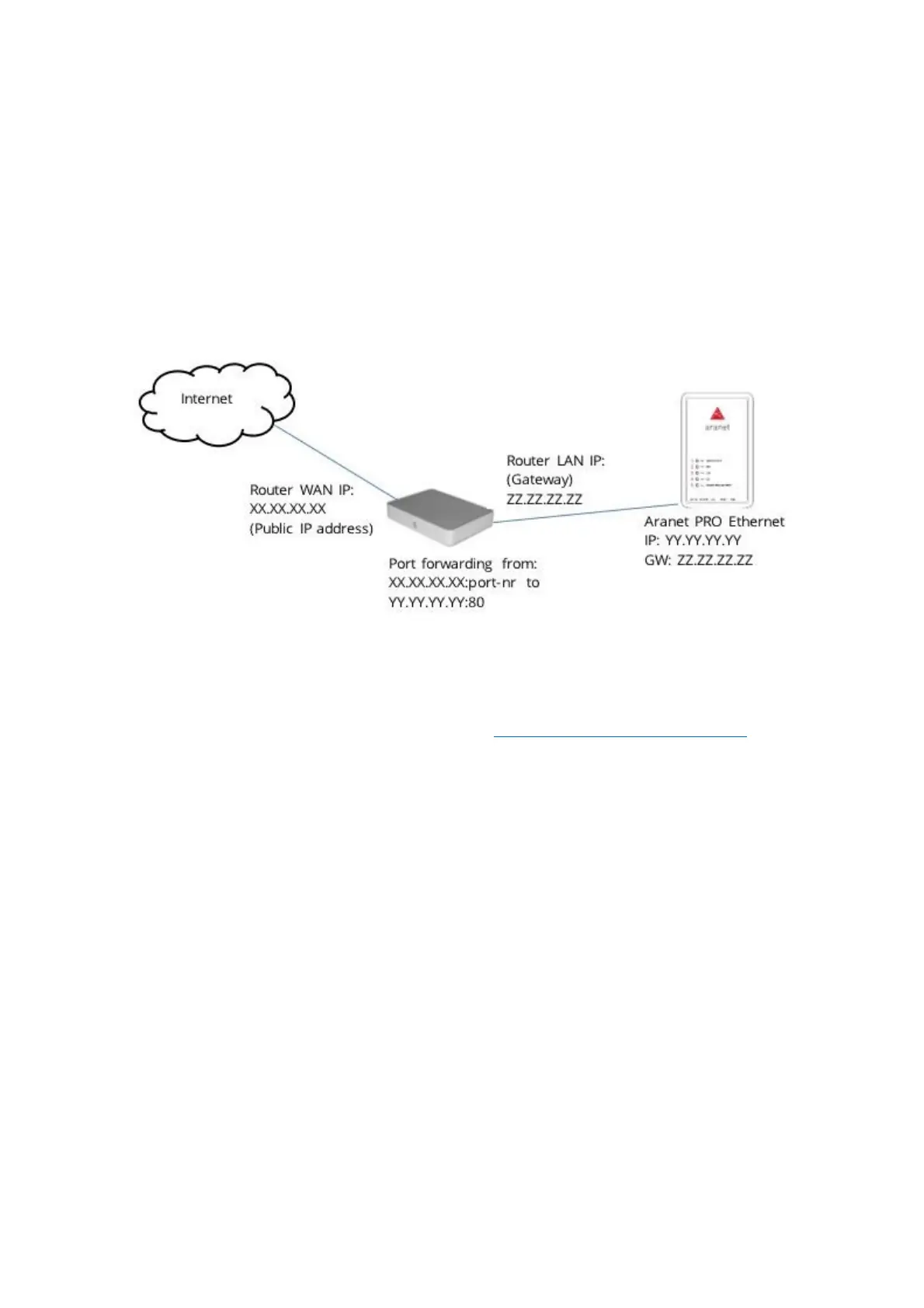
In case you have a router (fixed or mobile) with already available fixed IP address, you can use port
forwarding feature on your router to setup an access to Aranet PRO/PRO+. Port forwarding is configured
on your router. Refer to the User Guide of your router on how port forwarding should be configured.
Below is example of possible configuration.
For accessing Aranet PRO/PRO+, open the Internet browser and in URL bar type the IP address with port
number, xx.xx.xx.xx:port-nr (for instance, 213.100.100.1:8100).
These were the main steps needed for monitoring your sensors data. To make monitoring more convenient and
illustrative, you can create Graphs, set up Sensor Groups and alarms, Notifications sending, etc. For
instructions, please read corresponding chapter in following ARANET SENSORHUB OVERVIEW.
It is also possible to enable Aranet sensor data upload to Aranet Cloud - Plug & Play Cloud solution for Aranet IoT
ecosystem.



 To Next Page