Page 19
2.1.3
Initial Login and Fast Settings
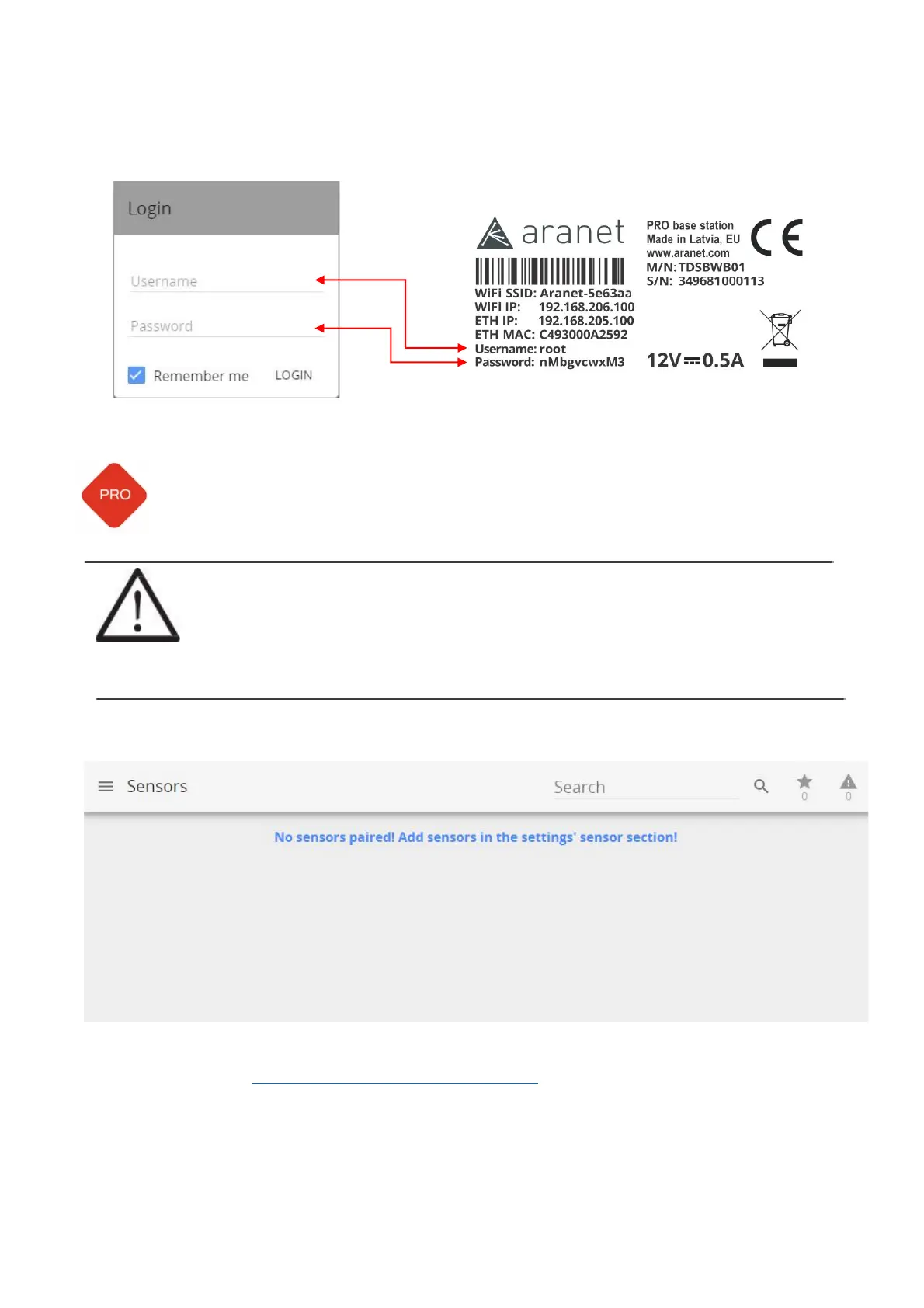
Username and password for login can be found on the label attached to Aranet PRO/PRO+ (see example
below).
Aranet PRO Mk2:
Username: root
Password: changeme
!NOTE! Root is an administrator account. For security reasons, we recommend changing
the password as soon as possible.
We also recommend creating separate accounts for users as required. There are two levels
(groups) of access - user and administrator. User group accounts have read-only
permissions, can only view parameters, and can subscribe to notifications. The total account
limit is 20 (including root account).
After entering Username, Password and clicking LOGIN button for the first time, following page will open:
Now you can change the regional, network, and other settings, as well as start pairing the sensors.
Refer to chapter 3.2 ARANET SENSORHUB OVERVIEW for detailed information about Menu.



 To Next Page