Page 55
3.6.11
Aranet MINI monitor mode
Aranet MINI monitor mode serves as a screen function displaying up to 12 sensor data. It can be used if constant
display of the data readings is required from the sensors paired to Aranet PRO/PRO+. User can set as many
Aranet MINI to Monitor mode, as necessary.
Aranet MINI only supports Aranet T/RH sensor, Aranet PT100 sensor and Transmitter, Aranet T Probe
sensor and Aranet CO2 sensor.
!NOTE! Configuring the Aranet MINI into monitor mode, previous configuration of the Aranet
MINI will be overwritten. Follow the instructions below on how Aranet MINI can be reconfigured
to its default standalone mode.
There are two ways to configure Aranet MINI to work in monitor mode:
3.6.11.1 Using a computer
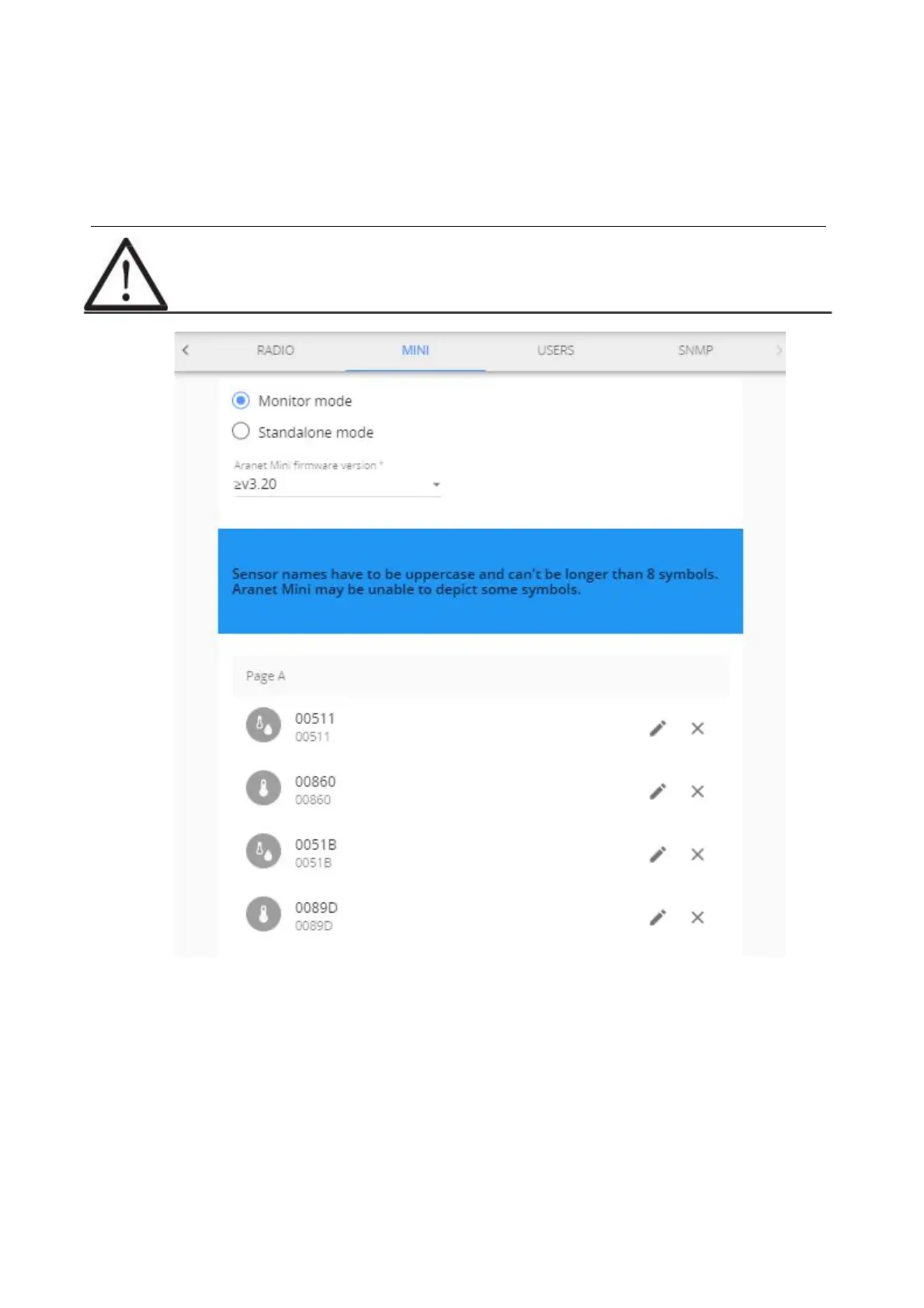
(1) To configure Aranet MINI into monitor mode you need to log in Aranet PRO using a desktop PC
and choose the Monitor mode in System settings menu, submenu Aranet Mini.
(2) Select the firmware version of Aranet MINI you will be using as Monitor.
(3) Choose the sensors you wish to display on Aranet MINI (up to 12 sensors) by selecting the (+)
buttons. Here you can change name of the sensors and rearrange the position by drag and drop.
(4) Press the “Download Configuration” button. Configuration file is then saved on your computer
and needs to be transferred on Aranet Mini to enable the monitor functionality.



 To Next Page