Page 13
1.2.3
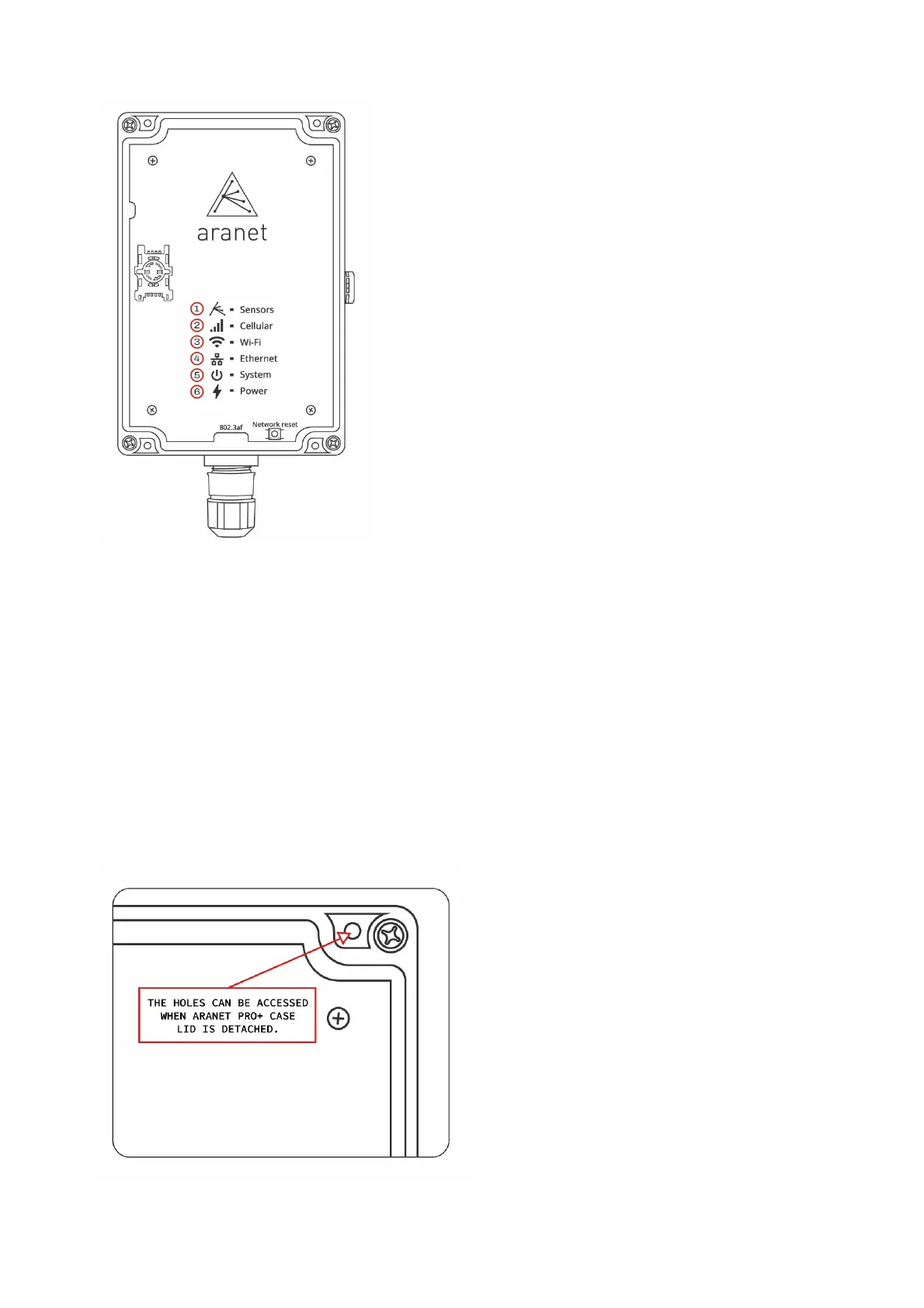
Aranet PRO+ indicators
(1) Sensors data indicator LED – flashes amber every time a data packet is received from a sensor.
(2) Cellular connection indicator – slow flashes red when no SIM-card is installed, or no connection is
established; fast flashes with steady pauses when connected to GSM LTE network.
(3) Wi-Fi connection indicator LED – yellow light when Aranet PRO+ Wi-Fi network interface is
enabled, and base is connected to Wi-Fi or works in Access Point mode.
(4) Ethernet connection indicator LED – yellow light when Aranet PRO+ is connected to LAN using
cable
(5) System indicator – green light when Aranet PRO+ system is started.
(6) Power indicator LED – green light when Aranet PRO+ is powered.
1.2.4
Aranet PRO+ mounting
Aranet PRO+ case has four dedicated holes for 4…4.5 mm screws by which base can be mounted to
smooth surface:



 To Next Page