Page 36
3.4
Sensors
Sensors settings is where sensors can be paired and the sensor information, such as group, name and
thresholds, can be adjusted (see 2.2 Pair sensors to Aranet Pro and 3.5 Groups sections).
Some parameters are applicable only to specific sensors, see chapter 4 SENSORS’ SPECIFIC NOTES.
3.5
Groups
Aranet SensorHUB allows users to create sensor groups, which can be helpful when managing large
number of sensors. Groups can have names that represent for instance their type, location, room, etc. As
well as set alert thresholds and choose different alarm types applicable for whole group. Maximum number
of supported groups is 20.
3.5.1
Using groups
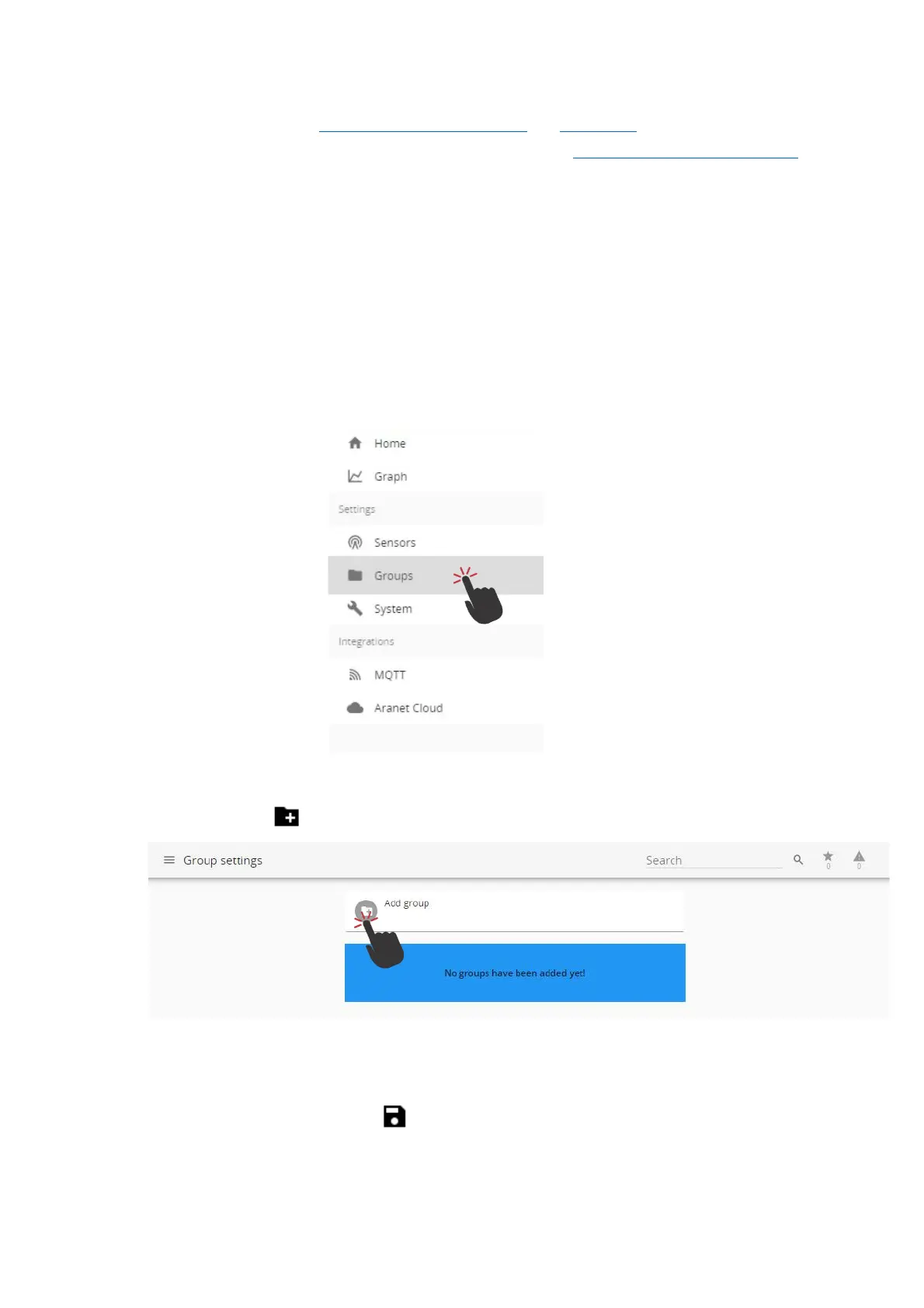
(1) You should be logged in using an account with administrative rights.
(2) To create a new group, go to Aranet PRO/PRO+ Main menu and choose the “Groups”
menu.
(3) Click “Add group” .
(4) Now the group can be renamed and thresholds for alarms can be set. These thresholds work
for all sensors in the group, unless a sensor is specified to use its own threshold in sensor
menu. After editing click the Save button.



 To Next Page